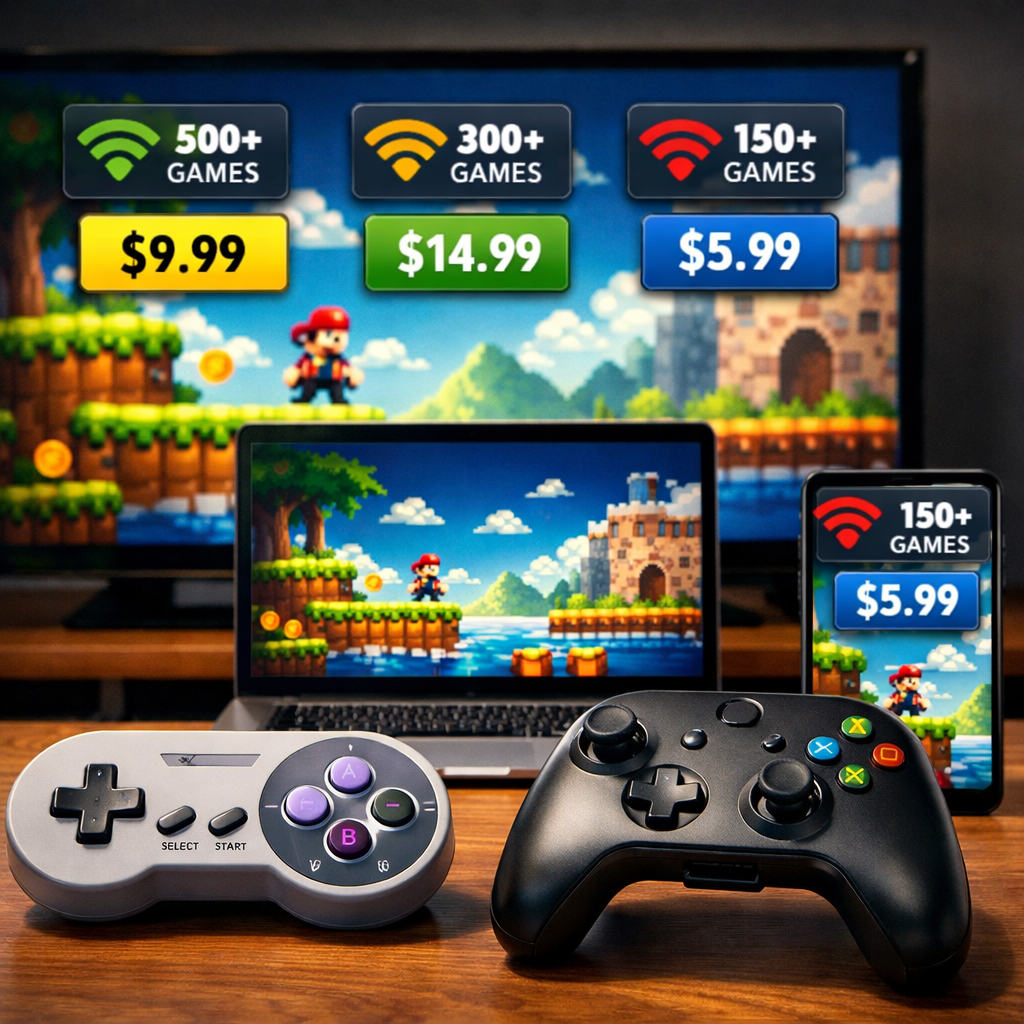
Best Cloud Gaming Services Compared: Performance, Libraries, Pricing, Controller Support
Cloud gaming lets you stream high‑end games from remote servers to almost any screen, so the power draw shifts to the cloud and your connection becomes the bottleneck. If you want the best blend of performance and a deep library in 2026, pick based on how you play: NVIDIA GeForce Now Ultimate leads for fidelity and low latency if you already own PC games; Xbox Cloud Gaming via Game Pass Ultimate is the strongest all‑in‑one subscription for variety and day‑one drops; Amazon Luna is the simplest TV‑first option with a lag‑saving controller. The sections below break down performance, catalogs, price, and controller support so you can decide the best cloud gaming service for performance and library in 2026. At Retro Gaming Blog, we weigh low‑lag feel, stable 1080p, and preservation‑friendly ownership alongside raw specs.
How to choose a cloud gaming service
Cloud gaming streams gameplay from data center GPUs to your device, so frames are rendered in the cloud and delivered like high‑bitrate video. Your connection quality controls visual fidelity and input responsiveness; wired Ethernet and proximity to server regions are the biggest stability wins, according to clear guidance from PCWorld’s overview of the space (see network tips in the PCWorld guide).
Two service models dominate:
- Subscription libraries: Pay monthly for access to a rotating catalog (Xbox Cloud Gaming via Game Pass Ultimate, Amazon Luna, PlayStation Plus). Great for discovery and day‑one first‑party drops on Xbox, but titles can rotate out per licensing, as summarized by CNET’s roundup.
- BYO ownership streaming: NVIDIA GeForce Now streams select games you’ve already bought on Steam, Epic, Ubisoft, or GOG—excellent for ownership control and long‑term access, but compatibility varies by title, as Tom’s Guide explains.
Before you subscribe, map your needs on four axes:
- Performance and cloud gaming latency: Competitive shooters benefit from the lowest possible end‑to‑end delay; casual and turn‑based play are more forgiving. 1080p vs 4K streaming also affects bandwidth and stability.
- Library preference: Ownership via PC storefronts vs. an all‑you‑can‑play subscription with possible game rotation.
- Pricing tolerance and session limits: Free or ad‑supported tiers can have queues and shorter sessions; paid tiers remove caps and raise fidelity.
- Controller support and device ecosystem: Confirm controller support on your phone, TV app, browser, or handheld before you commit.
Performance and latency
If you’re chasing smoothness and clarity, tier ceilings matter. GeForce Now’s paid tiers outpace most subscription services: its mid‑tier delivers up to 1440p/60 with RTX features, and Ultimate unlocks multi‑hour sessions and 4K/120+ streaming with access to top‑end GPUs, surpassing the 1080p/60 caps common on other services, as detailed by CloudLoadout’s comparison of free vs. paid cloud tiers. Xbox has begun limited 1440p trials for some Game Pass Ultimate members, noted by Wirecutter’s cloud gaming guide.
Average measured input delay among leaders clusters tightly—GeForce Now around 34 ms, Xbox Cloud near 37 ms, Amazon Luna roughly 42 ms—playable across genres, though competitive FPS players will feel the benefits of the lower figures and a wired setup, per CloudLoadout’s latency breakdown.
Working definition: Input latency is the time between your button press and on‑screen action; keep end‑to‑end delay under roughly 50 ms to feel responsive. Fiber or wired Ethernet helps you stay under that threshold, and when Ethernet isn’t possible, choose 5 GHz Wi‑Fi over 2.4 GHz for lower interference (see PCWorld and CloudLoadout for the networking why).
1080p vs 4K streaming: 1080p/60 is the stability sweet spot for most homes and uses less bandwidth; 4K/120 looks spectacular on big TVs but amplifies any jitter or packet loss. If your stream stutters, step down resolution before you give up on cloud.
Game libraries and ownership models
Subscription catalogs are hard to beat for breadth and discovery, while ownership streaming protects your purchases.
- Game Pass Ultimate folds Xbox Cloud Gaming into a large, rotating library with day‑one first‑party releases and cross‑device progress—great value if you sample broadly, as highlighted by CNET.
- GeForce Now streams supported games you already own across multiple storefronts; it has the widest potential total library, but support varies title by title, per Tom’s Guide.
- Amazon Luna uses curated channels (Luna+, Ubisoft+) with a family‑friendly bend; Prime members get occasional rotations, as TechTimes notes.
Rotating library means games appear and disappear as licenses change; when a title leaves, you lose cloud access unless you buy it elsewhere. Ownership streaming ties access to your purchased licenses and can carry across devices, but you may still need to buy a local copy for offline play or installs in your own PC environment (summarized by Wirecutter and TechTimes).
Model comparison at a glance:
| Model | Access type | Pros | Cons | Best for |
|---|---|---|---|---|
| Xbox Cloud Gaming (Game Pass Ultimate) | Subscription library | Day‑one first‑party, big rotating catalog, cross‑save | Game rotation, 1080p cap (with limited 1440p tests) | Discovery‑driven players and families |
| GeForce Now | Stream owned PC games | Ownership control, top performance, broad storefront support | Per‑title support varies, separate local purchases for offline | PC owners who value fidelity |
| Amazon Luna (Luna+, Ubisoft+) | Curated subscription channels | Simple setup, family‑friendly picks, Prime tie‑ins | Smaller rotating catalog, 1080p/60 cap | Casual/TV‑first play |
| PlayStation Plus Cloud | Subscription library in PS ecosystem | Strong PS back catalog, saves within PS flow | Narrower cloud reach vs. Xbox/GFN | PS‑focused backlogs |
Pricing and session limits
Expect meaningful differences by tier and plan:
- GeForce Now: Ad‑supported free tier typically offers ~1‑hour sessions and up to 1080p/60 with queues; paid tiers are effectively “hardware rentals” with longer sessions, higher resolutions, and premium features, a structure CloudLoadout lays out clearly.
- Game Pass Ultimate: Cloud gaming is bundled with the broader Xbox catalog across console and PC; regional pricing typically lands in the mid‑teens monthly, per CNET’s pricing context.
- Luna: Channel‑based add‑ons (Luna+, Ubisoft+) with a straightforward 1080p/60 cap across tiers as described by CloudLoadout.
Budget tips:
- Always check session lengths and queue policies; GeForce Now’s free tier is famously ~1 hour per session, while paid tiers remove most friction.
- Look for limited trials or promos. Full free trials are rarer in cloud gaming, but select tiers, bundles, or seasonal offers appear, a point underscored in PCWorld’s survey of the field.
Controller and device support
Most services run on phones, tablets, PCs/Macs, browsers, smart TVs, and some consoles, but device lists vary by provider; double‑check your TV model and mobile OS against the provider’s app matrix, a nuance PCWorld emphasizes in its guide.
Common controller support includes Xbox and PlayStation Bluetooth controllers. Amazon’s Luna Controller connects directly to the cloud over Wi‑Fi to shave input hops—an advantage PCMag highlights that’s particularly helpful on TVs and Fire devices.
Device checklist by service:
- GeForce Now: Apps for Windows/macOS, Android, smart TV apps on select models, and browser play; strong Bluetooth controller support; handheld streaming via supported Android handhelds.
- Xbox Cloud Gaming: Xbox consoles, Windows apps, browsers, iOS via web app, many smart TVs; Xbox/PlayStation/Bluetooth controllers widely supported; touch controls on select titles; handheld streaming via supported browser/app.
- Amazon Luna: Fire TV/Fire tablets, browsers, select smart TVs, Windows/macOS apps; Luna Controller recommended; Bluetooth controllers supported; lightweight handheld streaming via browser.
- PlayStation Plus Cloud: PlayStation consoles and select PC access; DualSense/DualShock preferred; broader smart TV reach is more limited than Xbox/GFN.
NVIDIA GeForce Now
For maximum fidelity and low latency when you already own PC games, GeForce Now is the clear pick. It streams games you own from Steam, Epic, Ubisoft, and GOG (explained by Tom’s Guide). The free tier is ad‑supported with ~1‑hour 1080p/60 sessions and queues, while paid tiers expand features and session length.
Performance tiers: the mid‑tier targets up to 1440p/60 with RTX features; Ultimate unlocks multi‑hour sessions and 4K/120+ claims with high‑end GPUs. Premium niceties like ultrawide support, HDR, DLSS, and surround sound are available on paid plans. In testing and user reports aggregated by CloudLoadout, paid latency averages around 34 ms. Remember: if you want offline play outside the cloud, you’ll still need local installs and licenses in your own PC environment.
Xbox Cloud Gaming
If you want variety, convenience, and day‑one first‑party drops, Game Pass Ultimate is the best all‑in‑one subscription. Expect a large rotating library, cloud saves, and cross‑device progress across Xbox and PC, all strengths called out in CNET’s overview and reinforced by PCWorld’s ecosystem notes.
Performance has historically centered on 1080p/60 with average latency near 37 ms; limited 1440p trials for some Ultimate members have begun, per Wirecutter and CloudLoadout. It’s a top fit for discovery‑driven players, families sharing an Xbox ecosystem, and anyone exploring the back catalog.
Amazon Luna
Luna is a casual‑friendly, channel‑based service that prioritizes convenience on TVs and Fire devices. Its Luna+ and Ubisoft+ channels are curated with a family slant, and Prime members get access to a small rotating selection—positioning TechTimes highlights.
Technically, Luna caps at 1080p/60 with average latency around 42 ms in comparisons summarized by CloudLoadout. Pair it with the Luna Controller’s direct Wi‑Fi link (PCMag notes the latency benefit) for the smoothest experience on living‑room screens.
PlayStation Plus Cloud
PlayStation’s cloud offering is library‑first and tuned to the PS ecosystem, with comparatively narrower cloud reach than Xbox or GeForce Now but strong value for PS‑centric players. Esquire’s guide frames it as a path into Sony’s back catalog, and PCWorld’s device notes help set expectations: prioritize PS hardware first, with select PC access available.
If your backlog is largely PlayStation and you want quick hops into classics and modern hits without downloads, this is the straightforward route.
Boosteroid and Utomik
When flagship platforms don’t cover your region or specific titles, Boosteroid and Utomik fill gaps with regional availability and indie‑friendly catalogs. PCWorld’s market overview and TechTimes’ service comparisons both call out these alternatives for lighter budgets, simpler device access, and coverage where big names are thin.
Choose them if you need regional support, a focused indie library, or a lower‑commitment subscription to complement a primary service.
Shadow
Shadow is a different approach: a full remote Windows PC you rent in the cloud. You can install launchers, mods, and tools—nearly anything you’d run on a local rig. It’s more flexible than game‑specific streaming but typically costs more per month and needs more setup and upkeep, a tradeoff PCWorld flags for power users.
Pick Shadow if you want total control for modding, emulation experiments, or PC workflows beyond a single game catalog.
Recommendations by player type
- Competitive/visual‑fidelity chasers: NVIDIA GeForce Now Ultimate—lowest average latency among leaders (~34 ms) and up to 4K/120+ streaming for crisp, fast response (CloudLoadout).
- Subscription explorers and day‑one hunters: Xbox Cloud Gaming via Game Pass Ultimate—largest subscriber library with day‑one first‑party games and seamless cross‑device progress (CNET, PCWorld).
- Casual/family and TV‑first play: Amazon Luna—curated channels, Prime‑linked rotations, and a Wi‑Fi controller that can cut TV input lag (TechTimes, PCMag).
- Ownership‑focused PC players: GeForce Now Performance—stream your existing Steam/Epic/Ubisoft/GOG library at up to 1440p/60 with RTX features (Tom’s Guide, CloudLoadout).
- Regional/indie seekers or lighter budgets: Boosteroid/Utomik—alternative catalogs and availability where big platforms don’t reach (PCWorld, TechTimes).
- Modders/power users: Shadow—full cloud PC flexibility for mods and tools, with higher monthly costs (PCWorld).
Retro Gaming Blog perspective
Cloud services are a handy discovery layer for retro‑style indies and modern remasters of classics; sample in the cloud, then buy the carts, discs, or DRM‑free PC versions you want to preserve. For hands‑on purists, we pair cloud convenience with maintenance and modding: Shadow’s full PC can host legal emulation front‑ends and mod tools, while GeForce Now is ideal for high‑fidelity remasters. When you’re ready to polish your physical setup, start with our controller upkeep, AV port fixes, and pixel‑perfect tuning tips: Pro tips to unlock pixel‑perfect retro play on cloud gaming.
Tell us which classic console ports you’ve revisited via the cloud—and what network tweaks got you closest to that CRT‑like, low‑lag feel.
Network setup tips for smoother streaming
- Prefer wired Ethernet; it’s the gold standard for stability and low jitter, a core takeaway from PCWorld’s cloud guide.
- On Wi‑Fi, use 5 GHz, centralize the router, reduce interference, and aim for 15–25 Mbps for console‑quality 1080p streams; these targets reflect common thresholds summarized by CloudLoadout and TechTimes.
- Quick troubleshooting:
- Test latency to your provider’s nearest region.
- Switch to Ethernet or 5 GHz Wi‑Fi.
- Pause bandwidth‑heavy apps and downloads.
- Drop stream resolution from 4K to 1080p to stabilize.
Frequently asked questions
What internet speed and networking setup do I need for stable cloud gaming?
For smooth 1080p streaming, target 15–25 Mbps and use wired Ethernet or 5 GHz Wi‑Fi. Staying near a regional server and limiting background downloads helps keep latency under about 50 ms; see Retro Gaming Blog’s setup tips for tuning.
Is cloud gaming good for retro and classic-style games?
Yes—pixel‑art indies and classic‑style ports run well at 1080p/60, and subscriptions are great for discovery. Purists can keep original consoles active while using cloud for sampling and convenience, which Retro Gaming Blog regularly covers.
Do I keep my games if they leave a subscription library?
No. When a game leaves a subscription catalog, cloud access ends; if ownership matters, use a service that streams games you already own or purchase titles on storefronts you control—a preservation‑minded approach we favor at Retro Gaming Blog.
Which controllers work best across phones, TVs, and PCs?
Xbox and PlayStation Bluetooth controllers work widely across major services and devices. Some platforms offer extras—like a Wi‑Fi‑connected controller—to reduce TV input lag; Retro Gaming Blog generally sticks to widely compatible Bluetooth and wired pads.
How can I test a service before committing long term?
Try any free tiers or short trials and run a quick session on wired Ethernet. Load a reflex‑heavy game for 10–15 minutes to judge latency, stutter, and input feel on your network—Retro Gaming Blog’s go‑to quick test.