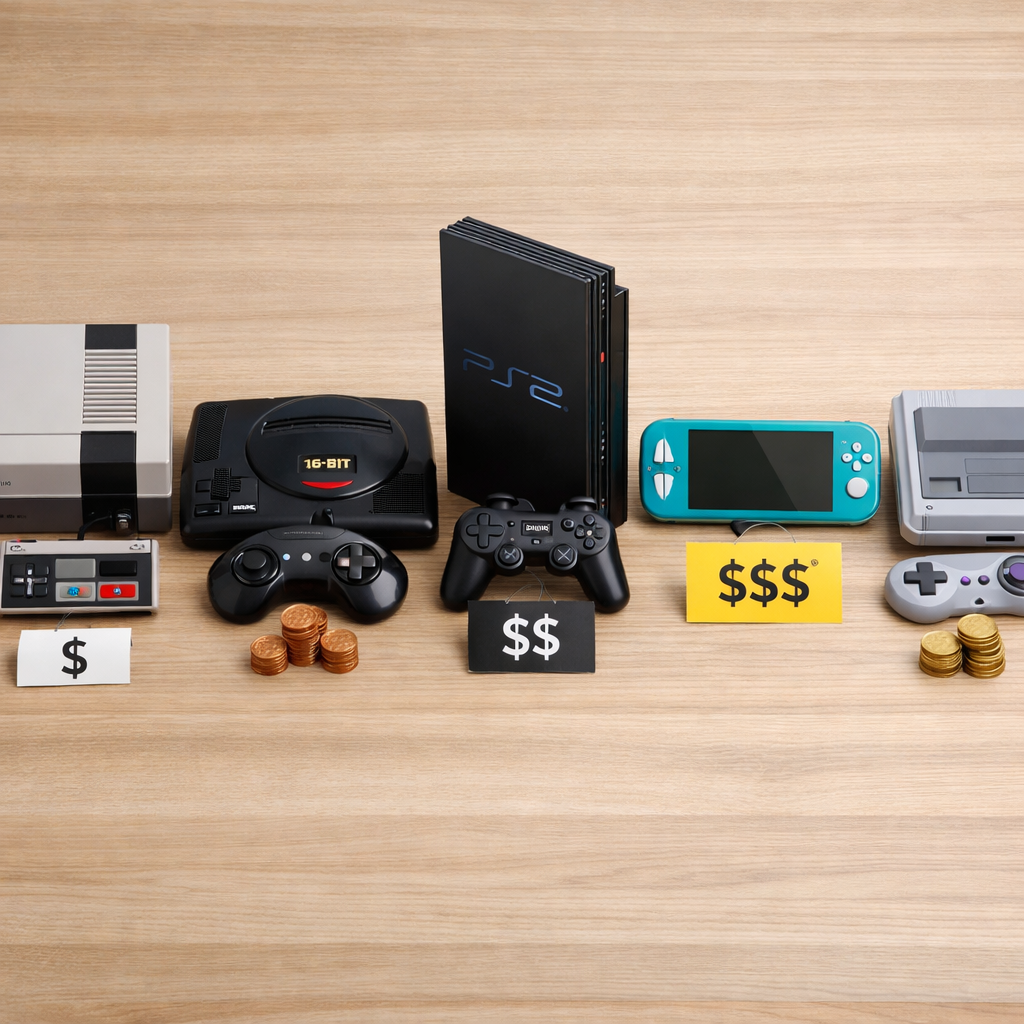
Best Game Consoles For Every Budget: Value Without Compromise
Find value without compromise by matching what you play, where you play, and how much you want to spend. In 2026, the sweet spots are clear: Xbox Series S for lowest-cost next‑gen access, used or older Switch for ultra-budget portability, Switch OLED or Steam Deck in the midrange, and Xbox Series X or the PlayStation 5 family for 4K living‑room fidelity. That mix reflects what major guides have emphasized: pick by games and ecosystem first, not headline specs, and you’ll be happier over time, as reinforced by Wirecutter’s console advice and Stuff’s use‑case rankings. At Retro Gaming Blog, we put libraries, display feel, and couch‑co‑op ahead of fleeting spec wins.
Value without compromise means prioritizing features that actually change your experience—stable frame rates, the games you care about, and portability—over specs you won’t notice. If you don’t own a 4K TV with HDMI 2.1, chasing 120 fps at 4K may be wasted. If you play on the go, battery life and comfort beat teraflops.
Quick index of picks by budget:
- Budget (≈$250–$350): Xbox Series S; used/older Nintendo Switch
- Midrange (≈$350–$500): Nintendo Switch OLED; Valve Steam Deck
- High-end ($500+): Xbox Series X; PlayStation 5 Slim/Digital/Pro
How to choose a console by budget and play style
The single most important factor is which games you want to play; exclusives and ecosystems often outweigh raw specs, as highlighted in Wirecutter’s console guide (think controllers, services, friends lists, and where your backlog lives). We also weigh display setup and family co‑op because they shape everyday fun more than paper specs.
Use this simple decision flow:
- Budget tier: ≈$250–$350 (budget game console), ≈$350–$500 (midrange), $500+ (high-end).
- Priority: 4K gaming fidelity on a TV, portability, platform exclusives, or PC‑library access (handheld gaming PC).
- Ownership: disc vs digital; subscription library vs à la carte purchases.
- Setup: TV features (HDMI 2.1, low input lag), space/ventilation, and noise tolerance.
Selection criteria that matter
- Power and fidelity: Focus on sustained frame rate targets (60 fps where possible), not just resolution numbers. If you own a 4K/120 TV with VRR, high‑end consoles unlock the most from that display.
- Portability and comfort: Weight, grips, fan noise, and screen size matter more over hours of use than raw compute. Handhelds trade peak fidelity for freedom—many classic‑style games shine here.
- Exclusives and ecosystems: Long-term value comes from libraries, cross‑buy, cloud saves, and where your friends play. Subscriptions can stretch budgets and reduce FOMO.
- Storage and expansion: Internal SSD size dictates how many big games fit at once. Ensure cheap or easy expansion paths before you buy into an all‑digital model.
- Ecosystem value: Backward compatibility, cloud streaming, family sharing, and perk bundles often save more money than chasing higher‑specced hardware alone—this is a core value area for Retro Gaming Blog readers.
Comparison snapshot (strengths by category):
| Console | Power | Portability | Exclusives strength | Storage (base) | Ecosystem value |
|---|---|---|---|---|---|
| Xbox Series X | Excellent | Poor | Moderate | 1TB | Game Pass depth, Dolby features |
| PS5 Slim/Digital | Very good | Poor | Strong | 1TB | PlayStation Plus tiers, accessories |
| PS5 Pro | Best PS family | Poor | Strong | 1TB | Top‑end visuals, same PS ecosystem |
| Xbox Series S | Fair | Poor | Moderate | 512GB | Lowest cost next‑gen + Game Pass |
| Switch OLED | Low–mid | High | Very strong | 64GB | Family‑friendly, hybrid flexibility |
| Used/older Switch | Low | High | Very strong | 32–64GB | Lowest cost for Nintendo catalog |
| Valve Steam Deck | Mid (handheld) | High | N/A (PC) | 64–512GB | Steam library on the go, modding |
Performance and 4K readiness
Xbox Series X is widely recognized as the most powerful console hardware in 2026, offering excellent headroom for native 4K fidelity and longevity according to Fueler’s market analysis. That compute advantage supports higher detail, more stable performance, and better future‑proofing on modern TVs.
4K readiness means the console can consistently output 4K with stable frame rates, high‑dynamic‑range (HDR), and support for advanced audio/visual formats like Dolby Vision and Dolby Atmos on compatible titles and displays. The goal is sharper detail plus smoother motion without sacrificing responsiveness, especially on HDMI 2.1 sets.
Some Xbox titles support Dolby Atmos and Dolby Vision, which adds a premium punch for home‑theater players, as noted in TechRadar’s best‑console roundup.
Portability and handheld comfort
Valve’s Steam Deck is a Linux‑based SteamOS handheld that brings your PC library on the go—a compelling way to keep playing indie hits and AAAs without a desk, as Fueler’s overview of popular platforms notes. It trades TV‑class fidelity for freedom, tinkering, and flexibility. Retro and indie titles often excel on handhelds thanks to low system demands and quick sessions.
Upscaling can meaningfully lift handheld performance: Stuff reports DLSS helped Cyberpunk 2077 hit a stable 40 fps with sharper visuals in portable contexts, illustrating how smart reconstruction and frame tech keep demanding games playable on mid‑tier hardware.
Quick comfort checklist:
- Weight and grips for long sessions
- Fan noise and thermals under load
- Screen size, brightness, and reflection handling
- Button throw, stick feel, and back paddles (if any)
Game libraries and exclusives
PS5 Slim remains a standout buy for exclusives and overall value—delivering big current‑gen experiences at aggressive prices versus some competitors, per TechRadar’s analysis. If your must‑plays live on a platform, that should steer your choice more than teraflops. Retro Gaming Blog tends to favor platforms with evergreen libraries and easy couch co‑op when budgets are tight.
Standout exclusives and family options (non‑exhaustive):
- Nintendo Switch: Mario (platformers), Zelda (adventure), Splatoon (shooter-lite), Mario Kart/Party (family/couch co‑op).
- PlayStation 5: Spider‑Man (action), God of War (adventure), Horizon (open‑world), Astro’s Playroom (family).
- Xbox Series: Forza (racing), Halo (shooter), Sea of Thieves (co‑op), indie variety via Game Pass.
- Steam Deck (PC): Massive indie scene, CRPGs, strategy, mods; strongest for tinkerers.
Top console value now depends as much on software experience as raw hardware, a throughline highlighted in FranchiseHelp’s 2026 console overview.
Disc versus digital ownership
PS5 Digital is ideal if you don’t need a UHD Blu‑ray drive and rely on PlayStation Plus. PS5 Pro doesn’t include a drive but supports the same add‑on used by PS5 Slim Digital—and you can move a Slim’s drive to a Pro—per Wirecutter’s console guidance.
A digital‑only console is a model without an optical drive that relies on downloadable games and services. It’s cheaper and more convenient, but you can’t play discs, resale is limited to account transfers, and long‑term access depends on storefront policies and your internet connection.
Choose discs if you:
- Collect and want long‑term shelf value
- Use UHD Blu‑ray playback
- Rely on used‑game deals
- Have unreliable or capped internet
Services and subscriptions
Game subscriptions bundle libraries, online multiplayer, cloud saves, and perks—stretching budgets and lowering upfront costs. The big draw is trying more games with less risk, a trend underscored in FranchiseHelp’s 2026 analysis of console value. For retro‑minded players, the quality of classic catalogs can matter more than day‑one drops.
Benefits that matter to budgets:
| Benefit | Xbox Game Pass | PlayStation Plus (Extra/Premium) | Nintendo Switch Online (+ Expansion Pack) |
|---|---|---|---|
| Day‑one releases | Frequent on first‑party/indies | Occasional trials, fewer day‑ones | Rare |
| Classic catalog depth | Growing via “Core/EA/indies” | Strong PS1/PS2/PSP/PS3 streaming (Premium) | NES/SNES/N64/Genesis libraries |
| Family sharing | Console sharing + Home benefits | Console sharing; library varies by tier | Local family play emphasis |
A game subscription service is a recurring membership that provides access to a rotating catalog, online features, cloud saves, and perks across devices. It reduces the need to buy everything outright, but availability changes and marquee releases may rotate out—so mix subscriptions with purchases for favorites.
Retro friendliness and display setup
Checklist for modern TVs: low input lag (enable Game Mode), HDMI 2.1 for 4K/120, VRR for smoother motion, and good scalers. Your setup can make a 60 fps game feel far snappier than spec sheets suggest. For retro‑leaning setups, latency and scaling choices often matter more than raw resolution.
Retro‑savvy resources:
- Our guide to the best CRT TVs for retro consoles covers zero‑lag nostalgia with reference blacks: https://www.retrogamingblog.com/posts/best-crt-tvs-for-retro-consoles/
- Region‑free tips to expand classic libraries: https://www.retrogamingblog.com/posts/comparing-region-free-consoles-for-retro-gaming/
Callout: Docked vs handheld rendering paths and system‑level scalers change how pixel‑art indies and retro collections look. Experiment with integer scaling and scanline filters when available.
Budget pick overview
Budget band (≈$250–$350): You’ll play the latest titles with some trade‑offs—less native 4K, tighter storage, and digital‑first ecosystems—but subscriptions can unlock broad libraries at a low monthly cost. Expect great 1080p/1440p results and fast load times versus last‑gen.
Pros and cons at a glance:
- Xbox Series S
- Pros: Tiny footprint, quiet, affordable, fast loading, pairs brilliantly with Game Pass.
- Cons: No disc drive, smaller SSD, fewer native 4K targets.
- Who it’s for: Best budget game console for a modern TV at 1080p/1440p.
- Used/older Nintendo Switch
- Pros: Portable, unmatched Nintendo exclusives, hybrid flexibility.
- Cons: Weaker performance, potential stick drift, aging hardware.
- Who it’s for: Portable‑first players and families on a tight budget.
Xbox Series S
Series S is less powerful than Series X but is the smallest current‑gen console, a strong budget option that still runs many new releases. The trade‑offs: no disc drive, compromises on native 4K, and a smaller SSD—best paired with Game Pass for value. Tip: It’s ideal for 1080p/1440p TVs, dorms, and secondary rooms.
Used and older Switch models
Older Switch models remain compelling for on‑the‑go play thanks to Nintendo’s catalog. Reviewed’s testing praises the lineup but warns about common thumbstick drift and comparatively small screens even on OLED units, so set expectations appropriately. Buying tips: check battery health, drift status, dock fit, and charger condition.
Midrange pick overview
Midrange (≈$350–$500): Choose between premium handheld comfort and exclusives (Switch OLED) or PC‑library portability and tinkering (Steam Deck). Think “exclusives and couch‑friendly play” vs “PC flexibility and modding.”
Mini comparison—Switch OLED vs Steam Deck:
| Category | Switch OLED | Steam Deck |
|---|---|---|
| Display quality | 7" OLED, rich contrast | 7"+ IPS/OLED variants, variable brightness |
| Exclusives | Top‑tier Nintendo franchises | PC library breadth; no console exclusives |
| Storage paths | microSD; small internal | Multiple SKUs + microSD; larger options |
| Modding | Limited, simple | High; Proton tools, plugins, docks |
Nintendo Switch OLED
TechRadar calls PS5 Slim a superb value overall, but for midrange portability and Nintendo franchises, Switch OLED shines—with better color and contrast and smoother docked/handheld behavior in newer revisions. Reviewed adds caveats: stellar games, common stick drift, and a smaller screen than some handheld PCs. Family angle: Joy‑Con couch co‑op and instant‑fun party games make it the best gaming console for families who share one device.
Valve Steam Deck
The Steam Deck is a Linux‑based (SteamOS) handheld that brings your PC library anywhere, perfect for backlog‑heavy players and tinkerers. Upscaling helps: Stuff notes DLSS‑style boosts can make demanding games like Cyberpunk 2077 playable around 40 fps handheld. Setup tip: Use a dock with a low‑lag display, and balance fan profiles for thermals and noise.
High-end pick overview
High‑end ($500+): You’re buying for 4K fidelity, better frame pacing, and longevity. Home‑theater perks—HDR, Dolby Atmos/Vision on supported titles—start to matter. Look for:
- Fast SSDs for near‑instant loads
- Advanced controllers with haptics/adaptive triggers
- Straightforward storage expansion (NVMe/official cards)
Xbox Series X
Series X is recognized as the 4K powerhouse with the most muscular console hardware in 2026, giving it room to grow. Select titles support Dolby Atmos/Dolby Vision for premium A/V setups. Game Pass remains a cost‑efficient way to explore new releases and broaden libraries without constant full‑price buys.
PlayStation 5 family
TechRadar ranks PS5 Slim among the best for exclusives and overall value, delivering many current‑gen experiences at lower prices than some rivals. Wirecutter notes PS5 Digital is great for PlayStation Plus users; PS5 Pro omits a built‑in drive but supports the same add‑on as PS5 Slim Digital, and you can move a Slim drive to a Pro. Quick selector: choose Slim for value, Digital for the lowest upfront cost, Pro for top‑end visuals.
Side-by-side comparison by priority
| Priority | Top Pick | Why | Key Trade-off |
|---|---|---|---|
| Lowest cost next‑gen access | Xbox Series S | Smallest console, runs many latest games, shines with Game Pass | No disc, smaller SSD, not native 4K |
| Best for Nintendo exclusives and families | Switch family (OLED/next model) | Hybrid portability and premier franchises; newer models improve docked/handheld smoothness | Lower power, drift risk |
| Best for 4K fidelity on a TV | Xbox Series X or PS5 Pro | Series X for raw hardware and Dolby tech; PS5 family for exclusives and variants | Higher price; bigger chassis |
| Best for PC library on the go | Valve Steam Deck | SteamOS handheld with your Steam library anywhere | Tweaks required; lower peak fidelity |
Lowest cost next-gen access
Pick Xbox Series S for the tiniest footprint and easy entry to new releases; it pairs perfectly with Game Pass. The trade‑off is no native 4K and tighter storage.
Best for Nintendo exclusives and families
Choose the Switch family for Mario, Zelda, and effortless couch co‑op. Newer hardware revisions smooth out docked/handheld performance, but power lags behind.
Best for 4K fidelity on a TV
Go Xbox Series X for raw 4K muscle and Dolby perks; opt for PS5 Pro or Slim for Sony’s exclusives and strong value tiers.
Best for PC library on the go
Valve Steam Deck is the right call if your backlog lives on Steam and you want handheld freedom with optional docking.
Practical trade-offs to expect
- Expect storage micromanagement on cheaper models; services reduce game costs, not file sizes. Keep a lean rotation and add expansion when it hurts.
- Handhelds won’t match 4K TVs for clarity, but smart settings and upscaling usually deliver steady play.
- Your TV settings (Game Mode, VRR) can unlock smoother, more responsive gameplay than any spec sheet alone.
- Handheld quirks like fan noise and stick drift are real; plan power profiles and consider protective grips.
Checklist before you buy:
- Internet speed/data caps for digital models
- Shelf space and ventilation for big consoles
- Extra controller, storage, and HDMI 2.1 cable needs
Storage, expansions, and load times
Cheaper models like Series S ship with smaller SSDs, limiting how many blockbuster installs fit at once; subscriptions can offset software costs but not storage limits. Steps to stay sane:
- Audit typical install sizes for your go‑tos.
- Add NVMe/official expansion or USB for cold storage where supported.
- Enable auto‑offload/auto‑update settings to keep your rotation fresh.
Handheld versus docked performance
Expect lower resolution or frame rates in handheld mode versus docked/TV play. TechRadar reports the next Switch targets up to 1440p docked and 1080p handheld at 60 fps for certain titles, signaling uplift but still below high‑end TVs. AI upscaling like DLSS can noticeably improve sharpness and stability on portable and mid‑tier hardware.
Input lag, HDMI settings, and TV setup
Use your display’s Game Mode, prefer HDMI 2.1 for 4K/120 where supported, and enable VRR for smoother motion. Three‑step setup:
- Cable check (certified HDMI 2.1 if needed).
- Console output set to your TV’s max capabilities.
- Apply a TV “Game” profile and disable extra post‑processing.
Known quirks like stick drift and fan noise
Reviewed highlights that Switch OLED excels on catalog quality but struggles with common thumbstick drift and a smaller screen than some handheld PCs. Handheld PCs can spin up loudly under load—use balanced power profiles and headphones for comfort.
Retro Gaming Blog perspective
We love when modern gear respects classic tastes. Whether you’re reliving 16‑bit platformers or hosting a family Mario Kart night, your setup should feel welcoming and easy to share—tell us about your living‑room rigs and cherished carts.
Retro culture and family-friendly picks
Great couch co‑op spans eras: Mario Kart 8 Deluxe, Overcooked, LEGO adventures, Rocket League, and classic‑inspired indies like Shovel Knight and Celeste. On PlayStation, Astro’s Playroom and Sackboy are learn‑fast co‑op favorites; on Xbox, family‑friendly Game Pass gems rotate in constantly. For collecting nostalgia that still holds value, start here: https://retrogamingblog.com/retro-consoles-that-still-hold-their-value/
RGB mods, scaling, and modern displays
For retro and retro‑styled games, enable integer scaling or scanline filters when available to avoid shimmer. Our CRT primers and RGB/HDMI mod tutorials show how to pair authentic classics with new hardware in the same room:
- https://www.retrogamingblog.com/posts/best-crt-tvs-for-retro-consoles/
- https://www.retrogamingblog.com/posts/comparing-region-free-consoles-for-retro-gaming/
Cross-generation collections and physical media tips
If preserving box art and resale value matters, lean disc‑based—PS5’s add‑on drive flexibility helps collectors adapt as they upgrade. Organize cross‑gen series by platform and service: keep evergreen favorites on disc and let subscriptions handle discovery and short‑term plays.
Recommendations by use case
One TV, 4K focus, cinematic single-player
- Primary pick: Xbox Series X for top‑tier 4K performance plus Dolby Atmos/Vision support on select titles.
- Alt pick: PS5 Pro/PS5 Slim for exclusives and strong overall value.
Apartment living, travel, and shared family play
- Primary pick: Nintendo Switch OLED for hybrid convenience and a family‑friendly catalog; note drift caveat.
- Alt pick: Steam Deck for portable PC access with an easy dockable home setup.
Backlog-heavy PC gamer who wants portability
- Primary pick: Valve Steam Deck; ideal to take your Steam library on the go via SteamOS.
- Tip: Use AI/upscaling settings to stabilize demanding titles where available.
Tight budget or first console for kids
- Primary pick: Xbox Series S—best low‑cost next‑gen access; smallest form factor; subscriptions keep variety affordable.
- Alt pick: Used/older Switch models for portable‑first play and iconic Nintendo franchises; check for drift and battery health.
Frequently asked questions
Is a digital-only console a bad idea if I collect physical games?
Retro Gaming Blog recommends disc models if you value shelf-ready discs, resale, or UHD Blu‑ray playback. If you rely on subscriptions and downloads, digital‑only saves money and space with the same gameplay.
How much storage do I really need and what can I expand later?
Retro Gaming Blog suggests 1TB if you rotate big games, or add expansion later. Budget models work well if you manage installs and keep just your current rotation on the internal drive.
Will these consoles play older games well on a 4K TV?
Yes, but results vary. Retro Gaming Blog recommends enabling Game Mode, using HDMI 2.1 where available, and leaning on built‑in scalers or remasters for the sharpest, lowest‑lag experience.
Is handheld performance good enough for modern releases?
Retro Gaming Blog’s take: for many games, yes—especially with smart settings and upscaling. Expect lower resolution than on high‑end TVs, but solid frame rates and portability make it worth it.
Do subscription services replace buying games outright?
Retro Gaming Blog advises using subscriptions for discovery and savings, then buying favorites for long‑term ownership. Many players blend both.