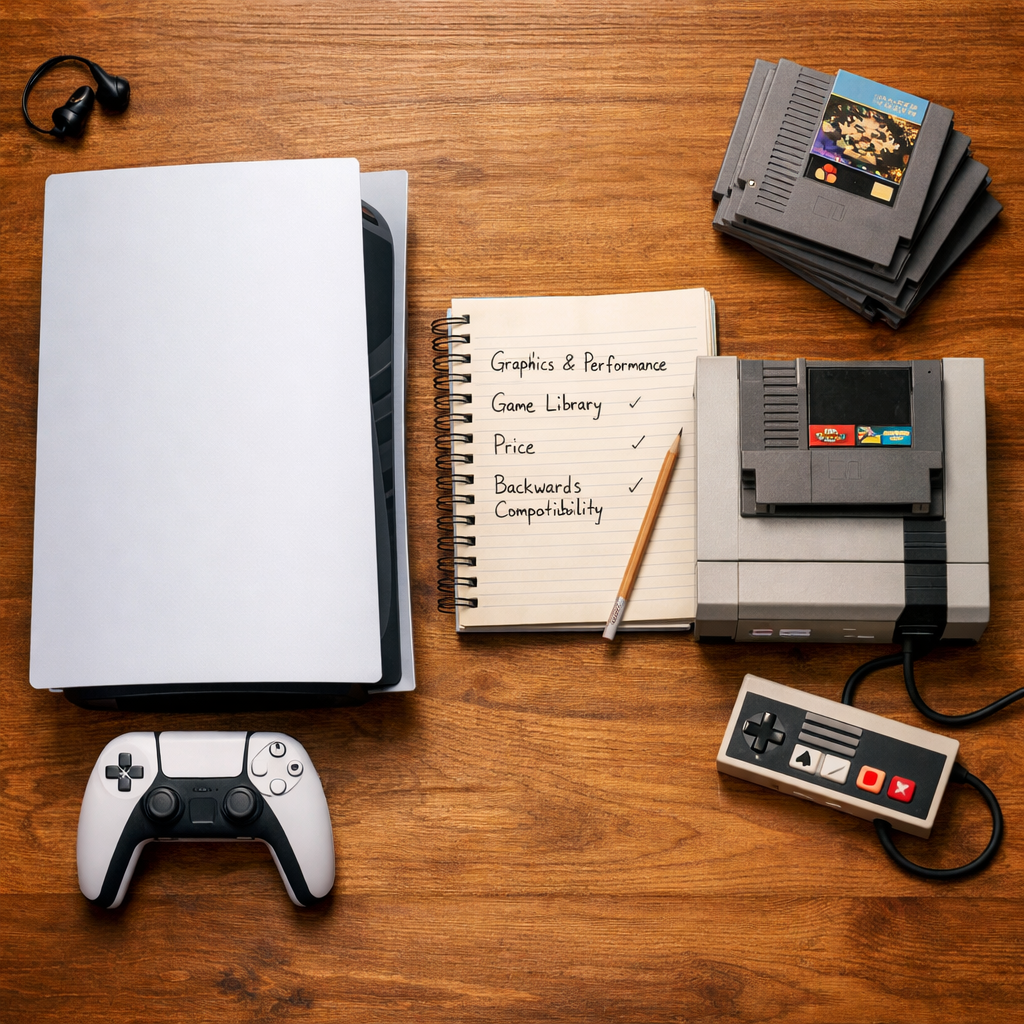
Best Gaming Console to Buy in 2025: Expert Buying Guide
Looking for the best gaming console to buy in 2025? At Retro Gaming Blog, we start with how you play—not just what’s “fastest.” If you crave cinematic exclusives and pristine graphics, the PS5 Pro stands out. If you value a huge library and day‑one releases for a flat fee, Xbox Series X|S with Game Pass is hard to beat. For families and couch co‑op, Nintendo’s hybrid Switch 2/Switch OLED still rules the living room. And if you want a portable PC that loves indies and mods, the Steam Deck OLED is the sweet spot, with ROG Ally X offering pricier peak performance [1][2][3][5].
Quick answer
- Best graphics/exclusives: PS5 Pro, with higher headroom and Sony’s AI‑assisted PSSR upscaling—though real‑world gains vary by game [1].
- Best value/library: Xbox Series X|S + Game Pass for day‑one first‑party releases and deep backward compatibility [2].
- Best family/local play: Nintendo Switch 2/Switch OLED for hybrid TV‑to‑handheld flexibility and co‑op‑friendly first‑party series [3].
- Best handheld PC experience: Steam Deck OLED; more raw speed alternative: ROG Ally X at a higher price‑to‑performance curve [4][5].
Choose by playstyle first (exclusives vs subscription value vs portability), not raw teraflops [3].
How to choose by playstyle
Match what you actually play to the ecosystem that serves it best.
| Playstyle | Best fit | Why |
|---|---|---|
| Solo epics and showcase visuals | PS5 Pro | Strong first‑party slate and enhanced performance/upscaling for 4K HDR TVs; Pro targets higher fidelity and steadier frames [1][3]. |
| Variety seekers and backlog grazers | Xbox Series X | S |
| Family nights and couch co‑op | Switch 2/Switch OLED | Hybrid design encourages spontaneous local play; Nintendo’s party franchises are living‑room staples [3]. |
| On‑the‑go plus PC flexibility | Steam Deck OLED / ROG Ally X | Deck balances price, portability, and mods; Ally X reaches higher peaks if you’ll pay and plug in [4][5]. |
Ecosystem lock‑in (40–50 words): A console ecosystem combines hardware, digital store, subscriptions, saves, and your friends list. Once you buy games and DLC, moving platforms can mean repurchasing content and losing perks. Decide on library and services before chasing specs so your purchases pay off long‑term.
Remember: local multiplayer thrives on Switch; Game Pass suits sampler‑style players; PS5 Pro best serves graphics purists weighing image quality first [2][1].
What matters most
- Games you want: Make a short list of exclusives and multiplayer titles your friends play. Multiplatform releases reduce pressure to switch [6].
- Portability: If you travel or share the TV, a hybrid or handheld PC changes everything [3].
- Subscription appetite: Game Pass vs PS Plus—great value if you play broadly; skip if you buy a few favorites a year [2][6].
- Budget for console + accessories/storage: Controllers, SSD/microSD, and online services add up quickly [6].
Stat‑backed callouts:
- Xbox Series X supports up to 4K/120FPS, includes a 1TB SSD, and allows expandable storage—ideal for big libraries [4].
- Game Pass adds day‑one first‑party titles; reported plan changes in 2025 pushed pricing toward ~$30/month, so factor that in [2].
Backward compatibility (40–50 words): Backward compatibility lets a new console run games from prior generations, often with better load times and stability. It protects your library investment and eases upgrades, especially for collectors and families replaying favorites. Strong support makes the transition cheaper and simpler.
PlayStation 5 and PS5 Pro
The standard PS5 pairs an 8‑core Zen 2 CPU at 3.5 GHz with an ~10.28 TFLOPS RDNA 2 GPU, 16GB GDDR6, and a fast 1TB SSD—still a superb baseline in 2025 [3]. The PS5 Pro (launched 2024) steps up as the most powerful PlayStation yet, with an enhanced graphics chip and a larger 2TB SSD for more headroom [3].
PlayStation Spectral Super Resolution (PSSR) in 40–50 words: PSSR is Sony’s AI‑assisted upscaling that reconstructs higher‑resolution images from lower‑resolution frames to lift performance and visual clarity. Early third‑party titles show mixed results, so improvements depend on how each game implements PSSR and performance modes [1]. Retro Gaming Blog’s take: treat PSSR as a per‑game bonus, not a blanket guarantee.
Pricing and formats: Some PS5 Pro models omit the disc drive to hit the sleekest profile, with premium pricing above the base PS5 (disc $499.99, digital $399.99) [7][6]. Perception of PS5’s 2025 library breadth remains strong among buyers balancing exclusives and blockbusters [2].
Xbox Series X and Series S
Series X emphasizes performance and preservation: up to 4K/120FPS, a 1TB SSD with expansion, and a custom AMD Zen 2 CPU plus RDNA 2 GPU with 16GB GDDR6. Pros include fast loading, sharp 4K output, and standout backward compatibility; the trade‑off is a physically large chassis [4].
Price anchors: Series X $499.99; Series S $299.99 MSRP for an approachable entry point [6]. Series S is smaller and cheaper, with lower native resolution—great with Game Pass, especially for secondary TVs or dorm setups.
Game Pass (40–50 words): Game Pass is Microsoft’s rotating subscription catalog with day‑one first‑party releases, notable indies, and EA Play on some tiers. It’s cost‑effective for players who sample widely, though prices can change; reported 2025 increases neared ~$30/month depending on plan and region [2].
Backward compatibility reaches back to original Xbox in many cases, a prime reason collectors and returning players prefer Series X|S [2].
Nintendo Switch 2 and Switch OLED
Hybrid console (40–50 words): A hybrid console shifts from handheld to TV play via a dock, sharing the same saves and library. It lets families start a game on the couch and continue on the go, keeping setup simple. One device supports both solo sessions and impromptu party play [3].
Hardware notes: The original Switch runs an NVIDIA Tegra X1+ with Maxwell‑based graphics; base storage is 32GB (Switch), 64GB (OLED) [3]. Switch 2 is listed at $449.99/£395.99/AU$699.95, and its handheld LCD supports VRR for smoother motion clarity on the go [7]. Wirecutter’s guidance: the full‑size model suits most households; Switch Lite works as a budget or secondary handheld [8].
Family angle and safety: Switch Lite is durable with strong battery life but has no TV output or dock support—buy it only if handheld‑only is acceptable [4].
Steam Deck OLED
Retro Gaming Blog’s pick for the best all‑around handheld gaming PC is the Steam Deck OLED—balanced power, a gorgeous screen, and unmatched access to indie storefronts at a friendly price point [4]. Valve discontinued non‑OLED models by late 2025, so stick to OLED SKUs from reputable sellers to avoid aging stock or warranty gaps [5].
Handheld gaming PC (40–50 words): A handheld gaming PC runs desktop‑class OS and PC games in a portable shell. It spans multiple stores, supports mods and emulators, and works with keyboards, docks, and controllers. You trade plug‑and‑play simplicity for flexibility, with battery life and performance varying by title and settings.
ROG Ally X and other PC handhelds
When you want peak portable performance, ROG Ally X is the step up: it ran Battlefield 6 around 60fps at 1080p on medium/low when plugged in, and typically retailed near $1,000 at Best Buy in 2025—costly but powerful [5]. It also feels familiar with an Xbox‑style layout and is great for Game Pass streaming and a flexible PC library [5]. Expect shorter battery life at high power and more tuning than a console.
Deck OLED vs Ally X at a glance:
- Price: Deck OLED is meaningfully cheaper; Ally X hovers near $1,000 [5].
- Battery: Deck often lasts longer at moderate settings; Ally X drains faster at peak output [5].
- Performance: Ally X leads when plugged in; Deck is steadier per watt on the go [5].
- Stores: Both are flexible PC storefront devices; Deck favors Steam out of the box.
Retro priorities and family couch co‑op
- For ’90s‑style couch co‑op and family nights, Switch 2/Switch OLED is the safest bet thanks to hybrid design and Nintendo’s party‑ready series [3].
- For backward‑compatible replays and digital classics, Xbox Series X excels across generations [2].
- For retro‑inspired indies and modding, Steam Deck OLED offers vast storefronts, emulators, and tweakability [5].
Have a favorite co‑op memory or setup? Share it with the Retro Gaming Blog community—your tips help families new to retro nights.
Image quality, RGB, and display tips
Quick checklist:
- Target 4K/120Hz support on PS5 Pro and Xbox Series X; enable VRR on compatible TVs for smoother frames [4][7].
- RGB mod (40–50 words): An RGB mod upgrades classic consoles with higher‑quality analog or digital video output, improving color accuracy and sharpness on modern displays. It preserves original hardware while reducing artifacts like dot crawl—ideal for collectors aiming for pixel‑accurate output on today’s screens.
- Use tasteful CRT filters/scanlines on Deck/PC for ’90s authenticity; see Retro Gaming Blog’s beginner’s RGB guide for setup basics: https://www.retrogamingblog.com/posts/beginners-guide-to-rgb-mods-for-retro-consoles/
Display tips by console:
| Console | Best display settings tips |
|---|---|
| PS5/PS5 Pro | Enable HDR and VRR; pick Performance Mode for 60–120fps when available; use certified Ultra High Speed HDMI. |
| Xbox Series X | S |
| Switch 2/OLED | On TV, use “Game” mode to cut latency; in handheld, VRR on Switch 2 smooths motion in supported titles [7]. |
| Steam Deck/Ally X | Cap frame rate/TDP for longer battery; use per‑game FSR/PSSR‑like upscalers on PC titles; dock to 4K TVs sparingly. |
Safe buying and trusted stores
MSRP anchors to plan around: PS5 disc $499.99, PS5 Digital $399.99; Series X $499.99, Series S $299.99; Switch 2 $449.99; ROG Ally X around $1,000. Steam Deck OLED varies by storage; avoid non‑OLED units as they’re discontinued [6][7][5].
Buy from authorized retailers, confirm return windows, and beware end‑of‑life SKUs (e.g., non‑OLED Deck). If you’re on the fence about preorders, Retro Gaming Blog’s quick take can help: https://www.retrogamingblog.com/posts/avoid-fomo-how-to-decide-if-you-should-preorder-games/
4‑step pre‑purchase checklist:
- Confirm storage needs (internal SSD vs microSD/expansion cards).
- Price out extra controllers, online services, docks/cases, and protection plans.
- Check backward compatibility lists and save‑transfer methods for your ecosystem.
- Record serials and keep receipts for warranty support.
Our recommendations by scenario
- Best overall home console visuals: PS5 Pro—the most powerful PlayStation with sharper graphics headroom; note PSSR gains vary by game [1].
- Best value for variety seekers: Xbox Series S|X + Game Pass—day‑one first‑party and a deep rotating catalog, with 2025 price changes to consider [2].
- Best for families/local co‑op: Switch 2 or Switch OLED—hybrid TV/handheld flexibility; remember Lite is handheld‑only [3][4].
- Best handheld PC for indies/backlog: Steam Deck OLED—great screen, versatility, and price; avoid discontinued non‑OLED models [5].
- Best portable performance: ROG Ally X—around 60fps at 1080p medium/low when plugged in; premium pricing and shorter high‑power battery [5].
Note for action gamers: Some 2025 commentary suggests PS5 Pro is the safest path to steadier frame rates in demanding titles like Monster Hunter Wilds, but treat this as context, not a rule for every game [9].
Frequently asked questions
Which console is best for families and local multiplayer?
Nintendo Switch 2 or Switch OLED—hybrid play and first‑party party games fit living rooms and trips. Retro Gaming Blog recommends the full‑size model for TV play; Lite is handheld‑only.
Should I upgrade to PS5 Pro or stick with a standard model?
Retro Gaming Blog’s take: upgrade if you prioritize maximum fidelity and higher frame rates in new releases; the Pro also adds more SSD space. If 4K/60 is fine and you play older titles, a standard PS5 remains excellent.
Is Game Pass or PS Plus the better value?
A broad subscription with day‑one first‑party access suits samplers, while a curated service with platform exclusives fits PlayStation‑centric players—value depends on how widely you play. See Retro Gaming Blog’s recommendations above.
Are handheld PCs like Steam Deck or ROG Ally good for retro and indie games?
Yes. Handheld PCs offer affordable access to indie storefronts and emulation, with higher‑end models emphasizing performance; expect more setup than consoles but excellent flexibility.
What should I budget for storage, controllers, and online services?
Plan $50–$200 for storage, $60–$80 per extra controller, and $60–$180 per year for online services. Retro Gaming Blog also suggests budgeting $30–$120 for a case, screen protector, and dock on handhelds.