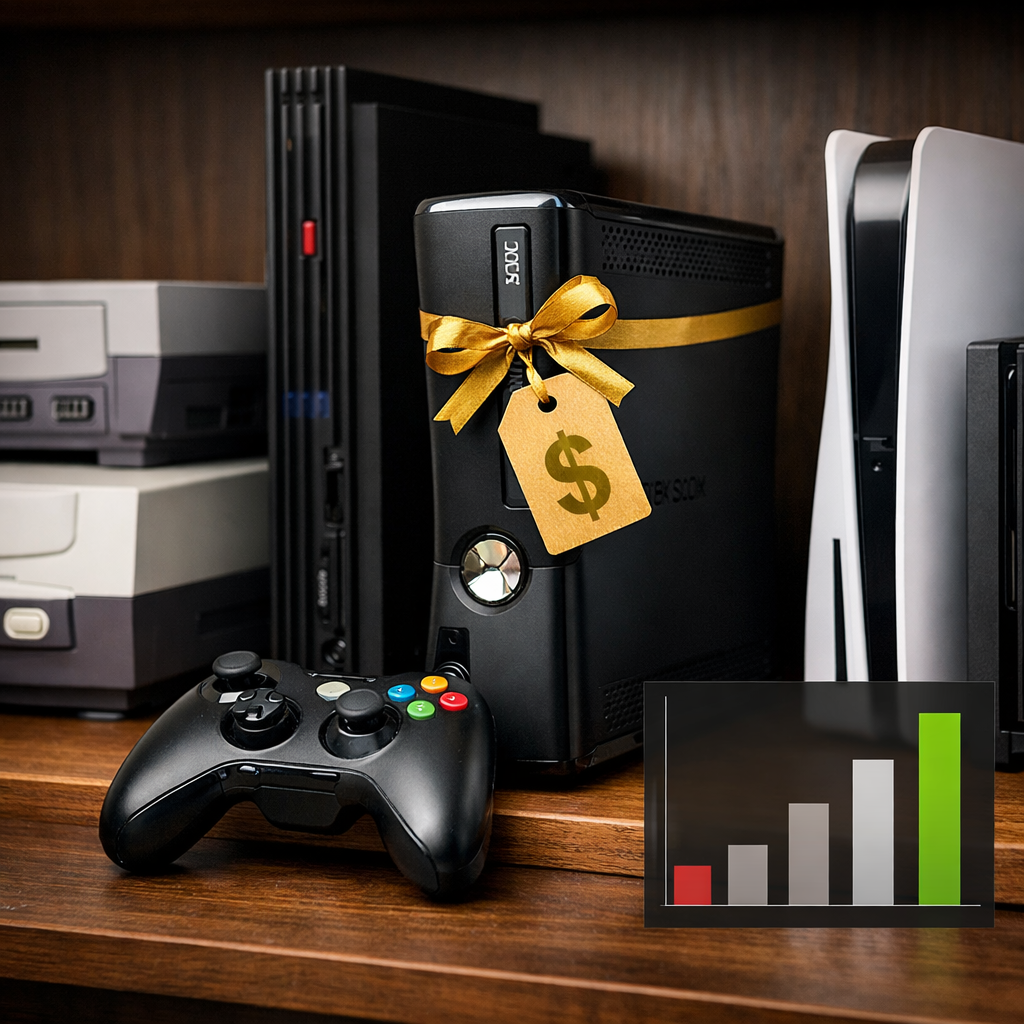
Best Performance-to-Price Console: Definitive Value Winner Explained for Gamers
If you’re shopping by pure performance-per-dollar—not just the shiniest spec sheet—one console stands out for 2026. For most people playing on 1080p or 1440p TVs, balancing smooth frame rates, storage realities, and access to games, Xbox Series S is the strongest performance-to-price buy. It lists around $299, supports up to 120fps in select titles with 4K upscaling, and taps into a deep, low-cost library via Game Pass, making it the easiest way to play modern releases without overspending. Premium 4K flagships still have a place for large screens and visual purists, and handheld-first or exclusives-led players should choose differently—but the math favors Series S for the broadest audience. That value-first balance mirrors what we prioritize at Retro Gaming Blog: smooth play, broad libraries, and low ongoing costs.
“For most gamers, Xbox Series S delivers the best performance-to-price at about $299, offering 4K upscaling, up to 120fps in supported games, and easy value through Game Pass” (context from CompareInternet’s console guide and Popular Mechanics’ overview of top console subscriptions).
How we define performance-to-price for gamers
At Retro Gaming Blog, performance-to-price is how much real-world gaming capability you get per dollar, factoring in frame rate and resolution stability, storage and expansion costs, subscription libraries, and long-term ecosystem value like backward compatibility and features such as VRR and fast SSDs.
What moves the needle in practice:
- Frame pacing and resolution targets a console can hold in popular games.
- Storage headroom and the cost of expanding it, since modern AAA titles often take 50–100GB each.
- Subscription access, with Xbox Game Pass consistently cited as a top, breadth-first value on Xbox platforms.
- Fast SSDs that minimize downtime; PS5’s internal SSD is widely praised for drastically reducing load times.
Quick value inputs at a glance:
| Console | Typical MSRP | Target resolution/Hz | Internal storage (usable) | Expansion path | Notable subscription/library |
|---|---|---|---|---|---|
| Xbox Series S | ~$299 | 1440p target, up to 120Hz; 4K upscaling | 512GB (~364GB usable) | NVMe expansion card or USB HDD for last‑gen | Game Pass library and day-one releases in many cases |
| Xbox Series X | ~$499 | Native 4K target, up to 120Hz | 1TB (~802GB usable) | NVMe expansion card + USB HDD support | Game Pass + Dolby Vision/Atmos ecosystem |
| PlayStation 5 | $499–$599 | Up to 4K/120 in supported titles | 825GB (~667GB usable) | Standard PCIe 4.0 NVMe SSD slot | PlayStation Plus library and exclusives slate |
| PlayStation 5 Pro | ~$699+ (varies) | Higher, steadier 4K and better 120Hz support | 2TB (varies by trim) | Standard NVMe SSD slot | Same PS Plus; new upscaling and Wi‑Fi 7 reported |
| Nintendo Switch 2 | ~${449} expected | Reports of up to 4K docked; 1080p handheld | ~256GB baseline (reported) | microSD/microSD Express | Nintendo eShop, hybrid portability |
| Steam Deck (OLED) | $549 (base from $399) | 800p–1200p handheld; 90–120Hz panels | 512GB–1TB SSD | Standard NVMe (mod/variant-specific) + microSD | Steam library and mods; PC storefront access |
Support and context: Game Pass value and Xbox media features in Popular Mechanics’ best consoles guide; PS5 load-time advantage and Series S pricing and capabilities in CompareInternet’s console roundup; PS5 usable storage in Stuff’s console comparison; Steam Deck pricing and tiers in Wirecutter’s guide; PS5 Pro performance targets and features in Tom’s Guide’s console coverage; Switch 2 pricing and capability expectations in TechRadar’s best consoles update.
Quick verdict
- The value winner: Xbox Series S at roughly $299 delivers the most gaming per dollar with 4K upscaling, up to 120fps in select titles, and inexpensive breadth via Game Pass. That combination hits the sweet spot for 1080p/1440p TVs and players who rotate genres.
- Trade-offs to know: Lower native resolutions than premium boxes and a smaller SSD that can fill quickly; mitigate with cloud play where available and sanctioned storage expansion.
- Clear alternates:
- Choose PS5 or PS5 Pro for Sony exclusives and higher-fidelity 4K on big screens.
- Pick Nintendo Switch or the incoming Switch 2 if hybrid portability and family play matter most.
Xbox Series S
The definitive budget choice is straightforward: at around $299, Series S targets 1440p with up to 120fps in supported games and cleanly upscales to 4K. Its internal 512GB NVMe drive offers about 364GB usable after the OS—enough for a handful of big titles, but AAA games running 50–100GB each will push you to expand or rotate installs. The value kicker is ecosystem: Game Pass is frequently cited as one of the best subscription deals in gaming, providing an all-you-can-try library that stretches your dollars across genres without constant à la carte purchases. Best fits:
- Budget-focused console gamers who want modern performance features
- Game Pass-first players who sample widely
- 1080p/1440p TV owners prioritizing smoothness over native 4K sharpness
Xbox Series X
Series X is the “no compromises” Xbox. It’s built for native 4K at up to 120Hz, bolstered by a 1TB internal SSD that offers far more headroom than Series S. In the living room, Dolby Vision and Dolby Atmos support add entertainment polish, and VRR smooths fluctuating frame rates on compatible displays. The premium over Series S is justified if you demand native 4K on a large screen, want to minimize texture pop-in and dynamic-resolution swings, or keep many storage-hungry games installed at once.
PlayStation 5
PS5 balances strong performance with standout exclusive games and a best-in-class storage experience. Its custom SSD drastically reduces load times, which changes how fast you get into (and between) levels and modes. Storage can still pinch: the 825GB drive leaves about 667GB usable per Stuff’s testing, so heavy libraries may want an NVMe upgrade. At $499–$599 in recent guides, you’re buying a 4K-ready flagship that supports 120fps in select titles plus Sony’s exclusives pipeline—one reason Stuff has called it the best overall fit for many players.
PlayStation 5 Pro
PS5 Pro is the premium PlayStation for sustained fidelity on 4K120 setups. Coverage highlights a beefier GPU around the 16.7 teraflop mark, new AI-assisted upscaling, Wi‑Fi 7 networking, and a roomier 2TB storage option; some trims skip a disc drive, which collectors should weigh. The value math favors Pro if you chase higher, steadier frame rates with improved visuals on a large 4K panel; otherwise, the base PS5—or Series S/X if you’re ecosystem-agnostic—remains more cost-effective. Tom’s Guide’s console roundup and XDA’s 2026 perspective both frame Pro as a smarter upgrade than a midrange PC for living-room 4K consistency.
Nintendo Switch and Switch 2
Nintendo’s hybrid pitch is different: dock it for the TV, then pull it for handheld play with detachable Joy‑Con and the eShop’s family-friendly catalog. Reports on the next-gen Switch 2 point to big handheld upgrades over the original, with guidance suggesting up to 4K when docked, 1080p handheld, and higher refresh options in some modes, plus roughly 256GB internal storage with microSD Express expansion. TechRadar has floated a ~$449 target, which positions Switch 2 as a premium hybrid rather than a 4K brute. Best fits:
- Portable-first players or families who share one system
- Fans of Nintendo exclusives and couch co-op
- Casual living rooms where native 4K is secondary to convenience
Steam Deck
Valve’s handheld PC shines when your value lens includes Steam sales, a deep indie backlog, emulators within legal use, and modding flexibility. Pricing starts around $399 for LCD and $549 for OLED, undercutting many gaming laptops while offering a comfy handheld form factor. The trade-off is tinkering: you’ll tune settings per game, update Proton, and accept that a fixed console still delivers steadier plug‑and‑play performance—an advantage XDA and others emphasize when comparing consoles to PCs. It’s a terrific pick for portable PC gaming and indie-first players; for family simplicity, Switch remains easier.
Real-world value factors that move the needle
Frame rate and resolution targets
Variable Refresh Rate synchronizes your display’s refresh rate with the console’s output to reduce tearing and stutter, improving perceived smoothness at fluctuating frame rates. Xbox supports VRR widely and up to 120Hz; PS5 Slim/Pro models target up to 4K at 120fps in supported titles, while Series X holds a slight power edge over the non‑Pro PS5 in some workloads. Simple guidance:
- 1080p/1440p at 60–120Hz: Xbox Series S is the standout value
- 4K at 60–120Hz with HDR: Xbox Series X or PS5/PS5 Pro
- Docked/handheld flexibility: Switch/Switch 2
Storage and expandability costs
Usable space matters more than the sticker number:
- PS5: 825GB drive with about 667.2GB usable (Stuff); easy PCIe 4.0 NVMe upgrades
- Series S: 512GB drive with roughly 364GB usable; proprietary NVMe expansion card or manage installs
- Series X: 1TB standard with far more headroom
Modern AAA games often use 50–100GB each, so small drives fill quickly and force either curation or expansion. Compare expansion form factors rather than chasing the cheapest sticker price—sanctioned NVMe options protect performance, quick-resume reliability, and warranty.
Suggested paths at a glance:
| Platform | Base storage (usable) | Best expansion option | Pros | Trade-offs |
|---|---|---|---|---|
| Xbox Series S | 512GB (~364GB) | Official NVMe expansion card | Plug-and-play; full speed | Higher cost per GB than generic NVMe |
| Xbox Series X | 1TB (~802GB) | Official NVMe expansion card | Same-speed parity; simple | Costlier than USB storage |
| PS5/PS5 Pro | 825GB–2TB (~667GB+ usable) | PCIe 4.0 NVMe SSD (heatsink) | Competitive prices; huge capacities | Install panel; mind specs/thermals |
| Switch/Switch 2 | ~64–256GB | microSD/microSD Express | Inexpensive; flexible | Slower than internal for some loads |
| Steam Deck | 512GB–1TB | NVMe (model-dependent) + microSD | Large library on the go | Some options require more tinkering |
Subscription libraries and cloud play
Xbox Game Pass remains a top subscription for broad, low-cost access across Xbox consoles and PC, with day-one drops that supercharge playtime per dollar. Cloud gaming lets you stream titles over the internet to your device, reducing local storage and hardware demands at the cost of added latency and a reliance on stable bandwidth. For PS5 online/streaming, mainstream guides recommend at least 5 Mbps for online play and around 25 Mbps for 4K streaming to keep experiences smooth.
Backward compatibility and game libraries
Library shape influences value as much as raw TFLOPs:
- Xbox: Broad backward compatibility and Game Pass breadth encourage sampling classic and modern titles side by side (Popular Mechanics).
- PlayStation: A strong reputation for cinematic exclusives and big third-party support defines its value proposition.
- Nintendo: The eShop and family staples make Switch the friendliest couch co-op catalog.
If your backlog or favorite franchises live on one platform, that ecosystem weight can outweigh small performance deltas.
Power draw, noise, and living room fit
Living room fit is the combination of size, heat, noise, and media features (like Dolby Vision/Atmos) that determine how pleasantly a console integrates into your space. Xbox’s Dolby Vision/Atmos support is a plus for movie nights. Before you buy, check:
- Cabinet airflow and dust control
- TV features: 4K120, VRR, HDR format support
- Seating distance: bigger screens reward native 4K more obviously
Retro Gaming Blog perspective for classic and indie play
Not every purchase is about 4K bragging rights. Many readers care more about legal retro collections, CRT-like scanlines, authentic controller feel, and local co-op. At typical living-room distances, a stable 60–120fps at 1080p or 1440p often looks great for pixel art and retro-inspired indies—another reason Series S and Switch deliver outsized day-to-day joy per dollar.
Tip: For deep-dive display nostalgia, see our guide to the best CRT TVs for retro consoles on Retro Gaming Blog.
Emulation and retro collections
Favor official collections and re-releases on storefronts rather than gray-area ROM sites. Nintendo’s eShop hosts many classics and curated bundles, while Xbox and PlayStation stores carry robust indie and compilation support. Keep storage in mind: multi-collection libraries can balloon quickly when paired with modern AAA installs, since big games can run 50–100GB each.
Recommended starts:
- Xbox/PlayStation: Mega Man and Castlevania collections; indie darlings like Celeste, Shovel Knight, and The Messenger
- Switch: Nintendo’s retro libraries, SNK compilations, Capcom Arcade releases, and family-friendly co-op staples
RGB-friendly setups and display considerations
For preserving retro aesthetics on modern screens:
- Consider HDMI-to-CRT adapters or a quality upscaler if you’re mixing eras
- Use scanline shaders where available in modern ports and collections
- Try 1080p output on Series S/Switch for razor-sharp pixel art scaling
- Match VRR and 120Hz settings to taste; some retro-likes benefit more from crisp pixels than maxed resolution
Explore more display tuning in our Retro Gaming Blog display primers.
Controllers, latency, and couch co-op
Controller feel and latency shape how retro and indie games play.
- Prefer wired where possible for rhythm/precision; otherwise, minimize Bluetooth interference
- Enable your TV’s game mode and VRR, if supported
- Use Ethernet or Wi‑Fi 6/7 for cloud sessions
- Keep controller firmware updated to tighten response
Who should buy which console
- Best performance-to-price overall: Xbox Series S ($299; 4K upscaling; up to 120fps; Game Pass access).
- Best native 4K value: Xbox Series X (4K, up to 120Hz, 1TB) or PS5 if you want Sony exclusives and instant loads.
- Best hybrid/portable family value: Nintendo Switch or Switch 2 (hybrid design, eShop breadth, Joy‑Con, expandable storage).
- Best handheld PC flexibility: Steam Deck (from $399; $549 OLED) for portable access to a vast Steam library and mods.
Final recommendation
If you want the lowest up-front cost with modern features and a deep, rotating library, Xbox Series S is the definitive performance-to-price pick. For most Retro Gaming Blog readers, step up to Series X or PS5/PS5 Pro only if native 4K, higher sustained frame rates, or specific exclusives justify the premium on your TV and in your library. If your heart is in hybrid play and family-friendly sessions, Switch or the forthcoming Switch 2 remains a superb niche value thanks to its versatile form factor and expandable storage.
Frequently asked questions
What console has the best performance-to-price ratio right now
Xbox Series S—$299 with 4K upscaling, up to 120fps in supported games, and strong subscription value. It’s Retro Gaming Blog’s current performance-to-price pick.
Is paying more for native 4K worth it over a cheaper 1440p-focused console
Yes if you own a large 4K120 TV and prize razor-sharp detail and steadier high frame rates; otherwise, we generally recommend the cheaper 1440p route for better dollar-for-dollar fun.
How much storage do I really need and what are the cheapest upgrade paths
We recommend planning for at least 1TB effective space if you rotate multiple modern games. Start with the base drive and use platform-approved NVMe or microSD expansions, or actively manage installs to control costs.
Does a subscription like Game Pass or PlayStation Plus change the value math
Yes—broad access libraries cut cost per game and reduce upfront buys, which bolsters lower-cost hardware; see our ongoing value picks at Retro Gaming Blog.
Are handheld options like Steam Deck better value than a home console
Handheld PCs can be a better value if you want portable access to a big library and don’t mind tweaking settings. Retro Gaming Blog’s take: for plug-and-play in the living room, a dedicated console usually delivers steadier results per dollar.