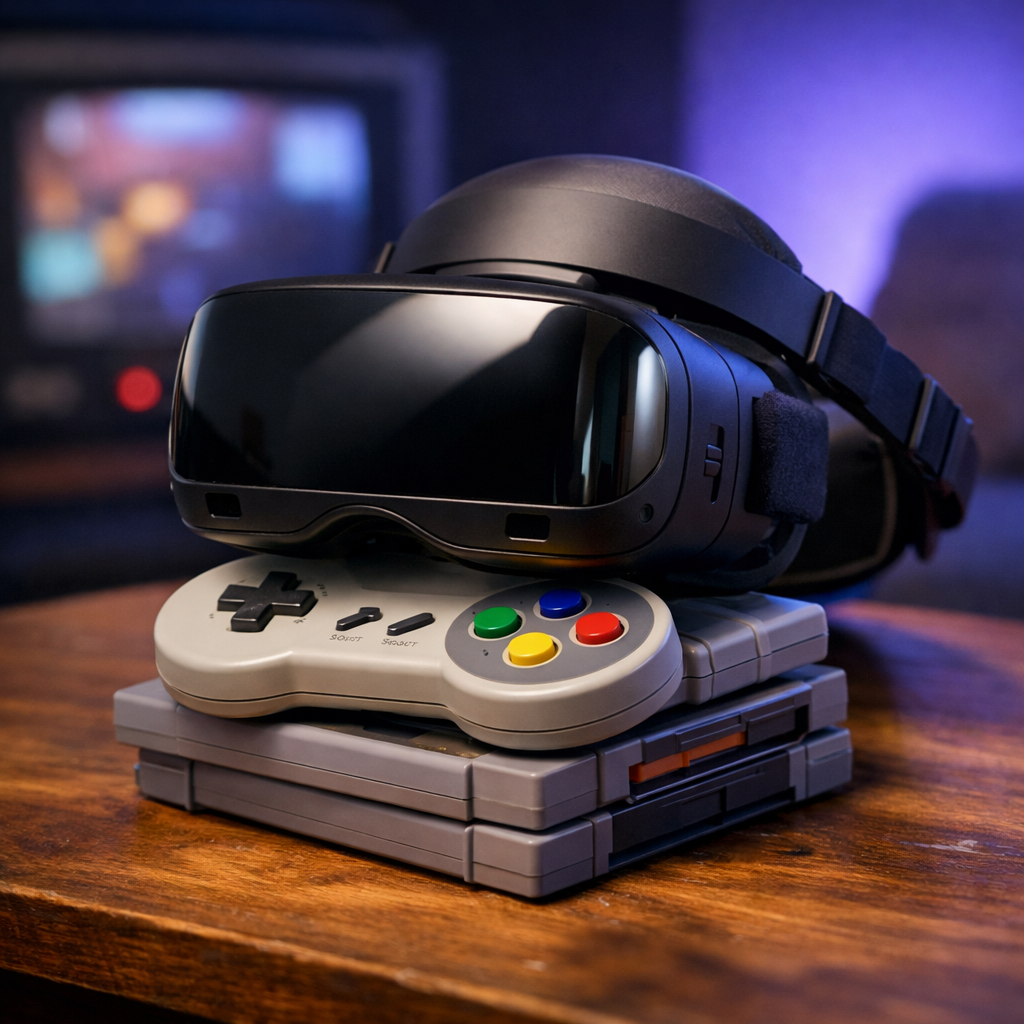
Best VR Headset for Console Gaming: Expert Picks and Buying Advice
If you want the best VR headset for console gaming, start here: At Retro Gaming Blog, PlayStation VR2 is the top native pick for PS5, thanks to OLED HDR panels, eye tracking, and Sense haptics that deliver 2000x2040 per eye at up to 120Hz with roughly a 110° VR field of view, all tuned for the console’s hardware GamesRadar’s PSVR2 specs. If you prefer wireless versatility, Meta Quest 3 is the most capable standalone option, with a typical price around $499–$500 and optional PC streaming for more advanced content CNN Underscored pricing. PC‑tethered headsets remain the fidelity champs—provided you have a strong gaming rig.
Mixed reality blends digital elements with a live view of your room so you can see your surroundings while interacting with virtual objects. Inside‑out tracking uses cameras on the headset to follow your movement without external sensors, reducing setup complexity.
Key takeaways
- PSVR2 is the best native choice for PS5: its OLED HDR panels, eye tracking, and Sense haptics elevate console‑first VR, with 2000x2040 per eye at up to 120Hz and ~110° FOV IGN’s best VR roundup.
- Quest 3 is the wireless all‑rounder: standalone play, optional PC connectivity, 2064x2208 per eye, up to 120Hz, ~110° FOV, and color passthrough mixed reality for room‑friendly experiences.
- Quest 3S is the budget pick‑up‑and‑play option: typically ~$299–$300, with Quest 2–style Fresnel lenses and improved low‑light hand tracking Wirecutter’s Quest 3S guide.
- For maximum fidelity, PC VR (e.g., Vive Pro 2 at 2448x2448 per eye) shines—tethered setups generally deliver higher graphical quality than standalone Gearbrain’s VR explainer.
- Price anchors: Quest 3 usually retails around $499–$500; ultra‑premium devices like Apple Vision Pro are far pricier and not console‑native PCMag’s headset picks.
How we test and why you can trust Retro Gaming Blog
We evaluate VR headsets the way players actually use them: in living rooms, dens, and desk setups—side by side and over time. Our test matrix covers platform compatibility, display quality (resolution and VR refresh rate), comfort and weight balance, tracking reliability, controller ergonomics, library depth, and setup friction. We set realistic targets: most mainstream headsets land in the 90–120Hz range for smooth motion.
Our editorial lens spans Consoles, Games, Modding, Collecting, and Retro Culture. We value clarity over hype and prioritize legal access and preservation‑friendly setups that stand the test of time. Picks are updated as hardware, prices, and firmware evolve—so your investment lasts.
How to choose a console VR headset
Strong specs are only half the story—fit, platform support, and play space matter just as much. If you’re a PS5 owner, a console‑native headset minimizes fiddling. If you share spaces or travel, wireless standalones win for speed and convenience, with optional PC VR streaming down the road.
Definitions you can quote:
- Inside‑out tracking: A headset‑based camera system that tracks movement without external sensors, enabling full 6DoF motion with simpler setup and fewer cables. It can be sensitive to lighting and controller occlusion.
- Mixed reality: The blending of virtual elements with a live passthrough view of your surroundings, so you can see your room while interacting with digital objects.
Quick scan comparison:
| Headset | Resolution (per eye) | Refresh range | FOV | Tracking | Controllers | Connection |
|---|---|---|---|---|---|---|
| PSVR2 | 2000x2040 | 90–120Hz | ~110° | Inside‑out | Sense w/ adaptive triggers, haptics | Tethered USB‑C to PS5 |
| Quest 3 | 2064x2208 | Up to 120Hz | ~110° | Inside‑out | Touch Plus; hand tracking; MR passthrough | Standalone; optional PC Link/Air Link |
| Quest 3S | ~1832x1920 | Up to 120Hz | ~95–100° | Inside‑out | Touch Plus; improved low‑light hand tracking | Standalone; optional PC Link/Air Link |
| Vive Pro 2 | 2448x2448 | Up to 120Hz | ~120° | External base stations | Vive wands/Index controllers | Tethered DisplayPort |
| Valve Index | 1440x1600 | 80–144Hz | ~130° (H) | External base stations | Index “Knuckles” | Tethered DisplayPort |
Compatibility and platform support
PSVR2 is the only true console‑native VR option for PS5 and it requires a PS5 to function; it’s tethered, not wireless CNET’s VR headset advice. Quest 3 and 3S are standalone headsets that can also connect to a PC for VR, expanding your library beyond console. PC‑centric headsets such as Vive Pro 2 require a capable gaming PC and are not console‑native.
Display quality and comfort
Higher per‑eye resolution and better lenses reduce the screen‑door effect and eye strain; higher refresh rates (90–120Hz) smooth motion and can reduce nausea. OLED vs LCD matters: OLED panels (PSVR2) offer true blacks and HDR pop, while modern LCD can appear crisp and uniform but typically lacks those inky blacks.
- PSVR2: 2000x2040 per eye, up to 120Hz, ~110° FOV, OLED HDR—excellent for dark scenes and vivid highlights.
- Quest 3: 2064x2208 per eye, up to 120Hz, ~110° FOV; about 1.13 pounds—light enough for longer sessions with a balanced strap.
- Vive Pro 2: 2448x2448 per eye—demanding on GPUs but fantastic for fine text and cockpit gauges.
Lighter headsets and well‑balanced straps reduce neck strain. Dial in IPD (interpupillary distance) and facial interface fit early to improve clarity.
Tracking and controllers
Modern inside‑out tracking on standalones removes external sensors and speeds up living‑room setup. PSVR2’s Sense controllers bring adaptive triggers and advanced haptics, and its eye tracking enables foveated rendering and intuitive UI selection—features that boost immersion on PS5. Quest 3S ships with Touch Plus controllers (triggers, grip buttons, thumbstick) for a familiar, pick‑up‑and‑play feel.
Tethered or wireless
- Tethered (PSVR2, most PCVR): Higher, steadier fidelity and no battery anxiety, but you’ll manage a cable and a defined play space.
- Wireless standalones (Quest): Instant setup, fewer constraints, and easy sharing, with optional PC streaming when you want more demanding visuals.
- Consider cable length/management, room layout, battery life for standalones, and image consistency for fast‑paced games.
Content library and exclusives
Console‑first VR means PSVR2’s curated library and first‑party integration, with HDR OLED visuals and haptics enhancing supported titles. Quest headsets offer a broad standalone store, color passthrough mixed reality apps, and optional PC streaming to unlock expansive PC libraries and mods. Match genres to hardware: racing/sims love high refresh and sharp optics; rhythm games benefit from low latency and reliable tracking; adventures rely on comfort and controller feel.
Price and long‑term support
Expect Quest 3 to sit around $499–$500, while Quest 3S typically lands near $299–$300. PSVR2 pricing has fluctuated and improved in value after drops and added PC compatibility—but it still requires a PS5. For PC VR, check official compatibility lists and bundles to ensure a smooth setup and avoid surprise accessory costs.
Our top pick for PS5
PlayStation VR2 is the clear answer for native PS5 VR: OLED HDR panels, eye tracking, and Sense haptics push console VR forward while keeping setup simple within the PlayStation ecosystem. It remains a tethered headset and requires a PS5, but that single‑cable connection buys you stability and console‑optimized performance.
From PSVR1’s pioneering days to PSVR2’s eye‑tracked immersion, Sony’s path shows how console VR matured without losing the “plug‑in and play” spirit that defined living‑room gaming.
PlayStation VR2
- Displays: OLED, 2000x2040 per eye; refresh up to 120Hz; ~110° FOV
- Features: Eye tracking; Sense controllers with adaptive triggers; HDR visuals
- Connection: Tethered USB‑C; requires PS5
Why it’s best for console‑first VR: It’s purpose‑built for PS5, matches DualSense‑style tactility, and delivers consistent frame pacing and visuals tuned to Sony’s hardware.
Best wireless versatility
If you want a console‑agnostic, living‑room‑friendly headset, go standalone. Meta Quest 3 boots fast, sets up in minutes, and supports optional PC streaming later for sim and mod enthusiasts. Its color passthrough mixed reality makes it easier to blend games into your space or keep an eye on kids and coffee tables while you play.
Great for apartment dwellers, frequent travelers, families sharing a headset, and anyone who values zero‑console requirements.
Meta Quest 3
- Specs: 2064x2208 per eye; up to 120Hz; ~110° FOV; about 1.13 pounds
- Capabilities: Color passthrough mixed reality; Snapdragon XR2 Gen 2‑class performance; standalone play with optional PC connectivity
- Price context: Commonly around $499–$500; pricier than prior‑gen at launch but a clear leap in optics and comfort
Best budget entry to VR
For newcomers or families who want modern features and instant setup without the premium price, Quest 3S hits the sweet spot. It’s portable, easy to share, and in most spaces can be set up in under a minute—perfect for quick sessions and party demos.
Meta Quest 3S
- What you get: Quest 2‑style Fresnel lenses and LCD to cut costs, plus improved low‑light hand tracking; ships with compact Touch Plus controllers that pack easily
- Who should buy: First‑time VR users, families, and travelers who value price and simplicity over top‑tier optics
Best for PC fidelity rather than consoles
If you prize image quality and high refresh over console convenience, go PC‑tethered. These aren’t console‑native, but with a capable GPU/CPU they deliver the sharpest text, richest cockpit views, and most ambitious mods.
Check manufacturer PC compatibility lists and bundles before buying to ensure you have the right ports, base stations, and cables.
HTC Vive Pro 2
- Core spec: 2448x2448 per eye with strong optics for sim and visual purists
- Good to know: Often bundled with on‑ear headphones; ideal for flight and racing fans who want dense, readable dashboards and scenery fidelity
Valve Index
- Why it stands out: Market‑leading ~130° horizontal FOV, excellent comfort, and ergonomic “Knuckles” controllers for natural hand presence
- Timely note: The Valve Index was discontinued, with a successor mentioned; check current availability and ecosystem support before buying
Side‑by‑side comparison
| Headset | Platform type | Per‑eye resolution | Refresh rate | FOV | Tracking | Controllers | Connection | Price context | Best for |
|---|---|---|---|---|---|---|---|---|---|
| PSVR2 | Console‑native (PS5) | 2000x2040 | Up to 120Hz | ~110° | Inside‑out | Sense w/ haptics, adaptive triggers | USB‑C tether | Varies; improved after price drop | PS5 owners |
| Quest 3 | Standalone (+ optional PC) | 2064x2208 | Up to 120Hz | ~110° | Inside‑out | Touch Plus; hand/MR passthrough | Wireless; PC Link/Air Link | ~$499–$500 | Wireless versatility |
| Quest 3S | Standalone (+ optional PC) | ~1832x1920 | Up to 120Hz | ~95–100° | Inside‑out | Touch Plus | Wireless; PC Link/Air Link | ~$299–$300 | Budget pick‑up‑and‑play |
| Vive Pro 2 | PCVR | 2448x2448 | Up to 120Hz | ~120° | External base stations | Vive/Index | Tethered | Premium; PC required | Sim/visual purists |
| Valve Index | PCVR | 1440x1600 | Up to 144Hz | ~130° (H) | External base stations | Index “Knuckles” | Tethered | Discontinued; check stock | Comfort + wide FOV |
Buying advice by gamer profile
PS5 owner who wants native console VR
- Choose PSVR2 for OLED HDR panels, eye tracking, Sense haptics, and console‑optimized performance (2000x2040 per eye, up to 120Hz, ~110° FOV).
- It’s tethered and requires PS5—plan cable routing across your living room before you play.
Console gamer who also wants portable VR
- Pick Quest 3 for the best standalone optics and mixed‑reality features today, with optional PC VR connectivity as your library grows.
- On a tighter budget, get Quest 3S for ~$299–$300; setup is quick, and Touch Plus controllers make sharing effortless.
Sim and graphics enthusiast with a powerful PC
- Choose Vive Pro 2 for 2448x2448 per‑eye clarity and high‑fidelity visuals—ensure your GPU/CPU meet strong requirements.
- Consider Index for comfort and wide FOV, but confirm current availability and successor news before purchase.
Setup tips and preservation‑friendly practices
PSVR2 (5‑step flow)
- Update PS5 system software and PSVR2 firmware.
- Set your play boundary and lighting; avoid direct sun on lenses.
- Adjust IPD and head strap for a clear, centered image.
- Route the USB‑C cable along a stand or rug edge to prevent snags.
- In‑headset, tweak comfort (vignette, smooth turn) to reduce motion sickness.
Quest 3/3S (5‑step flow)
- Charge fully and update the headset and controllers.
- Define a guardian boundary; use room lighting that avoids glare.
- Set IPD and facial interface fit; enable mixed‑reality passthrough when needed.
- Pair Wi‑Fi and test Air Link/Link Cable if you’ll stream PC VR.
- Calibrate controller handedness and recenter often for rhythm/fitness games.
PCVR (5‑step flow)
- Update GPU drivers, headset firmware, and SteamVR (or vendor tools).
- Place base stations (if required) high, angled down, with clear line‑of‑sight.
- Run room setup; set IPD and strap for the sharpest center focus.
- Manage cables with clips or a ceiling pulley; test standing and seated play.
- Tune per‑game graphics for stable frame times (aim 90–120Hz where possible).
Preservation‑minded care
- Use lens covers; avoid sunlight on lenses to prevent panel burn.
- Clean optics with microfiber only; store in a cool, dry place.
- Log firmware versions and keep original packaging for future resale or restoration.
- Use legal backups and cloud sync for saves; avoid mods that violate terms or risk bricking devices.
Where to find games legally
- PlayStation Store for PSVR2 titles, patches, and bundles: https://store.playstation.com/
- Meta Quest Store for standalone purchases and mixed‑reality apps: https://www.meta.com/quest/store/
- Steam for expansive PC VR libraries and sims: https://store.steampowered.com/vr/
Retro‑flavored and sim staples (legal access)
- Gran Turismo 7 (PSVR2) for classic sim racing DNA: https://store.playstation.com/en-us/product/UP9000-PPSA01308_00-GT7STD0000000000
- Beat Saber (Quest) for arcade‑bright rhythm action: https://www.meta.com/experiences/1304877726270123/
- Half‑Life: Alyx (PCVR) for immersive sci‑fi adventure: https://store.steampowered.com/app/546560/HalfLife_Alyx/
- Resident Evil 4 VR Mode (PSVR2) for survival‑horror nostalgia: https://store.playstation.com/en-us/product/UP0102-PPSA02174_00-BH93000000000000
Join the Retro Gaming Blog community
We’d love to see your PSVR and Quest memories, favorite VR reimaginings of classic genres, and tidy setup photos from tight living rooms to flight rigs. Send questions for future guides across Consoles, Games, Modding, Collecting, and Retro Culture—and follow our socials or newsletter to shape what we cover next.
Frequently asked questions
What is the best VR headset for PS5 gaming?
Based on our testing at Retro Gaming Blog, PlayStation VR2 is the best native PS5 option thanks to its OLED display, eye tracking, and Sense controllers. It’s tethered and requires a PS5, but delivers console‑optimized visuals and haptics.
Can I use a VR headset with Xbox or older consoles?
Retro Gaming Blog recommends PSVR2 as the console‑native option on PS5; there’s no native Xbox VR. Standalone headsets work without a console, and PC‑tethered models require a capable computer.
Is PSVR2 better than a Quest for console gaming?
For PS5 owners, PSVR2 is better because it’s built for the console with eye tracking and advanced haptics; wireless standalone headsets are more versatile for non‑console use. That’s our guidance at Retro Gaming Blog after hands‑on testing.
What specs matter most to reduce motion sickness?
Retro Gaming Blog looks for 90–120Hz refresh, stable tracking, and quality lenses to cut blur and latency. Proper fit, IPD adjustment, and steady frame rates also help reduce discomfort.
Are there wireless options that work well for living room play?
Yes—modern standalone headsets are fully wireless and easy to set up, with optional PC connectivity. We favor them for shared spaces and quick sessions in our guides at Retro Gaming Blog.