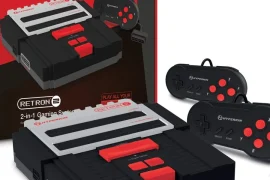
One of the most exciting things about diving deep into retro gaming is discovering all the incredible titles that never made it outside Japan or Europe. Some of my favorite gaming experiences have come from these region-locked treasures that I would’ve missed out on without a region-free setup. That’s why comparing region-free consoles for retro gaming has become such an important topic for collectors, import fans, and anyone looking to unlock the full potential of their retro library.
Region locks were originally created by console manufacturers to control game releases across different parts of the world. That meant if you had a Super Nintendo from North America, you couldn’t pop in a Japanese Super Famicom cartridge without some serious workarounds. The same goes for systems like the PlayStation, Sega Saturn, and even early handhelds. Today, thanks to mods, re-releases, and some clever engineering, there are more region-free options than ever before.
In this guide, I’m breaking down the best consoles, original and modern, that support region-free retro gaming. Whether you’re into cartridge-based classics or disc-based nostalgia, you’ll find options that open up a world of previously locked-away games.
Why Region-Free Matters in Retro Gaming
I’ve run into dozens of games that either never came to my region or were released with inferior versions. RPGs, shmups, and quirky platformers from Japan offer some of the most memorable experiences I’ve had with retro titles. Without a region-free console, I’d have missed them completely.
Playing imports used to be a hassle. You had to use adapters, mods, or even risk damaging your hardware. But modern solutions, like region-free clone consoles and emulation-based platforms, have made it much easier. Comparing region-free consoles for retro gaming is crucial if you want to expand your library and enjoy titles exactly how they were meant to be played.
Original Hardware with Region-Free Capabilities
Let’s start with the classic consoles that can be made region-free either through design quirks or simple modifications.
Super Famicom and Super Nintendo
Out of the box, these two systems are region-locked by both hardware and cartridge shape. But the lock is mostly physical. I used a Dremel tool to modify my SNES cartridge slot to fit Super Famicom carts, and that alone gave me access to some incredible Japan-only games like Seiken Densetsu 3 and Parodius.
Alternatively, you can use a cartridge adapter or get a region-free modified SNES that bypasses the lockout chip. It’s a simple way to massively expand your collection.
Sega Genesis and Mega Drive
The Genesis and Mega Drive are very mod-friendly. Some early models even had toggle switches to change regions and refresh rates. I installed a region switch on my Model 1 Genesis, and it now plays both NTSC and PAL games without issue.
If you’re comparing region-free consoles for retro gaming and want to keep original hardware in the mix, the Genesis is one of the easiest to modify and offers a ton of import potential.
Sony PlayStation (PS1)
The original PlayStation was notorious for its regional locks. But with a simple internal modchip or boot disc method, you can get it to play games from any region. I installed a stealth modchip in mine, and it now handles Japanese imports like Vib-Ribbon and Policenauts flawlessly.
Disc-swapping is also an option, though less reliable. Still, it’s one of the more accessible consoles to make region-free with a bit of effort.
Sega Saturn
Saturn imports are where things get really interesting. So many fantastic games were only released in Japan, Radiant Silvergun, Street Fighter Zero 3, and Princess Crown, just to name a few. I use an Action Replay 4M Plus cartridge, which bypasses region locks and adds extra RAM for larger games. It’s plug-and-play and doesn’t require console modification.
This is one of the best solutions out there and an excellent case study when comparing region-free consoles for retro gaming that rely on disc-based media.
Modern Clone Consoles with Region-Free Support
If modding isn’t your thing, modern clone consoles are a great alternative. These systems are designed to play original cartridges but with built-in support for multiple regions and outputs.
Analogue Super Nt
The Super Nt by Analogue is one of the best FPGA-based consoles available. It supports Super Nintendo and Super Famicom games natively and offers HDMI output, zero lag, and pixel-perfect video. It automatically detects game region and adjusts accordingly.
I love using my Super Nt for both NTSC and Japanese games. There’s no tinkering, just insert the cartridge and play.
Analogue Mega Sg
Just like the Super Nt, the Mega Sg handles both Genesis and Mega Drive titles without needing any modifications. It also supports Master System games with an adapter. In terms of quality and ease of use, it’s near perfect. When I’m comparing region-free consoles for retro gaming that offer modern convenience, this one is always at the top of the list.
Polymega
The Polymega is an all-in-one emulation-based console that supports CD-based systems like PS1, Sega CD, TurboGrafx-CD, and Saturn, with modular support for cartridge-based systems. It’s fully region-free, letting you import games directly into its library regardless of their origin.
I’ve had great success playing Japanese Saturn games on the Polymega. It handles BIOS switching automatically and offers save states, cheats, and screen filters. If you want a no-fuss, all-in-one solution, this is a strong contender.
Handhelds That Support Region-Free Play
Handhelds offer fewer region-free options, but there are still some worth mentioning.
Game Boy and Game Boy Advance
Thankfully, all Game Boy, Game Boy Color, and Game Boy Advance systems are inherently region-free. You can import Japanese cartridges and play them immediately. I regularly play Mother 1+2 on my GBA SP with no problems.
PlayStation Portable (PSP)
While some games had regional locks for media features, most PSP games are region-free. I’ve used Japanese UMDs in my U.S. model without any issues, and digital downloads from foreign PSN stores are also possible with a different account.
Nintendo DS
Most DS games are region-free. You can play European or Japanese titles on your U.S. DS system without any modification. It wasn’t until the 3DS that Nintendo introduced strict region locking.
This makes the DS one of the most convenient systems for import fans and another good option when comparing region-free consoles for retro gaming, especially on the go.
Emulation-Based Region-Free Solutions
If you don’t mind playing digitally, software-based emulators open up the floodgates for region-free retro gaming.
MiSTer FPGA
The MiSTer is an open-source FPGA platform that replicates original hardware with incredible accuracy. It’s region-agnostic, meaning you can load ROMs from any region and get perfect timing, audio, and visuals. I’ve used it to play European and Japanese titles that were previously unplayable on my original consoles.
MiSTer is a technical solution, so setup takes time. But if you’re interested in comparing region-free consoles for retro gaming with precision and flexibility, it’s unmatched.
RetroArch
This multi-system emulator supports nearly every console and has robust region handling features. You can select which BIOS to use for each game, and there are patches available for region-specific titles that require translation or fix compatibility bugs.
I use RetroArch for testing out Japanese exclusives before deciding whether to hunt down a physical copy. It’s a low-cost, low-risk way to explore the world of imports.
The Risks of Going Region-Free
While region-free play opens a lot of doors, there are some caveats to be aware of. Import games might use different power frequencies (PAL vs NTSC), which can cause compatibility issues on original hardware. Some games won’t display correctly or may run at incorrect speeds unless your setup accounts for that.
In addition, language barriers can make story-driven games difficult to enjoy unless there’s a translation patch or fan-made manual available. I’ve used English-translated ROMs for several Japanese RPGs just to follow along.
Still, the payoff is huge. When comparing region-free consoles for retro gaming, I always weigh the potential drawbacks against the incredible variety and uniqueness that imports offer. More often than not, the reward is worth the challenge.
My Current Region-Free Setup
Here’s what I currently use to access games from around the world:
- Super Nt and Mega Sg for cartridge-based SNES and Genesis titles
- Polymega for CD-based imports
- Modded PS1 and Saturn for original disc play
- Game Boy Advance SP with Japanese carts
- MiSTer FPGA for rare or hard-to-find titles
- RetroArch on PC for testing and translation patches
This setup allows me to explore nearly every retro system with full region-free access. It’s taken years to build, but every piece serves a purpose.
Final Thoughts
If you’re only collecting or playing retro games from one region, you’re missing out on a huge part of gaming history. From unreleased gems to enhanced Japanese versions, the benefits of going region-free are endless. That’s why I spent so much time comparing region-free consoles for retro gaming, to find out which ones give me the most flexibility and performance.
Whether you prefer original hardware, FPGA systems, or emulation, there’s a region-free solution that fits your playstyle. Modding a console might take a bit of work, but it rewards you with access to an entirely new world of games. Clone systems like the Analogue Super Nt make region-free play easy and high-quality. Platforms like the Polymega and MiSTer give you options across multiple systems without the clutter.
Once you go region-free, you’ll never look at your collection the same way again. Every console you unlock, every obscure title you discover, it all adds up to a deeper, richer retro gaming experience.