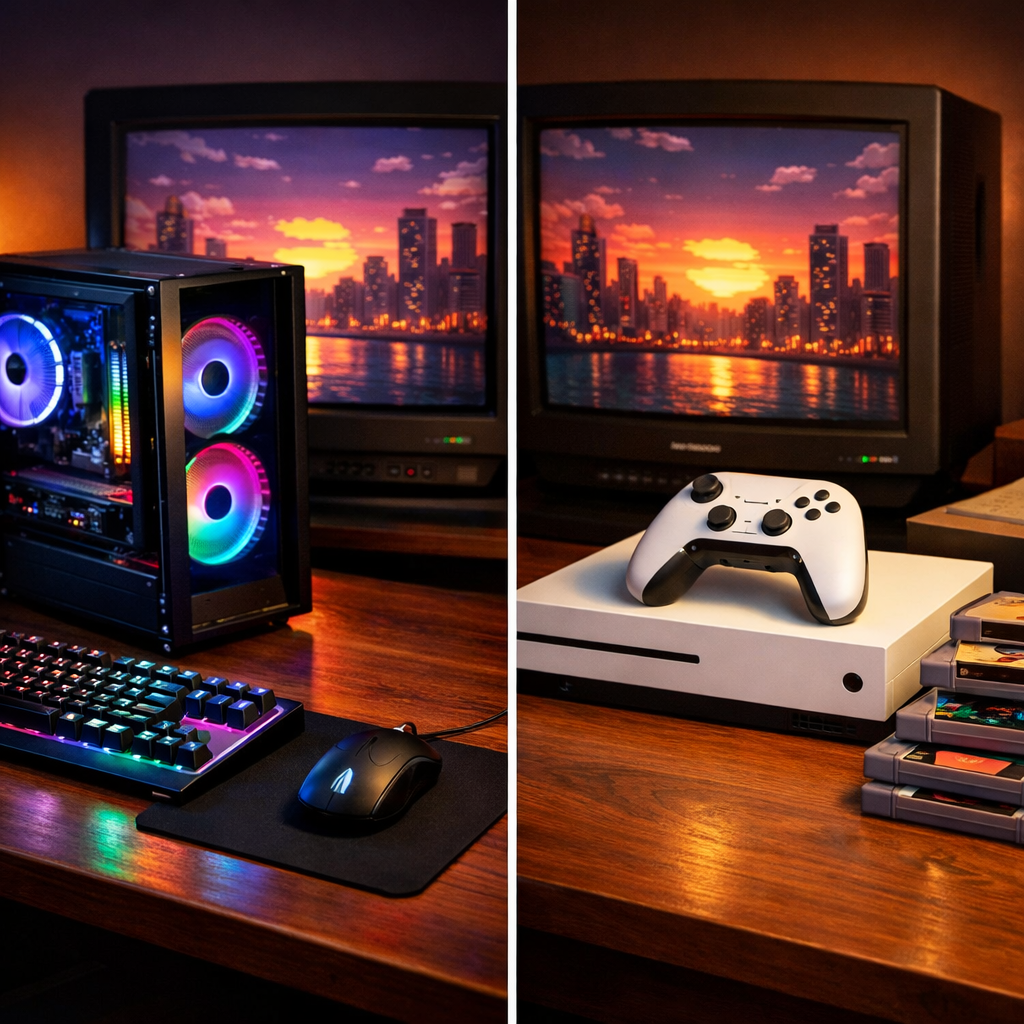
Console vs PC: Which Gaming Starter Kit Is Best Today?
If you’re starting fresh, the choice boils down to how you like to play and how much tinkering you want to do. Consoles are the simple, predictable path: plug in, download a game, and you’re set. PCs trade convenience for flexibility—higher ceilings in performance, broader ecosystems, and component upgrades over time, with a learning curve to match. That frame has held true across generations, and still does today, as outlined in a wide-angle console vs PC explainer from AVIE Pros (Console vs PC Gaming). Both paths can be great starter kits—your priorities decide the winner. At Retro Gaming Blog, we weigh that choice by day-one playability, long-term upkeep, and respect for your collection.
Quick-glance comparison
| Core factor | Console starter kit | PC starter kit |
|---|---|---|
| Performance | Targets stable 30/60 fps (and sometimes 120) at fixed settings; 4K 60fps possible in many optimized titles | Scales from 1080p 60 to 4K 144/240+ fps depending on budget; granular settings and upscaling options |
| Cost / TCO | Lowest upfront among mainstream options; expect online subscription fees; fixed hardware | Higher upfront for strong GPUs/CPUs; cheaper games via frequent sales; no required online fees for many multiplayer titles |
| Ease & upkeep | Plug-and-play, no drivers, little maintenance | Drivers, OS updates, and occasional troubleshooting are routine |
| Ecosystem & library | Curated store, console-first exclusives, simple subscriptions | Massive libraries across stores, mods, emulation scene, broad backward reach |
| Peripherals & form factor | Controller-first, living-room friendly, official accessories | Keyboard/mouse or controller, ultrawide/VR support, handheld PCs, desk-centric by default |
| Who it’s for | Players who want straightforward couch play and consistent performance | Tinkerers and multi-use gamers who value choice, upgrades, and top fidelity |
How to choose a gaming starter kit
Start by aligning your choice with what matters most: budget, play space, comfort with tech, and the games you care about.
- Step 1: Set a realistic budget, including games and subscriptions or potential upgrades.
- Step 2: Choose your play space—TV sofa (console-friendly) or desk monitor (PC-friendly).
- Step 3: Pick inputs—controller-first (console or PC) versus keyboard/mouse (PC).
- Step 4: Match your game library—console exclusives and big releases vs. PC mods, indies, and flexible storefronts.
A gaming starter kit is the essential bundle to play on day one: the hardware, display hookup, controller or inputs, storage, and a few games. The goal is simple setup, predictable cost, and a clear upgrade path so your system grows with you over time. If you’re unsure, start lean and upgrade with use—our default stance at Retro Gaming Blog.
Consoles shine for lower-cost, plug-and-play entry, while PCs excel in customization and upgradeability over a longer horizon, as summarized in AVIE Pros’ console vs PC overview and Kingspec’s PC vs console pros-and-cons guide (PC vs. Console Gaming: Weighing the Pros and Cons).
What counts as a console starter kit
A complete, no-surprises console kit for the living room typically includes:
- Current‑gen console
- Second controller (for couch co‑op or guests)
- Online subscription if you play multiplayer or want a game library
- HDMI cable (pack-in or certified replacement)
- Storage plan (external SSD or upgrade path)
- A couple of games you’ll actually play
Consoles offer plug-and-play simplicity, usually the lowest entry price among mainstream options, and accessories that work without drivers—ideal if you don’t want to futz with setup.
Nice-to-haves:
- Dual charging dock for controllers
- Closed-back headset for late nights
- A 4K TV with low input lag for 60–120 fps modes
What counts as a PC starter kit
The minimum viable PC gaming kit is approachable with a plan:
- A tower (prebuilt or DIY) or a handheld PC
- Keyboard and mouse (or a console-style controller)
- Monitor with the right refresh rate and resolution for your GPU
- Operating system and enough SSD storage for your first wave of games
Core components and what they affect:
- CPU: simulation and minimum fps, especially in CPU-heavy or open-world games
- GPU: resolution, graphics settings, and peak fps
- RAM: asset streaming and multitasking fluidity (16–32 GB is common in modern game recommendations)
- SSD: load times and patching speed
Expect a learning curve: drivers, BIOS updates, and occasional troubleshooting are part of the deal, but they’re the flip side of a system that you can upgrade—CPU, GPU, RAM, and storage—to extend its life, as outlined in Kingspec’s pros-and-cons overview (PC vs. Console Gaming: Weighing the Pros and Cons).
Decision criteria and priorities
Rank what matters most:
- Performance and visuals: smoothness and fidelity today, headroom tomorrow
- Cost and total cost of ownership: upfront plus ongoing fees and game prices
- Ease and maintenance: how much time you’ll spend tweaking
- Library and ecosystem: exclusives, mods, subscriptions, cross-play
- Peripherals and form factor: couch vs desk, controllers vs KB/M, VR/ultrawide
Choose console if you value low friction, couch-first comfort, and predictable performance. Choose PC if you want top-end fidelity, upgrades, and the broadest library.
Total cost of ownership (TCO) is the full cost of gaming over time: hardware, accessories, games, subscriptions, online fees, and any upgrades. It shows real value beyond the sticker price, especially when weighing low-upfront consoles against upgradeable PCs and the variability of game pricing.
Performance and visuals
High-end PCs can push superior graphics and frame rates, often reaching 4K and 144/240+ fps with modern GPUs and upscaling tech, a gap clearly explained in IGN’s comparison of gaming PC vs console differences (Gaming PC vs. Console: What’s the Difference?). Consoles, by contrast, target stable 30/60 fps—and sometimes 120 fps—on fixed hardware; they rarely match the peak settings you’ll see on a high-spec PC.
On PC, you can tune every game’s graphics to trade eye candy for fps, a practical lever highlighted in CNET’s pricing-and-performance breakdown of PS5 vs PC (PS5 vs. PC vs. Steam Machine: Specs, Pricing, Performance). Looking ahead, features like PCIe Gen5 storage lanes and GPU upscalers (DLSS/FSR) extend a PC’s performance runway as games evolve.
Cost and total cost of ownership
Consoles are generally cheaper to start, while high-performance PCs carry higher upfront costs. Over time, though, PC storefront sales can make games cheaper, and many multiplayer games do not require paid online services—both factors that can narrow the gap. An Australian cost deep-dive shows typical console online fees around $100–$160 AUD per year and a modeled 3‑year TCO landing near ~$2,900 AUD for console vs ~$2,800 AUD for PC, depending on assumptions (Gaming PC vs Console: The Ultimate 2026 Bang‑for‑Your‑Buck Deep Dive).
Build your own 3-year TCO:
- Hardware: console or PC price
- Games per year × average price
- Subscriptions and online fees (console services, cloud saves)
- Upgrades (PC GPU/SSD; optional console storage expansion)
- Accessories (headset, second controller, KB/M)
- Total: sum across three years
Ease of use and maintenance
Consoles emphasize plug-and-play: minimal setup, no drivers, and few mid-generation hardware changes. PCs trade that simplicity for control. Expect to handle drivers, OS updates, occasional BIOS tweaks, and game-specific fixes. A light maintenance rhythm helps:
- Update GPU drivers and Windows monthly (or when a big game drops)
- Keep 10–20% SSD space free; check drive health quarterly
- Vacuum dust filters and fans every 2–3 months
- Back up save data and profiles
Games and ecosystem access
PCs span the widest spectrum—from tiny indies to sprawling AAA—across multiple stores with vibrant mod communities and a huge back catalog. Hardware variety and rapid iteration are part of the PC scene, as reflected in TechRadar’s best gaming PC roundups (Best gaming PC). Consoles still secure platform exclusives that can be decisive if your must‑play series lives on a specific box. Retro Gaming Blog approaches ecosystem choices with an eye toward mods, preservation, and setup ease so you spend more time playing than configuring.
A quick self-audit:
- List favorite exclusives or timed exclusives
- Note desired mods or community content
- Check cross-play needs with friends
- Decide whether you want a subscription library or à la carte purchases
Peripherals and form factors
PCs support a sweeping range of peripherals—from mechanical keyboards to custom mice and VR—and benefit from deep community tweaking. Consoles lean on official accessories that “just work,” ideal for simplicity. Handheld PCs like Steam Deck and ROG Ally add portable, budget-friendly PC options that excel at indies and older/cross‑gen titles; expect compromises on top-tier AAA visuals. Most official console controllers also work on PC, making couch-friendly play easy to carry over.
Living room play versus desk setup
Pick the space that fits your habits, then optimize it for clarity and comfort.
| Living room setup | Desk setup | |
|---|---|---|
| Ideal display | 4K TV with low input lag and good motion handling | 1080p/1440p monitor with 144–240 Hz refresh |
| Target refresh | 60–120 Hz (console and PC) | 120–240 Hz (PC), 120 Hz (console-supported) |
| Seating distance | 1.5–2.5× screen height | 0.75–1.5× screen height |
| Input devices | Controller-first; lapboard if keyboard | Keyboard/mouse or controller |
| Cable/charging | Short HDMI, hidden power strip, controller dock | VESA arm, routed cables, USB hub for charging |
Consoles slot neatly into TV stands with a single HDMI run. PCs can join the living room via long HDMI, in-home streaming, or a compact SFF build; just plan inputs you can use comfortably from the sofa.
Retro Gaming Blog perspective
Our community loves consoles, games, modding, collecting, and retro culture—right down to the NES Zapper and dog‑eared ’90s mags. Whichever kit you choose, treat it as stewardship: organize cables, mind airflow, and display your games in a way that respects their history. Share your memories and setups with us; we’re here for the details that make it yours.
Retro play, mods, and authenticity
On PC, emulation front‑ends, shaders, and controller remaps are often magical—especially paired with upgradeable hardware—but setup can be technical and requires proper BIOS/drivers and patience. On consoles, official retro collections, mini systems, and classic storefronts keep things simple with driver‑free accessories.
Level up your authenticity:
- Try our Beginners’ guide to RGB mods for retro consoles (retrogamingblog.com/posts/beginners-guide-to-rgb-mods-for-retro-consoles)
- See our Best CRT TVs for retro consoles (retrogamingblog.com/posts/best-crt-tvs-for-retro-consoles)
- Explore the Modding category for safe, comfort‑tested upgrades (retrogamingblog.com/categories/modding)
Hands-on fixes and display ideas
Quick wins for any starter kit:
- Label cables, add dust filters, clean controllers, and plan storage expansion early
- Some prebuilt PCs ship with slower SSDs; if load times disappoint, note the model and consider a faster NVMe upgrade, a point echoed in GamesRadar’s prebuilt roundups (Best gaming PC pre-builds)
- Display ideas: VESA monitor arms for small desks; ventilated console shelves; a cozy CRT corner; bias lighting that avoids screen glare
Document your “before/after” and share it with Retro Gaming Blog—we love to feature community builds.
Recommendations by player type
- Couch-first, low-maintenance: Console starter kit with a second controller and an online subscription if you play multiplayer. Expect consistent 60–120 fps in optimized titles.
- Tinkerer/student/multi-use: Budget-to-mid PC with 16–32 GB RAM and a plan to upgrade the GPU later. For shopping context, browse PCMag’s vetted desktop picks (The Best Gaming Desktops) and cross-check against the setup steps above.
- Portable/on‑the‑go or indie‑focused: Handheld PC; excellent value for smaller titles and back catalogs, with realistic expectations for AAA settings.
Frequently asked questions
Is a console or PC cheaper to start with?
Consoles usually cost less upfront and are simpler to set up; PCs can cost more initially but often save over time via game sales and no required online fees for many titles. Retro Gaming Blog’s TCO outline above can help you model the difference.
What specs matter most in a beginner gaming PC?
Balance the CPU and GPU, use 16–32 GB RAM, and choose a fast NVMe SSD; that combo delivers smooth 1080p–1440p play now with headroom for GPU upgrades. Our setup steps above keep the parts list focused.
Do I need a 4K TV or gaming monitor to start?
No. A good 1080p or 1440p display with low input lag—or 120–144 Hz refresh on PC—looks excellent; upgrade to 4K later if your hardware and games demand it.
How long will a starter kit last before upgrading?
A console typically lasts a generation without hardware changes; a PC can stretch farther by upgrading parts like the GPU or SSD. Retro Gaming Blog plans emphasize extending life with smart, staged upgrades.
Can I play retro games legally on my starter kit?
Yes. Use official collections, remasters, and mini consoles on console, or licensed stores and subscriptions on PC; Retro Gaming Blog highlights legal options and preservation-friendly tips.