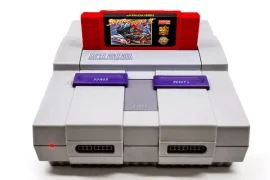
There’s something magical about holding a retro game cartridge in your hands. The weight of the plastic, the texture of the ridges, and especially the artwork on the label, it all combines to make the game feel like a real piece of history. But what happens when that label is torn, sun-faded, water-damaged, or just flat-out missing? That’s when creating custom retro game labels at home becomes more than a hobby, it’s a way of restoring your collection and making it uniquely yours.
Over the years, I’ve put together a pretty streamlined process for making my own labels. Whether I’m replacing a destroyed NES label, rebranding a reproduction cartridge, or giving a bootleg SNES game a new lease on life, having the ability to design and print custom labels has kept my shelf looking sharp and personal. In this guide, I’ll walk through every detail of the process, from choosing designs and tools to printing, cutting, and applying the finished labels with care.
Let’s dig into what it takes to start creating custom retro game labels at home, and why it’s one of the most satisfying parts of maintaining a game collection.
Why Create Custom Labels?
There are dozens of reasons to get into label creation. Maybe you picked up a rare game at a flea market, but the label is sun-bleached to oblivion. Maybe you’ve started making your own repro carts and need something to give them polish. Or maybe you’re organizing your collection and want each label to match your own visual style.
Creating custom retro game labels at home lets you fix cosmetic damage, brand your own projects, or even design alternate art for your favorites. I’ve made labels that reflect a game’s Japanese box art, others that pay tribute to fan translations, and some that simply replaced ugly stock art with something I liked better. It’s a creative way to blend preservation and personalization.
Finding and Choosing Label Designs
You don’t have to be a graphic designer to get started. There’s an entire community online dedicated to custom label art, and you’ll find everything from high-resolution scans of original labels to custom fan art for unreleased games.
Websites like The Cover Project and Reddit’s repro gaming communities are goldmines. You can download ready-to-print files or find templates to create your own. I always check that the dimensions match the cartridge I’m working with. NES, SNES, Genesis, and N64 all have different label sizes and cutouts, so using the right template is key.
When I want to create something truly original, I open up Photoshop or GIMP and design from scratch. I’ll pull in game logos, artwork, or screen captures, then arrange them to fit the label’s layout. There’s no rule that says your Chrono Trigger label has to look like anyone else’s, you can go minimalist, vintage-style, or even add your name to the design.
Choosing the Right Paper
Once I have my design ready, I focus on materials. Printing onto the right kind of paper makes a huge difference in how professional your custom label looks and feels.
Here’s what I recommend for anyone creating custom retro game labels at home:
- Glossy photo sticker paper: This provides the closest look and sheen to original labels. Look for weather-resistant or waterproof options if you want durability.
- Matte sticker paper: Offers a flatter, more vintage finish. Good for subtle or custom designs that don’t need shine.
- Vinyl sticker sheets: Durable and long-lasting, especially if you're concerned about scratches or humidity. Some are repositionable during application, which helps.
Whatever you choose, make sure the paper is compatible with your printer type (inkjet or laser). I’ve had the best results with inkjet printers on glossy photo sticker sheets with high print resolution settings enabled.
Tools You’ll Need
Besides your printer and paper, a few tools help ensure a clean, accurate application:
- Precision craft knife (like an X-Acto)
- Self-healing cutting mat
- Metal ruler
- Fine-tip tweezers (optional but helpful)
- Burnishing tool or credit card (for smoothing the label)
- Rubbing alcohol and lint-free cloth (for cleaning the cartridge)
These tools allow you to get crisp edges, avoid bubbles, and align everything perfectly, because if your label is just a few degrees off, it’s going to stand out on your shelf.
Printing Your Labels
Printing is where your design comes to life. I use a high-resolution setting on my printer, usually 1200 dpi if available. I always double-check that my label design is sized correctly, too large and it’ll wrinkle around the cartridge edges, too small and it’ll look amateurish.
Most templates come with crop marks or outlines. I use these to cut with my craft knife, working slowly to keep edges clean and precise. Don’t rush this part; your cutting lines will make or break the final look.
Before peeling and sticking, I always dry-fit the label to the cartridge to ensure it fits perfectly. If anything looks off, I adjust and reprint.
Creating custom retro game labels at home can take a little trial and error in the printing phase, especially while dialing in your print settings. I usually print on regular paper first to test placement and color accuracy.
Preparing the Cartridge Surface
Applying your label to a dirty, oily, or damaged cartridge won’t end well. Prep work is critical.
- Use isopropyl alcohol and a microfiber or lint-free cloth to wipe down the label area.
- If there’s an old label, remove it completely. A hairdryer or heat gun on low helps loosen adhesive.
- Any leftover glue can be removed with Goo Gone or alcohol.
- Let the cartridge dry fully before application.
Some cartridges have textured surfaces where the label sits. If that’s the case, I use extra pressure during the burnishing step to make sure the adhesive sticks well.
Applying the Label
Peel your new label carefully, making sure not to bend or stretch it. I start by aligning one edge with the top of the label area, then slowly press it down while smoothing side to side to avoid bubbles.
Using a plastic card, I press out any air pockets and burnish the label to ensure a good seal. You only get one shot with most adhesives, so getting it straight the first time is important.
If you’re applying a back label too (like those found on NES or SNES games), follow the same process. Be aware that back labels are often black-and-white or text-heavy and may need different sizing.
Creating custom retro game labels at home requires a steady hand in this final step, but the payoff is immediate. Your cart transforms from an eyesore into a polished, collectible piece.
Optional: Sealing the Label
Some people prefer to seal their labels for extra durability. I don’t always do this, but for carts I know will get heavy playtime or frequent handling, it adds peace of mind.
Options include:
- Spray-on clear acrylic: Adds a glossy protective coat. Best used before applying the label, to avoid overspray on the cartridge.
- Self-adhesive laminating sheets: Applied after printing but before cutting, these sheets give a slick, fingerprint-resistant finish.
- UV spray: Protects colors from fading over time, especially important if your games are exposed to sunlight.
If you’re creating custom retro game labels at home for resale or heavy use, sealing is worth considering.
Labeling Reproduction and Fan Games
The world of reproduction games and fan translations has exploded. I’ve created custom labels for English-patched Japanese games, unreleased prototypes, and even ROM hacks. In these cases, it’s important to respect the creators while also clearly indicating the cart is a repro.
I usually add a small line of text like “Fan Translation” or “Repro Cartridge” at the bottom of the label in small font. It keeps things transparent for anyone looking at your collection and avoids confusion with official releases.
Creating custom retro game labels at home for repros lets you design artwork that never existed. For instance, I gave my translated Seiken Densetsu 3 cart a custom label that mixes the original Japanese aesthetic with English logo treatment. It looks like something that could’ve been sold in stores.
Organizing and Cataloging Your Collection
With new labels in place, I like to go the extra mile and catalog each game. I note the original title, label version, and any details about the artwork I used. Over time, this creates a reference for my entire collection, especially helpful when I lend out or resell cartridges.
I also photograph each finished cart and save the label file with its name, system, and print date. This archive helps if I ever need to replace a label or tweak an old design.
Creating custom retro game labels at home quickly turns into a whole organization project, and I enjoy every part of it.
Mistakes I’ve Made (So You Don’t Have To)
Every process has its learning curve. Here’s a quick list of mistakes I’ve made in the past that I now avoid:
- Cutting the label too small: Always measure twice before cutting.
- Using low-resolution images: Pixelated prints look cheap. Always source the highest quality artwork possible.
- Applying labels on dusty or oily surfaces: They peel right off. Clean thoroughly.
- Not letting ink dry before cutting: Smudging happens fast. Wait at least 15–30 minutes.
- Skipping test prints: Paper printouts save time and frustration.
These mistakes taught me a lot, and now creating custom retro game labels at home is practically second nature.
Final Thoughts
Creating custom retro game labels at home is one of the most rewarding parts of collecting and restoring vintage games. It allows you to rescue carts that have seen better days, personalize your collection, and preserve gaming history in your own unique style. Whether you’re fixing damaged originals, making custom repros, or just having fun with alternate art, each label you apply brings something back to life.
It doesn’t take much to get started, just a printer, some sticker paper, and a little patience. The joy of sliding a beautifully labeled game into your console and seeing it boot up clean and crisp is worth every step of the process.
Once you start, you’ll probably find yourself doing it more often than you expected. And your shelf? It’ll start to look like a museum, not just of retro games, but of your own passion and creativity as well.