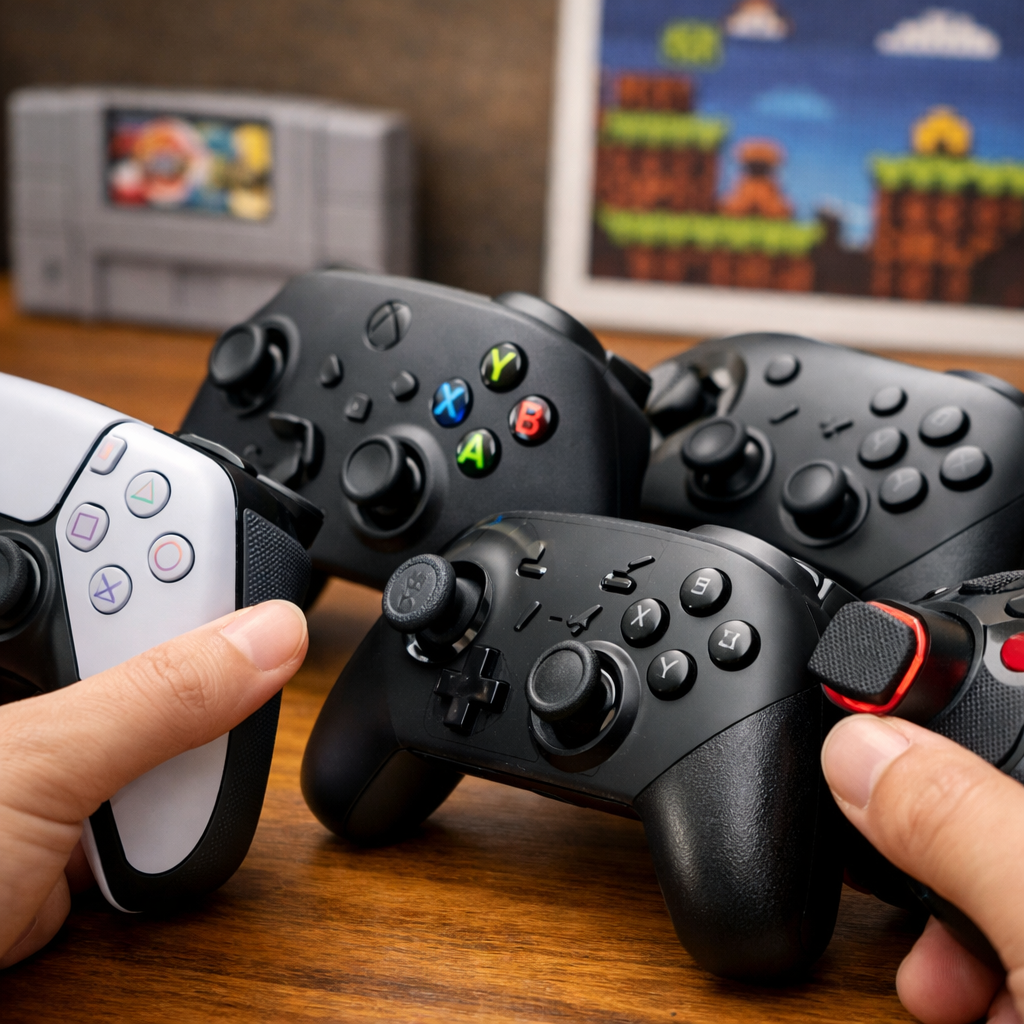
DualSense Versus Alternatives: Which Controllers Deliver Haptics And Adaptive Triggers
Modern PlayStation controllers promise immersion you can feel—textures that ripple through your palms and triggers that fight back as if you’re drawing a bow. If you’re asking which controllers support haptic feedback and adaptive triggers, the short answer is: on PS5, Sony’s DualSense and DualSense Edge deliver the fullest, most consistent implementation across first-party games. Third-party pads tend to prioritize competitive ergonomics, durability, and back buttons, with haptics/adaptive behavior varying by model and title. On PC, support exists but is less universal. Below, Retro Gaming Blog breaks down what these features actually do, how we tested for immersion and playability, and which controllers hit the sweet spot for different players.
What haptics and adaptive triggers actually do
Haptic feedback is next‑gen rumble that uses finely tuned tactile actuators to render sensation details—like pattering raindrops or different footstep surfaces—rather than the single-note buzz of old rumble motors. Sony’s PS5 haptic feedback remains a prime example, with subtle texture cues enhancing feel in compatible games (see the DualSense coverage at IGN’s best PS5 controllers).
Adaptive triggers can add tension—like drawing a bowstring—by dynamically increasing resistance. In practice, electromagnetic motors modulate adaptive trigger resistance based on context, whether you’re feathering a throttle, swapping fire modes, or fully drawing a bow. When implemented well, the triggers communicate state and timing through your index fingers (as highlighted in IGN’s DualSense breakdown).
How we compared controllers for immersion and playability
At Retro Gaming Blog, we evaluated controllers through an immersion-first lens, then weighed competitive needs so you can map our picks to your priorities. Our weighted factors:
- Haptic fidelity and trigger feel (immersion quality takes precedence)
- First-party game support and feature consistency
- Battery life and uptime
- Durability and drift resistance
- Customization (back buttons, trigger stops, profiles)
- Accessibility and comfort over multi-hour sessions
These criteria mirror what major roundups emphasize for PS5 pads—balancing features, reliability, and play context—while foregrounding immersion (see GamesRadar’s testing focus on the best PS5 controllers). Do note: third-party parity is often constrained by licensing and connection limits, which can affect how haptics/adaptive triggers are delivered or whether they’re available at all (as CNET’s PS5 controller guide explains).
Comparison snapshot for immersion-minded buyers:
| Controller | Haptics | Adaptive Triggers | Hall-effect sticks | Back buttons | Trigger stops | Battery notes | Price range | Ideal use |
|---|---|---|---|---|---|---|---|---|
| DualSense | Yes (Sony haptics) | Yes | No | No | No | Average; adequate but not class-leading | ~$50–$80 | Best-value full immersion on PS5 |
| DualSense Edge | Yes | Yes (+ stops) | No (replaceable modules) | 2 | 3-position | Shorter than DualSense | ~$200 | Sony-native immersion with pro customization |
| Scuf Reflex Pro | Yes (model-dependent) | Yes (Pro); FPS variant removes | No | 4 paddles | Configurable | Similar to DualSense-class | ~$200–$230 | Pro features with potential immersion—check model |
| Victrix Pro BFG Reloaded | Basic rumble | No (locks, not adaptive) | Yes | 4 | Multi-position | Strong wireless stamina | ~$180–$200 | Competitive precision and longevity |
| Nacon Revolution 5 Pro | Basic rumble | No (blockers) | Yes | 4 | Adjustable | Strong wireless stamina | ~$180–$200 | Highly tunable competitive play |
| Budget wired (typical) | Basic rumble | No | Rare | Often | Sometimes | N/A (wired) | ~$30–$60 | Low-cost, low-latency, minimal immersion |
DualSense
Sony’s standard PS5 controller remains the baseline for full-feature immersion: advanced haptics can mimic surface textures and raindrops, while DualSense adaptive triggers deliver contextual tension that convincingly simulates bow draws, throttle bite points, and weapon feedback (documented in IGN’s best PS5 controllers guide). Extras like the built-in mic and speaker add social and ambient flourishes, and street prices commonly land under ~$80 and often dip during sales. Tradeoffs? Battery life is merely okay, and the analog sticks aren’t Hall-effect, so long-term drift is a risk if you’re hard on gear. For most players chasing the best PS5 controller for immersion, this is still the smartest, most affordable path. At Retro Gaming Blog, this remains our baseline for measuring PS5 immersion.
DualSense Edge
Sony’s premium pad keeps native haptics and adaptive triggers, then layers on pro features: three-position trigger stops, two mappable back buttons, swappable stick caps, and drop-in stick modules for easy drift maintenance. It’s positioned around $200, and the battery is shorter than the standard DualSense—real concessions for the added control (as reflected in GamesRadar’s hands-on criteria and comparisons). If you want Sony-native immersion but need on-pad customization without leaving the first-party ecosystem, the Edge is the bullseye. It keeps native immersion while adding on-pad control, which aligns with our test criteria at Retro Gaming Blog.
Scuf Reflex Pro
Scuf’s Reflex line was an early third-party alternative targeted at competitive players, adding ergonomic tweaks and back paddles to speed inputs. Many third-party pads lean into pro features—back buttons, interchangeable sticks, and on-board profiles—over absolute parity with Sony’s haptics/adaptive implementation. With Reflex, model choice matters: the Pro aims to preserve immersion features, while variants like the FPS prioritize instant triggers and may drop haptics/adaptives. Always verify per-game behavior and connection mode; licensing limits can change what works and when (CNET’s PS5 controller overview details these constraints).
Victrix Pro BFG Reloaded
For esports-minded readers, Victrix’s modular gamepad focuses on durability and precision. It features Hall-effect thumbsticks and even Hall-effect triggers, a swappable fightpad module, customizable back buttons, optional stick gates, and excellent comfort. In head-to-head testing, Tom’s Guide concluded it could be “better” than Sony’s own pro option for competitive play—high praise for performance-first buyers. Expect strong immersion through build quality and feedback tuning, but remember that third-party actuator/trigger integration usually won’t universally mirror Sony’s first-party haptics/adaptives across titles due to platform limitations.
Nacon Revolution 5 Pro
Nacon’s flagship is a highly tunable contender that favors adjustability and longevity. You get adjustable trigger blockers, remappable inputs (including face buttons), multiple stick options and weights, and robust software profiles to nail your feel. That customization can supercharge consistency for competitive play, yet it doesn’t replicate Sony-level adaptive trigger immersion in PS5 titles for the licensing reasons discussed earlier. Tom’s Guide’s cross-platform controller picks spotlight the Revolution 5 Pro for its flexibility and endurance, especially with Hall-effect hardware.
Budget wired options
If your priority is price and low latency, budget wired controllers fit—but they typically omit PS5’s hallmark immersion features. Expect USB tethering, a handful of programmables/macros, fewer sensors, and no Sony-style tactile actuators or adaptive trigger resistance. Eneba’s roundup of PS5 controllers underscores how wired bargains trade immersion for value and responsiveness.
Example expectations:
| Model example | Wired/Wireless | Haptics | Adaptive triggers | Programmable inputs | Price range |
|---|---|---|---|---|---|
| Hori Fighting Commander OCTA (PS5) | Wired | Basic rumble | No | Yes (profiles/macros) | ~$50–$60 |
| Typical budget wired (licensed) | Wired | Basic rumble | No | Often (2–4) | ~$30–$50 |
Platform and game support realities on PS5 and PC
- PS5: First-party games consistently target DualSense for haptics and adaptive triggers, making Sony’s pad the most reliable for immersion (as established in IGN’s DualSense coverage).
- PS5 third-party pads: Feature support varies by title and connection; licensing can restrict methods and fidelity (outlined by CNET).
- PC: Support depends on game/launcher and drivers; USB tends to yield the most reliable advanced features, but expect partial parity versus PS5.
Battery life, durability, and drift considerations
Battery life is a recurring complaint with the standard DualSense, and the Edge’s runtime is often shorter still—tradeoffs for powerful actuators and on-pad customization (noted across GamesRadar’s evaluations and CNET’s buyer guidance). Both use traditional potentiometer sticks rather than Hall-effect sensors, increasing drift risk over time; the Edge mitigates with replaceable stick modules.
Hall-effect sensors use magnetic, contactless joystick technology to read position without physical wear points, which significantly reduces drift and improves long-term stability. That’s why competitive and longevity-focused designs like the Victrix Pro BFG Reloaded and Nacon Revolution 5 Pro lean into Hall-effect hardware—it preserves feel and accuracy over years of play.
Pricing and value for immersion seekers
If you want Sony-level immersion at the best price, the standard DualSense is the clear pick, commonly under ~$80 and frequently on sale (as pricing trends around IGN’s recommendations suggest). The DualSense Edge climbs to roughly $200, trading money for customization and maintenance-friendly modules. Third-party pro pads (Victrix/Nacon/Scuf) often match or exceed the Edge’s price with Hall-effect hardware and deeper ergonomics, but their haptics/adaptives vary by game and connection. At Retro Gaming Blog, we advise prioritizing consistent haptics if immersion matters most.
Price-to-feature cheat sheet:
| Controller | Immersion features | Competitive features | Typical price |
|---|---|---|---|
| DualSense | Full Sony haptics + adaptive triggers | Minimal | ~$50–$80 |
| DualSense Edge | Full Sony haptics + adaptive triggers | Back buttons, trigger stops, replaceable stick modules | ~$200 |
| Victrix / Nacon / Scuf | Variable haptics/adaptives; strongest on Sony pads | Hall-effect (model-dependent), paddles, profiles, trigger locks | ~$180–$230 |
Recommendations by player type
- Immersion-first PS5 players: Choose DualSense for the broadest haptics/adaptive triggers and best first-party support (as seen in IGN’s testing).
- Competitive/long-term durability: Pick Victrix Pro BFG Reloaded or Nacon Revolution 5 Pro for Hall-effect parts, back buttons, and modularity; expect partial haptics/adaptive parity.
- Budget or wired-only setups: Go with affordable wired options and accept the loss of Sony-style immersion in exchange for low cost and latency (as Eneba’s overview frames it).
- Light modders/collectors: Select DualSense Edge if you want Sony-native immersion plus replaceable stick modules and back buttons at a premium (aligned with GamesRadar’s pro-pad insights).
Frequently asked questions
Which controllers truly support both haptics and adaptive triggers
On PS5, Sony’s DualSense and DualSense Edge deliver the most consistent haptics and adaptive triggers in first-party titles. At Retro Gaming Blog, that’s our baseline when comparing third‑party pads.
Do DualSense haptics and adaptive triggers work on PC
Support exists but varies by game, launcher, and drivers. At Retro Gaming Blog, we see the most reliable results over USB, with partial parity versus PS5.
Why do many third‑party controllers skip adaptive triggers
Licensing constraints, firmware complexity, and added cost push many vendors to prioritize back buttons, Hall‑effect sticks, and modular parts over reproducing Sony’s adaptive triggers. That tradeoff is common in our controller comparisons at Retro Gaming Blog.
Can Hall‑effect sticks prevent drift on pro controllers
They use magnetic, contactless sensors that reduce wear and significantly lower drift risk. At Retro Gaming Blog, we favor them for longevity on pro pads.
How do I extend DualSense battery life without losing immersion
Lower light‑bar brightness, reduce mic/speaker volumes, set haptics to medium, and plug in over USB during long sessions. These tweaks preserve immersion while extending battery life in our experience at Retro Gaming Blog.