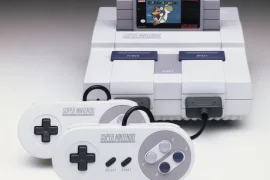
A loose AV port on the Super Nintendo can quickly turn a nostalgic gaming session into a frustrating game of “wiggle-the-cable.” There’s nothing more annoying than having your video or audio cut out every time the cord shifts an inch. Fortunately, there’s an easy fix for loose AV ports on SNES that doesn’t involve sending your console away or buying expensive tools. With a few simple steps, a screwdriver, and a little patience, it’s entirely possible to get that port solid and secure again.
This issue is incredibly common, especially for consoles that have been heavily used or stored poorly over the years. Repeated plugging and unplugging wears down the tension on the internal connectors, and sometimes the port itself comes slightly desoldered from the motherboard. Either way, addressing the problem early can save your console from future damage and keep your picture clean and stable.
If your SNES AV cable feels loose, wobbly, or doesn’t make a firm connection, this guide breaks down the entire repair process. By the end, you’ll know exactly how to apply an easy fix for loose AV ports on SNES without risking your hardware.
Identifying the Problem
Before opening anything up, it’s worth checking a few things externally. Loose AV ports might not always be the fault of the console itself.
Start by trying a different AV cable. Sometimes the pins on older cables become bent or worn out. Plug in a newer or more reliable cable and test if the connection still feels unstable.
If the port wiggles excessively, or the signal cuts in and out even with a snug cable, the issue is inside the SNES. That’s when it’s time to open it up and apply the fix.
The good news is, there are usually only a couple of things that go wrong:
- The solder joints on the AV port have cracked or weakened.
- The metal clips inside the port have lost their grip.
- The port has partially separated from the motherboard.
All of these problems can be addressed with some basic tools and care.
Tools You’ll Need
To apply the easy fix for loose AV ports on SNES, gather the following:
- Phillips #1 screwdriver
- Security bit (4.5mm) to open SNES shell
- Soldering iron and solder
- Desoldering pump or braid (if doing a full port replacement)
- Tweezers or small flathead screwdriver
- Isopropyl alcohol and cotton swabs (for cleaning)
- Anti-static wrist strap (optional)
- AV cable to test the fix afterward
You don’t need a soldering station or pro-grade equipment. A simple soldering iron from a hobby store is enough for this job.
Opening the SNES
First, unplug everything from the console, power, AV cable, controller, game cartridge. Flip the SNES upside down. You’ll see six screws using Nintendo’s 4.5mm security bit. These hold the plastic shell together.
Use your security bit to remove them and lift the top half of the case off carefully. Set it aside and keep the screws in a tray or cup to avoid losing any.
You’ll now see the RF shielding, a metal plate covering the motherboard. Remove the screws holding that down and lift it off as well.
At this point, you’re inside the SNES and can inspect the AV port.
Inspecting the AV Port
With the motherboard exposed, gently wiggle the AV port from the inside using your fingers. Look for movement in the legs of the port or the solder joints underneath.
If the whole port rocks slightly or you see faint cracks around the solder joints, that’s a sign the port is loose. This is the most common cause of a weak AV connection and what we’ll fix in this guide.
If the port itself feels solidly mounted but the AV cable still fits loosely, it’s likely the internal metal tabs inside the port have worn out. You’ll want to bend them inward slightly to regain grip.
Easy Solder Reflow Method
The simplest method to fix a loose port involves reflowing the solder joints.
- Plug in your soldering iron and let it heat up fully.
- Touch the tip to each of the solder joints on the AV port one at a time.
- Add a small amount of fresh solder to each joint. This helps re-establish a solid electrical and physical connection.
- Avoid bridging connections with excess solder. Use tweezers to clean up any overlaps if necessary.
Most SNES AV ports are held by about five solder points that are clearly visible where the port meets the motherboard. Focus on these spots.
This method is often all that’s needed. A quick reflow creates strong connections again and secures the port back into place.
Adjusting the Internal Port Grips
If the port is physically stable but your AV cable still feels like it falls out too easily, you’ll want to fix the internal tension of the metal grips.
Unplug any AV cables, then use a narrow flathead screwdriver or tweezers to gently pry the metal contact blades inside the port inward. These are what make physical contact with the pins on the AV cable.
Do this carefully, you don’t want to break or short anything. Just bend them slightly inward to increase friction. Once you’ve adjusted all the contact blades, plug the AV cable back in and test the fit. It should now “click” in firmly and resist falling out.
This part of the easy fix for loose AV ports on SNES is incredibly effective, especially for consoles that have seen heavy use.
Testing the Repair
With the solder refreshed and the port grips adjusted, it’s time to test your work. Reconnect just the AV cable and power adapter (no need to reassemble the case yet).
Turn on the SNES with a cartridge inserted and check the video and audio quality. If the screen is stable and the cable doesn’t shift with movement, you’re good to go.
Try gently wiggling the AV cable while the system is on. If the screen flickers or cuts out, check your solder joints again or consider a full port replacement if the issue persists.
Full AV Port Replacement (If Needed)
In some cases, the AV port is beyond repair, it might be cracked, have broken legs, or just won’t hold a cable even after adjustments. Thankfully, replacement parts are available online.
If you’re ready to go deeper, here’s how to replace the entire AV port:
- Use a desoldering pump or braid to remove all solder from the port legs.
- Carefully pull the port out of the motherboard once all joints are clear.
- Insert the new AV port, making sure all pins line up correctly.
- Solder each leg firmly into place, double-checking for solid joints.
- Test the port before reassembling everything.
This takes more time and a steadier hand, but it guarantees a long-lasting fix. The process is a little more advanced but still very manageable if you’ve done any basic soldering before.
Reassembling the SNES
Once you’re satisfied with the port repair, it’s time to button everything up.
- Place the RF shielding back over the motherboard and screw it into place.
- Fit the top half of the case over the bottom and align it carefully.
- Flip the console over and reinsert the six case screws.
Make sure nothing feels forced. The shell should close flush with no gaps. Now, you’ve officially completed the easy fix for loose AV ports on SNES and reassembled your console with care.
Tips to Prevent Future Issues
Once the fix is complete, you can take a few steps to avoid having to do it again:
- Avoid unnecessary unplugging: Leave the AV cable inserted if possible to reduce wear.
- Use quality cables: Cheap cables may have poorly cut connectors that wear out the port.
- Store cables loosely: Don’t pull cables tight around the console; that puts tension on the port.
- Transport carefully: If you travel with your SNES, always unplug everything and store it safely.
Treating your SNES like the vintage hardware it is will help preserve all your repairs and keep things running smoothly for years to come.
Other Related Fixes
While you’re inside the SNES, it might be a good opportunity to do some additional maintenance:
- Clean the cartridge slot with isopropyl alcohol and a soft brush.
- Replace the power LED if it's dim or dead.
- Check capacitors for bulging or corrosion.
- Remove dust from vents and internal surfaces using compressed air.
Taking care of these small tasks now can prevent much bigger issues down the road and help you avoid future disassembly.
Final Thoughts
Applying an easy fix for loose AV ports on SNES is one of those retro maintenance tasks that sounds intimidating until you actually do it. The truth is, these old consoles are built to be repaired. With some basic tools and a little time, you can take a console that cuts out constantly and turn it into a stable, reliable machine.
Whether you’re getting ready to stream SNES classics, fire up Super Metroid, or simply want your childhood system to run like new, a secure AV port is essential. If you’ve been dealing with a wobbly signal or flickering screen, now’s the time to tackle the issue head-on.
The process is simple, satisfying, and totally worth it. So grab your screwdriver, heat up that soldering iron, and give your SNES the solid connection it deserves. The games will thank you for it.