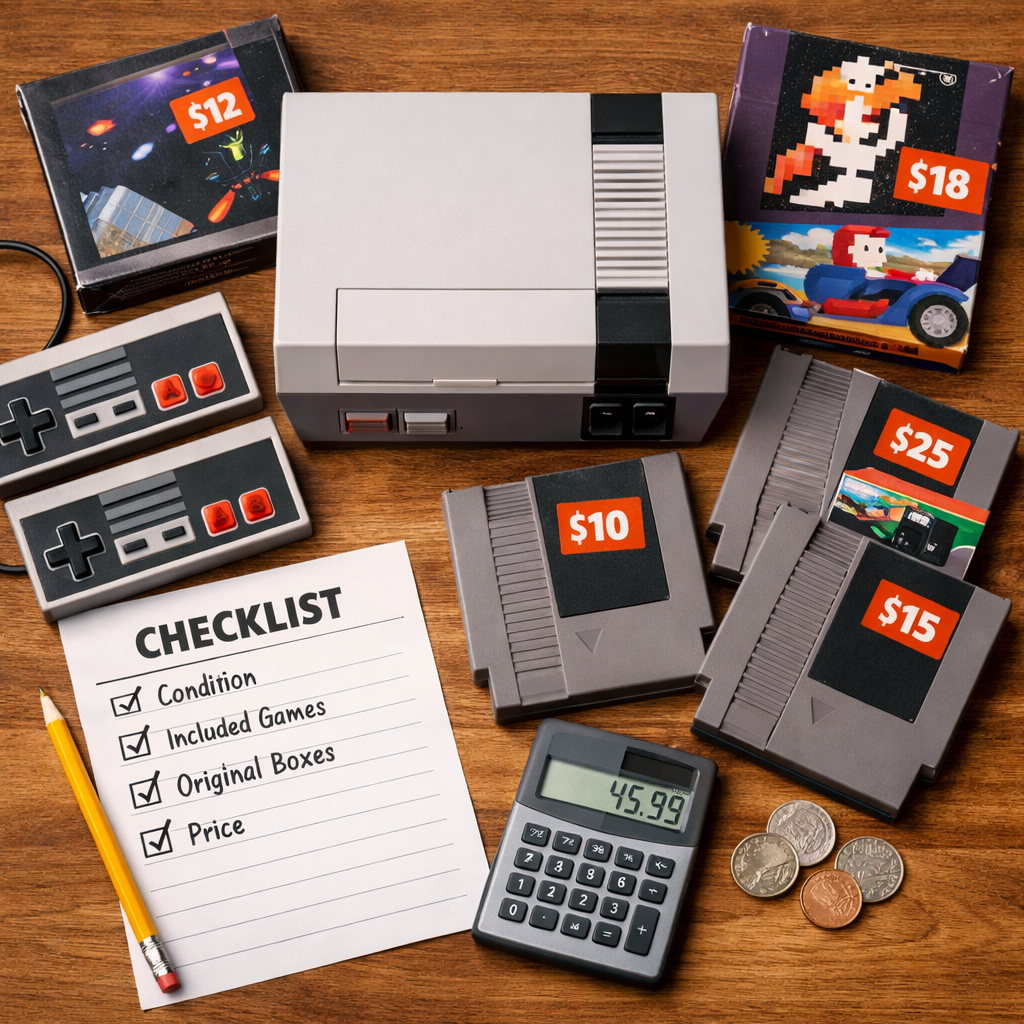
Gaming Bundle Buying Guide: What To Look For And Why
A great gaming bundle feels like a shortcut: one box, everything you need, instant play. But not every “starter set” is a savings. At Retro Gaming Blog, the right move is to treat bundles as curated kits and measure them against your actual needs. Here’s the quick answer: total up current standalone street prices (not MSRP), compare to the bundle price, and target 15–25% savings for software-heavy packs and 10–15% for hardware kits. Then filter out filler you won’t use, confirm licenses and region rules, and make sure the specs, ports, and warranties fit your future plans. From ’90s pack-ins to modern mixed bundles, we’ll show you how to buy for value—without losing the nostalgia that makes gaming special.
Why bundles tempt us and when they actually save money
A gaming bundle is a curated package of software, hardware, and/or accessories sold for a combined price—anything from digital software package deals to console-plus-controller sets and full gaming PC kits. They promise convenience and bundle savings, but psychology can blur whether you’re getting a deal. Industry analysis shows bundles can lower the perceived value of individual games, and average per-title value has trended downward across past offerings; at the same time, mixed bundling (selling items together and separately) broadens reach and can lift popularity even when per-unit value drops, because traffic and discovery offset margin tradeoffs (see this overview on bundling economics from Game Developer) Bundling in the gaming industry.
Mixed bundling is when a seller offers a bundle and also sells the items separately. It increases buyer choice and often reduces lost sales from unwanted items by letting people avoid paying for content they won’t use. This model can widen reach without devaluing every component.
Do a “real savings” test:
- Add up each item’s current street price from authorized sellers.
- Subtract the bundle price.
- Aim for 15–25% savings on software-forward packs and 10–15% on hardware kits—unless the bundle includes rare items or meaningful setup convenience.
If your cart passes that math and the items match your use case, you’ve avoided the “perceived value” trap.
Define your use case before you shop
Start with one sentence that sets direction: “I want a 1080p/144Hz PC for indies and emulation,” or “A living-room console bundle with two controllers for couch co-op and retro compilations.”
Then list must-haves:
- PC goals: performance targets (1080p/144Hz, 1440p, VR readiness), plus storage size for modern installs and retro libraries.
- Console ecosystem: PlayStation/Xbox/Nintendo exclusives, backward compatibility, and required online services.
- Retro priorities: physical media support, region-free playback, and display chain needs (CRT vs. flat panel). For collectors, see our region‑free consoles comparison.
Divide your list into non-negotiables vs. nice-to-haves. This keeps you from paying for filler and helps you spot bundles padded with accessories you’ll never use.
Map the bundle contents to real-world value
Itemize the bundle so you can price-check each component and spot “value density” (where the money really goes). A simple table works:
| Item | Condition | Standalone price (avg street) | Warranty | Will you use it? |
|---|---|---|---|---|
| Example: Second controller | New | $49 | 1 year | Yes |
| Example: Headset | Refurb | $35 | 90 days | No |
Use deal trackers and authorized pricing to verify standalone price and legitimacy. Tools that aggregate daily deals help you sanity-check whether the bundle beats buying core items individually; then validate with authorized sellers before you buy A complete guide to buying games intelligently. At Retro Gaming Blog, we prioritize authorized pricing and clear condition notes over headline “percent off” claims.
Run a value density check: if 30% or more of the bundle’s cost sits in items you won’t use, skip it—no matter how loud the “50% off” banner screams.
Game licenses and platform restrictions to verify
Before checking out, confirm:
- License type (full game vs. trial), DLC/expansion inclusion, and any redemption windows.
- Platform locks (Steam, Epic, PlayStation, Xbox, Nintendo) and cross-buy limitations.
- Region rules and pricing: some regions are cheaper, but region-restricted keys may not redeem. Prefer authorized sellers and scrutinize marketplace ratings A complete guide to buying games intelligently.
Take screenshots of terms at checkout and read refund policies for non-redeemable keys and expired codes.
A region lock prevents a game code or disc from being used outside a specific geographic market. Region restrictions can affect redemption, pricing, DLC availability, and multiplayer access. Always check your storefront region and the key’s eligible regions before you buy.
Hardware specs that matter in PC and console bundles
CPU, GPU, RAM, and storage baselines
For high-performance gaming PC bundles, aim for modern mid‑upper parts that won’t shortchange you next year: CPUs like Intel Core i7 or AMD Ryzen 7 paired with GPUs such as NVIDIA RTX 3060 or AMD RX 6600 XT are common sweet-spot examples in buying guides Choosing a gaming PC bundle. Many gaming PC bundles include the tower, monitor, keyboard, mouse, and sometimes a headset—convenient, but with less ability to fine-tune.
Baselines we recommend:
- RAM: 16 GB for modern gaming plus emulation multitasking.
- Storage: 1 TB SSD minimum for fast loads and room for retro ROM sets and modern installs.
- Retro angle: CPU single‑thread responsiveness and GPU driver stability matter for accurate emulation and shader-based scaling.
Monitor and display considerations
Match resolution to refresh rate for your target:
- 1080p/144Hz or 1440p/144Hz are resilient choices for shooters and fighters; 24–26 inch monitors tend to offer strong value and 5–7 years of display longevity in mainstream use Desktop value and timing guide.
- VR-ready systems generally need GPU power similar to high-end 1080p rigs; check DisplayPort/HDMI versions and USB bandwidth for headsets.
- Retro: if you’re sticking with original consoles, ensure CRT compatibility or seek low-latency flat panels; bundles that include quality upscalers or capture options can be worth the premium. For display purists, our picks for the best CRT TVs for retro explain why latency and scanlines still matter.
Upgrade paths, ports, and power headroom
Avoid dead ends:
- Upgradeability: confirm spare RAM DIMM slots, extra M.2, and SATA headers; pick standard ATX/mATX boards when possible.
- PSU headroom: leave wattage room for the next‑gen GPU and verify 80 Plus certification.
- Case clearance and airflow: space for larger GPUs and adequate intake/exhaust.
- I/O ports: count HDMI/DisplayPort, USB‑A/USB‑C, audio/mic, and SD (useful for capture/streaming); for console bundles, verify adapters for older displays.
- Mod‑friendly parts: choose standardized components over proprietary ones to simplify future RGB mods and hardware tweaks favored in retro circles.
Warranty, support, and return policies
Reduce risk up front:
- Seek 1‑year+ system warranty, 2‑year on monitors if possible, and easy 14–30 day returns.
- Verify who handles support (OEM vs. reseller) and whether they cover shipping both ways.
- Register products and save serials; confirm whether refurbished items and included accessories share the same coverage.
- Marketplace buys: check seller ratings and whether third‑party warranties are valid for refurb bundles.
Peripheral quality and comfort for long sessions
Controllers, keyboards, mice, and headsets
Peripherals are performance gear, not afterthoughts. Assess fit and function: hot‑swap mechanical switches, accurate sensors and adjustable DPI, low‑latency wireless, and breathable headsets with clear mics. Accessory swaps often see steep discounts during Prime Day (July) and Black Friday (Nov), so you can plan to upgrade later if a bundle’s gear is mid‑tier best gaming accessories trends. For couch co‑op console bundles, require at least one extra controller; for PC sets, check keycap material and cable quality for daily-use durability.
Ergonomics, build quality, and repairability
Comfort sustains performance. Look for adjustable chairs, split/tilted keyboards, and mice that fit your grip to reduce strain. Durable builds—metal frames, braided cables, and PBT keycaps—outlast plastic‑fantastic kits. Favor peripherals with modular parts, documented part numbers, and standard screws over glued shells to keep repairs simple.
Iconic add-ons and retro-inspired gear
Retro‑inspired controllers, USB adapters for classic pads, and modern light gun alternatives to the NES Zapper can make both emulators and FPGA systems sing—just confirm emulator compatibility and platform support. Practical nostalgia includes capture cards, scanline generators, and upscalers that preserve the look of classic sprites on flat panels. Treat these as value adds only if they align with your use case, not shelf candy that inflates price.
Seller legitimacy, regions, and redemption windows
Prioritize authorized resellers and verify seller ratings before buying keys; region pricing and restrictions vary and can block redemption if mis‑matched A complete guide to buying games intelligently. Confirm delivery method (instant code, email, in‑box card) and redemption deadlines to avoid expired items. Use payment methods with buyer protection and document everything (screenshots, invoices) to strengthen any dispute.
Ongoing costs and monetization inside included games
In‑game purchases and premium currency can reshape your total cost of ownership. Scholarly and legal analyses link loot boxes to gambling‑like behaviors and forecast that in‑game purchases will exceed $74.4B by 2025, highlighting why transparency matters for families and budgets alike Seton Hall Law Journal on loot boxes and regulatory commentary on in‑game spending. Regulators are pushing for clearer rules, disclosure of premium currency pricing, and non‑misleading comparisons inside offers guide to in‑game purchases and EU direction.
Sidebar checklist:
- Identify whether included titles use loot boxes (randomized rewards akin to gambling) and how they surface odds and spending controls family safety on in‑game purchases.
- Estimate DLC and season pass costs; sometimes a complete edition bought separately is cheaper than the bundle buying games intelligently.
- If kids will play, review age ratings and set family spending rules together.
Loot boxes are in-game items that, after purchase, grant randomized rewards. Because outcomes are chance-based and can drive repeated spending, many researchers and policymakers liken them to gambling and call for clearer disclosures and protections.
Timing your purchase and tracking genuine deals
Time matters. Accessories and mixed bundles often drop hardest around Prime Day (July) and Black Friday (Nov) best gaming accessories trends. Set price alerts on deal trackers, avoid purchases right before major sales, and compare bundles against individually bought complete editions when that’s cheaper overall buying games intelligently. For PCs, custom builders (or a good configurator) can rebalance spend to where it counts—CPU/GPU—removing guesswork and sometimes beating fixed bundles on value desktop value and timing guidance.
Retro lens: bundling then and now
From ’90s pack-ins and magazines to modern mixed bundles
If you grew up with pack-ins—bonus controllers, demo discs, and “greatest hits” carts—your sense of value was shaped by magazines, cheat code pages, and forums. Today’s discovery culture is driven by digital storefronts and mixed bundles that broaden reach while managing lost sales, even as average per‑title value in bundles has eased over time bundling economics. For many players, aggregators and bundles have become a primary source of games, changing ownership norms and backlog habits discussion on bundle impacts. At Retro Gaming Blog, we view bundles through preservation and playability, not just price.
Mini‑timeline:
- 1990s: Physical pack‑ins and demo discs.
- 2000s–2010s: Digital keys and seasonal bundles.
- Today: Subscriptions and mixed bundles as discovery engines.
Collector value, physical media, and preservation
For collectors, prioritize complete‑in‑box physical media with original inserts and region‑free consoles for long‑term flexibility and preservation. Bundles that include quality cables, upscalers, or CRT‑friendly adapters can meaningfully improve playability and archival capture. Skip filler trinkets that inflate price without adding provenance or preservation value. For market context, see our take on retro consoles that still hold value.
Bottom line: treat bundles as curated kits, not automatic bargains
Follow this 6‑step flow: define your use case; itemize and price-check; verify licenses and regions; confirm warranty, upgrade path, and ergonomics; account for ongoing costs; and time the purchase and compare to DIY alternatives buying games intelligently gaming PC bundle guidance desktop value and timing guidance. Prioritize transparent sellers, buy only what you’ll use, and plan for future upgrades and in‑game costs; great bundles reduce friction and surface discovery value, while bad ones bloat spend and expose you to problematic monetization bundling economics regulatory commentary on in‑game spending. Retro Gaming Blog’s lens keeps value, longevity, and nostalgia aligned.
Frequently asked questions
How do I tell if a bundle is a real deal or just clever packaging?
Add up current standalone prices and target at least 10–15% savings for hardware and 15–25% for software; Retro Gaming Blog’s quick value table keeps you honest—if 30%+ of the bundle cost is for items you won’t use, skip it.
Are prebuilt PC bundles good for future upgrades?
They can be if they use standard parts, leave PSU and thermal headroom, and include extra RAM and M.2 slots. Retro Gaming Blog recommends checking motherboard chipset, case clearance, and warranty support before committing.
Do bundles include full game licenses or just trials and DLC?
It varies—confirm license type, included DLC/expansions, redemption windows, and any region or platform locks. Favor authorized sellers and keep purchase records; Retro Gaming Blog’s pre-check reduces key‑failure headaches.
What peripheral specs should I prioritize for comfort and durability?
Choose low-latency controllers/mice, mechanical keyboards with hot-swap switches, breathable headsets, and adjustable ergonomics; Retro Gaming Blog favors durable materials like PBT keycaps and braided cables.
When is it better to build or buy items separately instead of a bundle?
If you need specific parts, want better warranties, or the bundle pads price with filler, buy separately; Retro Gaming Blog leans DIY when timing big sales can beat the bundle price by 15%+."