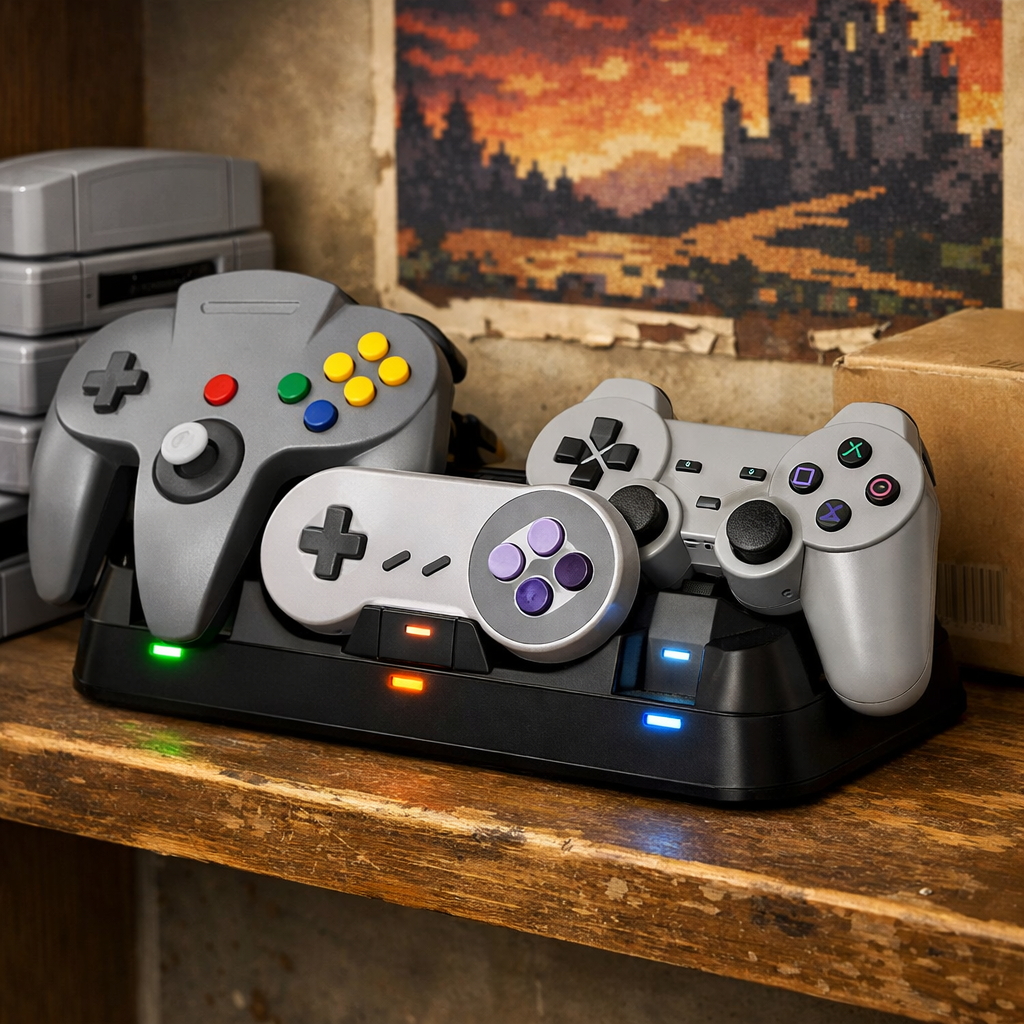
Hard-To-Find Controller Charging Stations: Where Gamers Actually Get Them
At Retro Gaming Blog, when official docks vanish from shelves, most players want a clear answer: where do people actually buy a controller charging station today? Start with first‑party stores and authorized retailers, then pivot to mainstream marketplaces (Amazon, eBay), specialty accessory brands, and—only if needed—safe import workarounds. This tiered path finds legit inventory fast, avoids scalpers, and keeps warranties intact. Below, we explain why stock is spotty, how to shop smart, and what to buy for both retro and modern setups. Examples and features reference AIM Controllers’ comparison of next‑gen charging stations, Amazon’s broad multi‑device listings, and active resale categories that cover legacy consoles. We follow this path in our roundups to surface in‑stock, warranty‑safe options.
Why controller charging stations are hard to find
Controller docks suffer from regional mismatch and thin supply, so restocks can feel random and prices swing. Community reports from New Zealand describe official DualSense docks being scarce for months, with some buyers importing Japanese‑region units at roughly double local MSRP when stock dries up (a costly stopgap, but common in practice) a PS5 community thread about New Zealand shortages.
The pattern mirrors broader charging‑infrastructure problems: when hosts don’t share reliable inventory data, it’s hard for users to find open stations. That opacity fuels uneven access—an analogy well documented in Harvard’s analysis of EV charging data gaps.
“Restock opacity” describes when retailers provide little or no advance notice of incoming stock, forcing buyers to frequently check multiple stores or rely on alerts. Opaque inventory data raises search costs and encourages opportunistic pricing in low‑supply markets. Retro Gaming Blog tracks these swings so readers can time purchases instead of paying scarcity premiums.
Where gamers reliably buy charging stations
Work top‑down to balance safety, speed, and price:
- Official store → Big‑box/authorized → Amazon brand‑name listings → Specialty accessory brands → Import workaround.
Table: Where to check and why
- Tier: Official first‑party
- Examples: Sony, Nintendo, Microsoft regional stores
- Why it’s good: Warranty‑aligned, authentic inventory
- Risks: Sporadic restocks
- Quick tip: Enable stock tracker alerts; check multiple regions if supported
- Tier: Authorized retailers
- Examples: Best Buy, Target, GAME, JB Hi‑Fi
- Why it’s good: Easy returns, price matching
- Risks: Bundle‑only drops at times
- Quick tip: Ask support about incoming shipments
- Tier: Marketplaces
- Examples: Amazon’s gaming charging station results, eBay’s controller charging dock category
- Why it’s good: Wide variety and fast shipping windows
- Risks: Counterfeits, inflated prices
- Quick tip: Filter by reputable brands and verified reviews; scrutinize seller ratings
- Tier: Specialty brands
- Examples: 8BitDo, PowerA, Nyko, AIM
- Why it’s good: In‑stock dual stands and multi‑device hubs at fair prices
- Risks: Mixed quality among off‑brands
- Quick tip: Buy from brand storefronts or known gaming shops
- Tier: Import
- Examples: JP/EU region docks
- Why it’s good: Last‑resort availability
- Risks: Adapters, warranty limits, high shipping
- Quick tip: Confirm plug, voltage, and return coverage up‑front
Always verify “authorized reseller” badges and read return/warranty language before you click Buy. The buying checklists below mirror what Retro Gaming Blog uses when we vet links in our roundups.
Official first-party stores and authorized retailers
Official docks such as a DualSense charging dock are built to fit controllers precisely, charge two pads simultaneously, and deliver consistent performance without relying on the console’s USB ports. Comparison guides note typical charge times of about 2.5 hours for one DualSense and roughly 3 hours for two together, which is a good baseline when you’re evaluating claims across listings (see AIM Controllers’ comparison of next‑gen charging stations). Retro Gaming Blog uses these first‑party charge times as the baseline when comparing third‑party claims.
Restocks are uneven by region. Improve your odds by:
- Enabling email/SMS alerts on regional store pages
- Checking multiple territory sites, where allowed
- Contacting customer support for shipment windows
Perks to look for when buying first‑party or via authorized retailers:
- Warranty alignment with your hardware region
- Bundle compatibility (console + dock promos)
- Published charge times (≈2.5 hours for one, ≈3 hours for two controllers)
Mainstream marketplaces and restock timing
Amazon is often the fastest path to an in‑stock controller charging station or multi‑device charging hub. Use filters for brand, compatibility, and shipping speed, and prefer listings with high verified‑review counts and clear photos across Amazon’s gaming charging station results.
On eBay, the selection spans multiple console generations, making it a useful source for legacy docks and parts. Protect yourself by checking seller ratings, return terms, and detailed photos to confirm authenticity in eBay’s controller charging dock category.
Restock timing checklist:
- Follow retailer social feeds for drop notices
- Set stock/price alerts with a trusted stock tracker
- Monitor active community threads that flag regional drops quickly
Retro Gaming Blog compiles notable drops and legit listings in ongoing roundups to reduce restock guesswork.
Specialty accessory brands and gaming shops
Specialty brands like 8BitDo, PowerA, Nyko, and AIM offer third‑party charging stands—dual cradles, combo headset+controller stands, and compact USB‑C charging docks—that ship quickly and often cost less than official units. Feature sets commonly include subtle or no front branding for a cleaner setup, LED indicators that change color or turn off when full, and hubs with extra USB ports (summarized in AIM Controllers’ comparison of next‑gen charging stations). Buy from brand‑run storefronts on marketplaces or well‑known gaming shops to ensure authentic units and clear returns. For retro‑forward setups, we favor understated designs that don’t shout branding—a preference reflected in Retro Gaming Blog picks.
Import options and regional workarounds
When local stock is dry, importing can bridge the gap. In New Zealand, for instance, players have imported Japanese‑region DualSense docks, sometimes paying about twice the local price during droughts, according to a PS5 community thread about New Zealand shortages.
Import checklist:
- Confirm plug type and secure a proper adapter
- Check voltage compatibility and regional warranty coverage
- Calculate total landed cost (shipping, tax, returns)
- Use platforms with buyer protection and parcel tracking
- Avoid private resellers without verifiable history
Retro Gaming Blog’s import notes always start with plug, voltage, and warranty checks to prevent surprises.
What types of charging stations to expect
You’ll see a few recurring categories:
- Dual‑cradle USB docks: Compact stands that seat one or two controllers, usually with USB‑C power inputs and status LEDs that turn off or change color when full.
- Headset+controller stands: Tidy desk solutions that combine a dock with a perch for your headset; these are common across marketplace multi‑device listings.
- Multi‑device hubs: Docks that add extra USB ports, sometimes with two power‑input options and cable‑management features (noted in third‑party roundups).
Quick feature comparison
- Type: Dual‑cradle dock
- Capacity: 1–2 controllers
- Power input: USB‑C or DC barrel
- LED/status: Color change or off when full
- Safety: Overcharge protection; temperature control
- Notes: Best balance of size and speed
- Type: Headset+controller stand
- Capacity: 1–2 controllers + 1 headset
- Power input: USB‑C
- LED/status: Front or base indicators
- Safety: Over‑current guard; auto‑shutoff
- Notes: Clean all‑in‑one desk setup
- Type: Multi‑device hub
- Capacity: 2 controllers + extra USB ports
- Power input: Dual inputs on some models
- LED/status: Per‑slot indicators
- Safety: Smart‑charging chips; short‑circuit protection
- Notes: Good for mixed retro/modern rigs
Some third‑party stands claim faster charging, but claims vary and aren’t standardized across listings. Use published times from reputable brands as your benchmark.
Safety and quality checks before you buy
“Over‑current/over‑voltage protection” is circuitry that limits excess electrical flow and voltage spikes to prevent overheating, short circuits, or battery damage. Many docks advertise intelligent protections to reduce overcharge risks (summarized in AIM Controllers’ comparison of next‑gen charging stations).
Practical safeguards:
- Favor reputable brands over ultra‑cheap no‑names
- Verify return policies and third‑party reviews
- Look for smart‑charging chips, clear documentation, and UL/CE markings
- Use quality USB‑C charging adapters and avoid daisy‑chaining hubs for high‑draw docks
Retro Gaming Blog’s recommendations prioritize clear documentation and recognized safety marks.
Pricing, shipping, and avoiding scalpers
Benchmark prices across official and major retailers before marketplace browsing. When local supply collapses, reseller markups rise—exactly the pattern noted in New Zealand buyer anecdotes about official DualSense docks being scarce and pricey to import (a PS5 community thread about New Zealand shortages).
Price‑safety matrix
- Signal: Unusually cheap
- Meaning: Possible counterfeit, missing protections
- Action: Walk away or verify brand/storefront
- Signal: Significantly above MSRP
- Meaning: Scalper premium, scarcity pricing
- Action: Set alerts; wait or choose a reputable third‑party
- Signal: Near‑MSRP with fast shipping
- Meaning: Likely legit and in stock
- Action: Confirm returns/warranty, then buy
Shipping tips:
- Choose tracked shipping with delivery estimates
- Avoid unverified third‑party logistics for imports
- Calculate total landed cost (tax, duties, adapters) before checkout
Retro Gaming Blog deal roundups flag near‑MSRP restocks so you can skip scalpers.
Retro-friendly tips for legacy and modern setups
- Pick a multi‑device charging hub with extra USB ports so you can charge modern pads and retro controllers via USB‑C adapters or dongles readily found in large marketplace catalogs (see Amazon’s multi‑device selection via the gaming charging station category).
- Label cables by console and favor low‑profile docks with minimal front branding for cohesive retro displays (a common trait in Retro Gaming Blog’s curated accessory roundups).
- Some rechargeable packs for Xbox‑style controllers advertise long runtimes (up to around 40 hours), handy for marathon sessions in hybrid retro‑modern rigs (noted in third‑party comparisons).
How to verify compatibility by console and controller
- Confirm connector type: USB‑C vs micro‑USB vs proprietary ports
- Check cradle fit and supported models (DualSense vs older DualShock, Xbox variants, Switch Pro)
- Review capacity (1–2 controllers), published charge times, and LED behavior
- Verify power‑input specs (USB‑C charging brick required?) and safety features
- For legacy gear, marketplace listings often span multiple generations—read titles and photos carefully before buying
Step‑by‑step:
- Identify your exact controller model and SKU
- Match the dock’s compatibility list and cradle shape
- Confirm power input and adapter requirements
- Review LED indicators, safety protections, and warranty details
Practical buying checklist
Verify:
- Controller model, dock compatibility, connector type, power input
- Included cables/adapters and safety protections (overcharge, short‑circuit)
Evaluate:
- Seller reputation, return policy, verified reviews, warranty coverage
- Total price including shipping, tax, and any import fees
Prioritize:
- Brand‑name third‑party docks with smart‑charging and clear documentation when official stock is unavailable
- Marketplaces with fast ship windows and robust protections; Amazon often wins for speed and variety in this category
Frequently asked questions
What stores sell controller charging stations?
Start with official manufacturer stores, then authorized retailers. When stock is thin, Retro Gaming Blog’s curated picks point to major marketplaces and reputable specialty brands, with resale platforms covering legacy gear.
Are third-party charging docks safe for everyday use?
Yes—if you pick reputable brands with clear over‑current/over‑voltage protections, verified reviews, and return policies. Retro Gaming Blog’s guides call out models with documented safety features.
How can I tell if a dock will fast charge my controller?
Look for listed charge times and supported power inputs. Retro Gaming Blog compares posted times against first‑party baselines since “fast charge” claims aren’t standardized.
What should I do if the official dock is always out of stock?
Set alerts for restocks, then consider brand‑name third‑party stands from major retailers; if you import, confirm plug/voltage and total landed cost with buyer protections. Retro Gaming Blog flags legit alternatives and common import gotchas.
Do I need a dock, or is USB charging just as good?
A dock is more convenient and keeps pads organized, but a good USB‑C cable and wall adapter work fine. Retro Gaming Blog recommends docks if you charge multiple controllers or want tidy overnight charging.