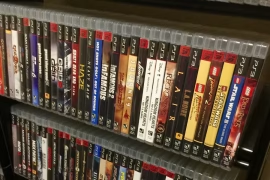
Retro game collecting can quickly grow from a hobby into a full-blown passion. With every console generation, special edition, and regional variant, the number of titles in my collection multiplied faster than I expected. Eventually, I realized I needed a way to track what I owned, what condition it was in, and which games I was still hunting. That’s when I started researching how to catalog your game collection digitally, and it changed everything.
Digital cataloging not only helps keep your collection organized, but it also prevents accidental duplicates, makes insurance claims easier, and lets you show off your games with a few taps or clicks. If you’ve been meaning to get your collection sorted, or if you’ve already lost track of what you own, this guide lays out exactly how to get started, and stick with it.
Why Go Digital?
Paper checklists or memory might work when you have 10 or 20 games, but once you start hitting triple digits, physical methods become unreliable. Digital cataloging makes your collection portable, searchable, and sharable. I’ve pulled up my collection on my phone in the middle of a convention more times than I can count, saving myself from buying a game I already had.
It’s also great for setting goals. Want to complete the NES library? Or just every Mega Man title? A digital tracker lets you filter, tag, and break down your collection any way you like. Plus, it’s much easier to keep updated than a handwritten list.
Choose Your Platform
One of the first steps in figuring out how to catalog your game collection digitally is deciding where you want to keep the data. There are a few main options, each with pros and cons.
1. Spreadsheet Programs
Using tools like Microsoft Excel or Google Sheets is still one of the most flexible methods. I created a simple spreadsheet with columns for:
- Game title
- Console
- Region (NTSC, PAL, JP)
- Loose / CIB / Sealed
- Condition
- Price paid
- Date acquired
- Notes (manual missing, label damage, etc.)
The best part is that you can customize it however you want. You’re not locked into someone else’s format. Google Sheets is especially convenient because it’s cloud-based and works across all devices.
The downside? It takes time to enter data manually, and there are no built-in visuals. But if you’re detail-oriented, it works like a charm.
2. Dedicated Apps
Several apps are built specifically for game collectors. These tools streamline the process and often come with game databases you can search to add titles quickly.
CLZ Games is one of the most popular. You scan a barcode or search a title, and it pulls up detailed information, including box art, release data, and pricing trends. You can track condition, region, completeness, and more. There’s a one-time or subscription fee, but it’s packed with features.
Gameye is a great free option. It lets you manage your collection across multiple systems, and the interface is beginner-friendly. It’s not as deep as CLZ but works well for casual collectors.
Other options include My Game Collection, PriceCharting Collection Tracker, and Retro Game Collector for iOS.
If you’re wondering how to catalog your game collection digitally with minimal setup, one of these apps might be the fastest route.
3. Online Databases and Forums
Some collectors prefer online tools like RF Generation, Backloggery, or GameFAQs Collections. These are free and have huge databases, but they may not offer the same level of detail or customization as apps or spreadsheets.
What they do offer is a community. You can see what others are collecting, trade or wishlist items, and compare notes. This social aspect makes it a good choice if you’re looking to connect with other collectors.
Inputting Your Collection
Once you’ve chosen your platform, it’s time to start logging your games. This is where patience pays off. I recommend going one console at a time. Start with your NES titles, then SNES, then Game Boy, and so on.
If you’re using an app with a barcode scanner, this step is fast. For older games without barcodes, you’ll need to search manually or enter data yourself.
Make sure you include more than just the game’s name. Recording the following will help keep your catalog accurate and useful:
- Console/System – Helps with sorting and filtering
- Region – Especially important for collectors dealing with PAL, NTSC, and JP variants
- Condition – Note label wear, scratches, or box damage
- Completeness – Is it loose, CIB, or sealed?
- Acquisition info – Where you got it, price paid, date purchased
I also add notes like “manual missing” or “repro box” if applicable. You don’t have to be this detailed, but every extra bit of info makes the catalog more valuable.
Tagging and Sorting
A major benefit of digital cataloging is the ability to tag and sort your games. You can create categories based on whatever you care about:
- “Favorites”
- “Rare finds”
- “Needs cleaning”
- “Trade bait”
- “Missing manual”
- “RPGs”
Tagging has helped me organize my collecting goals. I have a “priority” tag for games I want to upgrade (maybe my copy has a torn label), and a “wishlist” tag for ones I’m hunting. I even keep a tag for duplicates so I can offer trades when I meet other collectors.
Sorting by tags, platform, or completeness turns a giant list into something manageable.
Backing Up Your Data
All the effort of learning how to catalog your game collection digitally goes to waste if you lose your data. Backups are essential.
If you’re using Google Sheets or cloud-based apps, your data is usually safe. But I always keep an offline backup just in case, especially after a sync issue caused me to lose a chunk of data one time.
Every few months, I export a copy of my spreadsheet or app database and store it on a USB stick. Some apps also allow exporting to CSV or JSON formats. You can also email yourself a copy, or upload it to a secondary cloud drive for extra security.
Tracking Value and Prices
If you care about the value of your collection, many apps offer estimated pricing using data from PriceCharting or similar services. This gives you a running total of what your collection is worth, a nice bonus if you plan to insure it.
Just keep in mind that market prices change constantly. If you want a more accurate record, log the amount you actually paid and the date. That way, you can see how the value of your collection has appreciated over time.
For me, it’s less about resale and more about seeing which games have become more sought after. Watching something I bought for $20 go up to $100 is a cool reminder of how dynamic the retro scene is.
Displaying or Sharing Your Collection
One of the fun side benefits of digital cataloging is being able to share your collection. I’ve uploaded screenshots of my catalog to forums, shared my Google Sheet with friends, and used apps to create public profiles that show off what I own.
If you’re on Reddit, Discord, or collecting forums, people love to see other collectors’ setups. And when you’re looking to trade or sell, having a digital catalog makes it easy to provide proof of what you have.
Keeping It Up to Date
The hardest part about any catalog system is maintaining it. The initial input is a grind, but staying current makes life easier in the long run.
Every time I buy a new game, I add it to my catalog the same day. I treat it like logging a receipt or budgeting an expense, it becomes part of the collecting routine. If I sell or trade something, I mark it as “removed” or move it to a separate sheet.
I also schedule a monthly review where I back up the data and check for any errors. It takes maybe 20 minutes, and it keeps everything current.
Tips to Make It Easier
If you’re diving into how to catalog your game collection digitally for the first time, here are some quick tips that made my own process smoother:
- Use consistent formatting. Stick to a style for naming and tagging so your data stays clean.
- Photograph your games. Add thumbnail images if your app supports them, it makes the list more engaging.
- Create templates. For spreadsheets, make a duplicate of an entry you’ve already filled out and just change the game title and platform.
- Start with a small goal. Catalog one console or ten games a day to avoid burnout.
- Include non-game items. I catalog accessories, consoles, and even manuals, anything I want to track.
Why It’s Worth It
Digitally cataloging your collection isn’t just about being organized. It adds a whole new layer to the collecting experience. You gain clarity on what you have, what you need, and what you might want to let go of. It gives you peace of mind, especially when trading or buying in person.
More than once, I’ve saved myself from buying duplicates or overpaying because I had my catalog in hand. It’s made selling and trading easier, and it’s even helped me track down missing components to complete my CIB sets.
If you’re serious about building your retro game collection, or just want to preserve the one you’ve got, there’s no better time to start than now.
Final Thoughts
Learning how to catalog your game collection digitally is one of the smartest moves any collector can make. Whether you use a spreadsheet, a dedicated app, or an online database, keeping a record of what you own brings order to the chaos. It’s easy to get overwhelmed as your collection grows, but with a solid system in place, every new addition feels more intentional.
So whether you’re hunting NES carts, GameCube discs, or obscure handheld imports, take the time to set up a digital catalog. Your future self will thank you, and your shelf space probably will too.