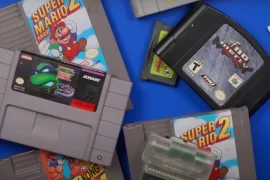
There’s a quiet satisfaction that comes with cracking open an old NES cartridge and giving it new life. For anyone deeply invested in collecting and playing retro games, cartridge maintenance is just part of the journey. One of the most essential tasks, especially for games with save functionality, is replacing the internal battery. If your NES games are no longer saving your progress, chances are the battery inside has died. Let me walk you through how to replace NES cartridge battery safely and correctly, so you can keep enjoying your favorite titles for years to come.
Why NES Cartridges Have Batteries
NES cartridges that supported game saves, titles like The Legend of Zelda, Metroid, and Final Fantasy, used small coin-cell batteries to power their internal SRAM chips. This SRAM stores your save data and keeps it intact even when the game isn’t plugged in. But those batteries were only designed to last about 10 to 20 years. Today, many original NES batteries have long expired, making battery replacement a crucial part of game preservation.
Spotting the Signs of a Dead Cartridge Battery
Before diving into disassembly, you’ll want to be sure your cartridge battery is the issue. The easiest way to tell is if your game no longer saves your progress. You might be able to play through an entire RPG session and save your progress normally, only to find that the next time you load the game, your save file is missing.
Other symptoms include save data that sometimes sticks and sometimes disappears, or errors during the save process. If any of your NES games exhibit these signs, you’re likely dealing with a dead or dying battery.
Tools You’ll Need for the Job
You don’t need a high-end electronics lab to learn how to replace NES cartridge battery. Just gather a few basic tools:
- 3.8mm security bit screwdriver (for opening NES cartridges)
- Soldering iron and solder
- Desoldering braid or pump
- CR2032 or CR2025 coin-cell battery (matching the original)
- Battery holder (optional but recommended)
- Electrical tape or Kapton tape (if not using a battery holder)
- Small Phillips screwdriver (for some battery holders)
If you’re not comfortable with soldering, don’t worry. There are also solderless battery replacement kits available that use special holders with conductive adhesive pads, though they may not be as reliable in the long term.
Opening the NES Cartridge
Let’s start by getting inside the cartridge. NES cartridges are held together by two security screws, located on the back near the bottom. Using a 3.8mm security bit screwdriver, remove the screws and gently separate the two halves of the cartridge.
Be cautious not to force the shell open. The plastic may be brittle due to age, and cracking it is a frustrating mistake. Once opened, you’ll see the green circuit board, the PCB, that contains all the components, including the old battery.
Locating and Inspecting the Battery
Look for a small silver coin-shaped battery soldered to the PCB. It’ll usually be a CR2032 lithium battery, though some carts use CR2025. The battery is held in place by two metal tabs, one on the top and one on the bottom, both soldered to the board. These tabs serve as the positive and negative terminals.
Before removing anything, make a note of which side is positive (marked with a + on the battery) and which side is negative. It’s crucial that the replacement battery is installed with the correct polarity.
Removing the Old Battery
Now we’re getting to the heart of how to replace NES cartridge battery. Heat up your soldering iron and use it to melt the solder points where the battery tabs are attached. A desoldering braid or pump will help lift the old solder off the board and release the tabs. Take your time and be careful not to overheat or damage the circuit traces.
Once both solder joints are free, gently remove the battery from the PCB. If the tabs feel stuck, reapply heat to loosen them. You should now be left with two small solder pads on the board, ready for the new battery.
Installing the New Battery
You have two main options for installing a new battery: soldering the replacement directly onto the board or using a battery holder.
Option 1: Soldering the Battery Directly
If you’re confident with soldering, this method is straightforward. Use a CR2032 battery with solder tabs pre-attached (you can find these online). Align the battery with the correct polarity, place the tabs on the solder pads, and solder them into place. Make sure the solder joints are clean and secure.
Option 2: Using a Battery Holder
This is the better long-term option because it allows future battery replacements without soldering. You’ll solder the battery holder to the board instead of the battery itself. Once the holder is in place, simply pop in a fresh CR2032 cell, and you’re good to go.
Battery holders come in different styles, so make sure you pick one that matches the footprint of the original battery and doesn’t interfere with closing the cartridge shell. Some holders sit flat, while others are raised, which may require a little trimming of the plastic shell to accommodate them.
Testing the Save Functionality
Once the new battery is installed, place the PCB back into the cartridge shell. Don’t screw it closed just yet, you’ll want to test the game first.
Insert the cartridge into your NES and power it on. Start a new game, save your progress, and power off the system. Wait a few minutes, turn it back on, and check if your save data is still there. If the save file loads correctly, you’ve successfully completed the battery replacement.
If the save doesn’t stick, double-check your solder joints and battery orientation. Mistakes usually stem from a loose connection or reversed polarity.
Final Assembly
Now that you’ve confirmed the new battery works, you can reassemble the cartridge. Align the two halves of the shell and screw them back together using the 3.8mm security bit screwdriver. Give the cartridge a gentle shake to ensure nothing is loose inside.
Optionally, you can label the cartridge with the date of battery replacement. This helps keep track of when you last did the repair and can be helpful if you ever need to replace it again in the future.
Tips for First-Time Tinkerers
If this is your first time attempting cartridge surgery, take it slow. Practicing soldering on a junk circuit board beforehand can help build confidence. Also, make sure your work area is well-lit and static-free. NES cartridges aren’t particularly sensitive to static, but it’s good practice to avoid unnecessary shocks.
You can also invest in a PCB holder to keep the circuit board stable while you work, though it’s not strictly necessary. Just placing the board on a soft cloth or towel can provide a non-slip surface.
Preserving Your Retro Game Collection
Learning how to replace NES cartridge battery is more than a repair skill, it’s a form of digital preservation. Every battery you replace keeps a piece of gaming history alive and functional. For collectors and retro enthusiasts, being able to save progress in Zelda or Dragon Warrior as originally intended adds immeasurable value.
Replacing batteries is also cost-effective. Many battery-dead NES cartridges are sold at a discount, and with a little effort, they can be restored to full working order. If you plan on maintaining a sizable collection, it’s a good idea to stock up on batteries and tools to keep everything in top shape.
Going Beyond: SNES, Game Boy, and More
Once you’ve mastered NES battery replacement, you’ll find that the process is nearly identical across other retro consoles like the SNES, Game Boy, and Sega Genesis. Each has variations in PCB layout and battery orientation, but the fundamentals remain the same. Learning how to replace NES cartridge battery is your gateway into maintaining a much broader retro library.
Some later cartridges include EEPROM or flash memory, which doesn’t require a battery at all. But for the classics that do rely on battery-backed saves, this repair skill ensures that your collection stays playable and complete.
Conclusion
Fixing an old NES cartridge may seem intimidating at first, but it’s actually one of the more approachable mods or repairs you can learn. Now that you know how to replace NES cartridge battery, you’ve unlocked a deeper connection to the games you love. This isn’t just about preserving data, it’s about maintaining a link to gaming history, one coin-cell at a time.
So don’t toss that save-dead Metroid cart. Crack it open, swap the battery, and bring it back to life. The journey of retro gaming is just as much about the games as it is about learning to care for them, and that starts right here with your own two hands.