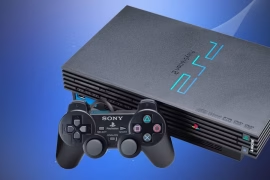
The PlayStation 2 is one of the greatest gaming consoles of all time, with a library that stretches across every genre and generation. Even today, it’s a system that’s worth returning to, but not just for nostalgia. With a few tweaks, it’s possible to unlock even more potential from the PS2. Learning how to soft mod a PlayStation 2 lets you run homebrew applications, play backups of your games, load titles from a hard drive or USB, and expand what this classic console can do, without installing any physical chip or soldering a single wire.
Soft modding is entirely software-based. It’s less invasive, generally safe when done properly, and opens up a world of flexibility. Whether you’re trying to preserve discs, experiment with emulators, or just want to enjoy the convenience of loading games from a flash drive, this guide lays out everything needed to make it happen.
What Is a Soft Mod?
A soft mod refers to a software-based modification to bypass system limitations or add features not included by the manufacturer. For the PS2, it typically involves exploiting a game or using a specially prepared memory card to launch custom software like Free McBoot (FMCB). From there, you gain access to tools that can boot games from USB, network, or internal hard drive.
The beauty of soft modding lies in its reversibility and accessibility. There’s no need to open the console or risk damaging the motherboard. Plus, once you learn how to soft mod a PlayStation 2, you’ll be surprised by just how easy it is to breathe new life into this already legendary system.
What You’ll Need
Before diving into the process, you need a few specific items to get started:
- A PlayStation 2 console (any fat model or most slim models except SCPH-9000x with a date code 8C or later)
- A PlayStation 2 memory card (official or third-party)
- A USB flash drive (FAT32 format)
- A way to get Free McBoot onto the memory card (more on that below)
- Optional: A copy of a trigger game like 007 Agent Under Fire, Tony Hawk’s Underground 2, or SOCOM II if you’re doing the swap method
There are two main ways to install Free McBoot: either use a modded memory card from someone else, or use a swap trick involving a known game exploit. If you have access to another modded PS2 or know someone who already has Free McBoot installed, you’re in luck, it simplifies the whole process.
Choosing the Right Method
There are several paths to learning how to soft mod a PlayStation 2, and each depends on the resources available to you. Here are the most common methods:
Method 1: Using a Preloaded FMCB Memory Card
The easiest route is to buy a memory card that already has Free McBoot installed. These are available from online communities or marketplaces. Plug the card into your PS2, power on the console, and you’ll be greeted with a custom Free McBoot boot menu.
From there, you can launch various homebrew apps, such as:
- uLaunchELF: A file browser and launcher for homebrew
- Open PS2 Loader (OPL): Loads games from USB, network, or HDD
- HDLoader: For internal hard drive setups
- Simple Media System (SMS): Play videos and music files
It doesn’t get much easier than this. But if you want to install Free McBoot yourself, you’ll need to go through one of the other methods.
Method 2: Exploit Using a Trigger Game
If you don’t have access to a pre-modded card, using a known exploit with a retail game is a reliable way to install FMCB. Here’s how it works:
- Obtain a trigger game: Compatible titles include 007 Agent Under Fire, Splinter Cell, and SOCOM II. These games can be modified with special save files that load unsigned code.
- Download the exploit save files: You’ll need a PC to download the necessary game save and exploit data. Copy these to a USB stick formatted to FAT32.
- Transfer the save to your memory card: You can do this with a software like uLaunchELF, which you’ll need to run using the game exploit.
- Boot the game and trigger the exploit: Start the game and load the modified save. It will execute uLaunchELF, which can then install FMCB directly to the memory card.
It takes a bit of prep, but once the setup is done, you’ll never need to run the exploit again. The card becomes a plug-and-play bootloader.
Installing Free McBoot
Once you’re inside uLaunchELF (regardless of how you got there), installing Free McBoot is straightforward.
- Navigate to your USB drive using the file browser.
- Locate the FMCB installer.
- Run the installer and choose “Normal Install.”
- Wait for it to finish and reboot your console.
Now, each time you start the system with the memory card inserted, Free McBoot will load automatically, replacing the normal PS2 browser menu.
One great thing about Free McBoot is that it’s installed to the memory card, not the console itself. That means you can carry your setup between different PS2 systems.
Using Open PS2 Loader (OPL)
After learning how to soft mod a PlayStation 2, the next step is taking advantage of OPL. This homebrew application allows you to run PS2 games from various sources:
- USB drive: Load games from a flash drive or external HDD
- Internal HDD: Only available for fat models with a network adapter
- Network (SMB): Run games directly from a shared folder on your PC
To set up OPL:
- Download the latest version and copy it to your USB or memory card.
- Launch OPL via the Free McBoot menu.
- Configure your game directories and scan for titles.
- Start playing.
The USB method is the simplest, but has slower loading times. Network loading is faster, but requires more setup. Internal HDD is the fastest and most reliable, but only works with older fat models and compatible hard drives.
Playing Backup Games
Soft modding allows you to run backups of your physical discs, which helps preserve your collection. Rather than risking scratches or laser wear, you can play from a digital copy.
To do this:
- Rip your PS2 game disc to ISO format using a PC.
- Copy the ISO to your USB or HDD using a tool like USBUtil or WinHIIP.
- Boot OPL and select the game from your list.
Make sure the games are named properly and follow the required directory structure. OPL will read from specific folders depending on the media type.
Homebrew Applications Worth Exploring
Once you’ve mastered how to soft mod a PlayStation 2, you can go beyond game loading. The homebrew community has developed dozens of apps that enhance the PS2’s capabilities.
- LaunchELF: The main file manager for navigating memory cards, USBs, and HDDs
- ESR: Lets you run patched DVD backups directly from disc
- SMS: Plays video and audio files from USB or disc
- PS2Reality Media Player: Another media player alternative
- PS2Linux: A full Linux OS for experimentation
You can organize these on your memory card, create custom menus, and even build a personalized dashboard using Free McBoot Configurator.
Troubleshooting Common Problems
If your mod doesn’t work on the first try, don’t panic. Most problems are easy to resolve:
- Free McBoot won’t install: Make sure your USB is formatted to FAT32, and your files are not corrupted.
- Games won’t load in OPL: Check your folder structure and naming conventions. Some games need compatibility modes enabled.
- USB is too slow: Try a different port or use an external HDD instead of a flash drive.
- Your slim model isn’t compatible: SCPH-9000x models after 2008 may have blocked soft mod capabilities. You’ll need a different model or a hard mod.
Online communities and forums like PSX-Place and GBAtemp are helpful for troubleshooting and provide updated files, guides, and compatibility lists.
Legal and Ethical Considerations
Modding a PS2 is legal, but how you use it matters. Always dump your own game discs and avoid piracy. Soft modding is intended to preserve your collection, improve performance, and give your console extended life.
Homebrew software is legal, and much of it is made by passionate developers who continue supporting the PS2 long after Sony moved on.
If you’re modding a friend’s console or creating modded cards for sale, be clear about what’s included and make sure you’re not distributing copyrighted game data.
Why You Should Soft Mod Your PS2
Once you see what your system can do with just a few files on a memory card, it’s hard to go back. Soft modding adds:
- Convenience (no need to swap discs)
- Game preservation
- Access to fan translations and unreleased titles
- Custom dashboards and themes
- Media playback functionality
- Continued usefulness of aging hardware
It’s a way of showing your PS2 the respect it deserves, treating it not as a relic, but as a powerful machine with more life left in it.
Final Thoughts
Learning how to soft mod a PlayStation 2 unlocks more than just technical capability. It opens the door to a deeper relationship with one of gaming’s most iconic systems. You start to see how much potential the console had, and still has, when it’s freed from its original limitations.
Whether you’re reviving old favorites, loading rare imports, or diving into PS2 homebrew development, a soft modded system gives you the flexibility to play your way. And with no hardware installation required, there’s very little risk involved.
Give your PS2 a second wind. Dust off that memory card, grab a flash drive, and start exploring what the community has made possible. Once you’ve done it, you’ll wonder why you waited so long to unlock the full power of your console.