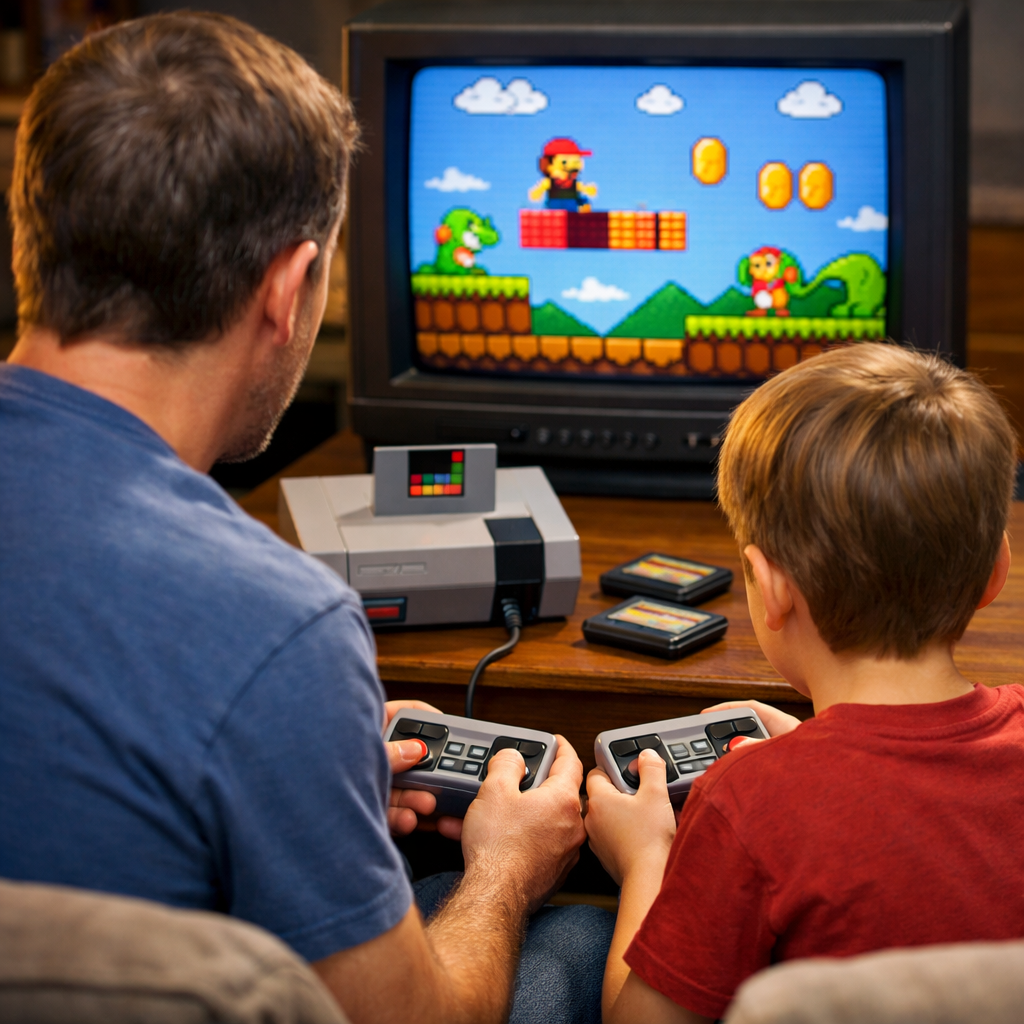
Simple, Fun Retro Multiplayer Games Parents and Kids Can Learn Fast
Looking for the best multiplayer retro games for family night? Start with simple, fast-to-teach picks that thrive on couch co-op and local multiplayer. This guide highlights easy-to-learn games parents can teach in minutes, plus practical tips for smooth setup on modern TVs. We focus on short rounds, intuitive controls, and approachable challenge so mixed ages can jump in together. From Mario Kart mayhem to pass-the-pad classics like Ms. Pac-Man, you’ll find cross-generational favorites and preservation-minded advice, including light-gun options, RGB mods, and controller care. Let’s get your living room ready for friendly chaos.
Retro Gaming Blog
We’re a preservation-first, hands-on destination. That means we pair nostalgia-smart recommendations with real-world setup help: clean RGB video, safe controller and port care, and DIY display tips that make classics shine for kids and parents alike. We celebrate iconic accessories like the NES Zapper, and show families how to experience them today—whether on original hardware, modern compilations, or legal classics libraries.
We connect eras. The tight design loops that powered 90s couch nights still inspire today’s indie gems and family staples. For a deeper look at how that era defined pick-up-and-play fun, see our take on why the 90s felt like gaming’s golden age.
Share your family setups and weekend rotation—tag us with photos of your screens, carts, and creative cable management. Community tips help everyone find the next great couch hit.
Why retro multiplayer works for families
Local multiplayer is when players share a screen or system in the same room. It enables immediate, social play without online setup—perfect for quick family sessions and teaching fundamentals in minutes.
Classic games leaned into tight controls, readable goals, and “one more try” loops, born from hardware limits that emphasized gameplay over graphics and in-person social play before online gaming [source: https://www.liberty.edu/champion/2025/11/10/retro-video-games-are-just-as-good-as-modern-ones/]. Scale matters too: Nintendo alone has sold over 5.5 billion games and 800 million hardware units globally, so many parents and kids already recognize these worlds and characters [source: https://www.liberty.edu/champion/2025/11/10/retro-video-games-are-just-as-good-as-modern-ones/].
How we picked these games
We prioritized family-first traits: teach time under 15 minutes with 1–2 main buttons and simple D-pad/analog movement; short, forgiving rounds that keep kids engaged; and easy, affordable access via storefronts, compilations, or official libraries [source: https://pixelkin.org/2015/03/18/10-retro-games-play-together-family/] [source: https://wholeheartily.com/2025/09/15/top10classicvideogamestoplaywithyourchildren/] [source: https://www.cnet.com/pictures/17-awesome-video-games-to-play-with-your-kids/]. For tailored picks beyond this core set, the Retro Gaming Blog community and hubs like r/retrogaming are fantastic sounding boards [source: https://www.reddit.com/r/retrogaming/comments/1ewh26x/multiplayer_games_for_children/].
At-a-glance picks for tonight:
- Super Mario Kart (SNES): 2 players, 5–10 min races, approachable items.
- Mario Kart 64 (N64): 4 players, short cups, easy analog control.
- Tetris (various): 2 players or alternating, 2–10 min rounds, great skill-builder.
- Ms. Pac-Man (various): pass-the-pad, 1–3 min runs, instant comprehension.
- Donkey Kong Country (SNES): 2-player tag team, short stages, teamwork focus.
- Street Fighter II (various): 2 players, quick sets, depth for parents.
- Duck Hunt (NES): light-gun fun; see setup tips for modern-TV options.
- Katamari Damacy (PS2/PS3/modern remasters): 2 players, whimsical, low pressure.
Super Mario Kart
Why start here: intuitive steering, colorful tracks, and item chaos that keeps races close. In family roundups, Super Mario Kart has been listed at $7.99 on Nintendo eShop, with prior availability across Nintendo’s legacy storefronts [source: https://pixelkin.org/2015/03/18/10-retro-games-play-together-as-a-family/]. Nostalgia hook: this is the wall-less Rainbow Road era—no blue shell yet.
- Players and pace: 2 local; 5–10 minute races; rubber-banding helps mixed ages.
- Teaching tip: run time trials together first to nail corners, then add items.
- Quick settings: lower CPU difficulty for kids; pick wide tracks to start.
Mario Kart 64
For four players, this is the easy upgrade. Big, readable tracks and sturdy analog make it a family-night staple, recommended for ages 5+ in family guides [source: https://wholeheartily.com/2025/09/15/top10classicvideogamestoplaywithyourchildren/].
- Format: 4-player split-screen, short cups for 15–30 minute sessions.
- Nostalgia bridges: call out Kalimari Desert and Royal Raceway to share memories.
- Co-op angle: team kids as a duo against parents to smooth skill gaps.
Tetris
Cross-generational and calm under pressure, Tetris quietly boosts spatial reasoning and problem-solving; many lists place it at ages 6+ [source: https://wholeheartily.com/2025/09/15/top10classicvideogamestoplaywithyourchildren/].
- Modes and pace: head-to-head or alternating; 2–10 minute rounds.
- Teaching flow: start slow speeds; introduce T-spins later for interested parents.
- Accessibility: choose versions with adjustable speed/handicap for fairness.
Ms. Pac-Man
The simplest on-ramp: move, avoid ghosts, eat dots. Randomized mazes add freshness; often suggested for ages 4+ [source: https://wholeheartily.com/2025/09/15/top10classicvideogamestoplaywithyourchildren/].
- Family format: pass-the-pad works beautifully for large groups; 1–3 minute runs.
- Learning moments: kids practice patterning and risk/reward when chasing fruit.
- Visual clarity: use bright, modern ports or compilations for clean TV output.
Donkey Kong Country
A breezy, beautiful tag-team platformer with true co-op flavor, recommended around ages 7+ [source: https://wholeheartily.com/2025/09/15/top10classicvideogamestoplaywithyourchildren/].
- Co-op rhythm: swap Donkey and Diddy to teach teamwork and role-switching.
- Nightly cadence: level-by-level saves fit 15–20 minute sessions.
- Parent assist: handle mine carts first, then pass the pad for calmer segments.
Street Fighter II
Remarkably mash-friendly for beginners, with real depth for parents seeking a skill ceiling; commonly suggested for ages 10+ due to cartoon combat [source: https://wholeheartily.com/2025/09/15/top10classicvideogamestoplaywithyourchildren/].
- Structure: first-to-3 sets keep nights brisk; mirror matches teach motions.
- On-ramp rules: try “no throws” early; introduce quarter-circles with on-screen prompts.
- Safety note: preview for comfort with its arcade-style violence.
Duck Hunt
Instant smiles and a perfect bridge to talk about the NES Zapper and living-room light-gun history.
- How it works: classic light guns read CRT scanlines; see setup tips for flat-panel alternatives.
- Family mode: parent aims while kids call directions or press start; rotate roles to stay engaged.
- Access: look for curated compilations or remakes that simulate pointer-style play on modern TVs.
Katamari Damacy
Low-pressure whimsy that delights all ages. The PS3 PSN version has been listed at $9.99 with split-screen two-player, and modern remasters are widely available [source: https://pixelkin.org/2015/03/18/10-retro-games-play-together-as-a-family/].
- Modes: race-to-size competitive or take turns on story stages for laughs.
- Sensory-friendly: bright feedback, goofy soundtrack, forgiving bumps.
- Progression: a great second-wave pick once kids master basic movement.
Quick start recommendations for family night
- Start here: Super Mario Kart or Tetris for instant cross-generational fun [source: https://pixelkin.org/2015/03/18/10-retro-games-play-together-as-a-family/] [source: https://wholeheartily.com/2025/09/15/top10classicvideogamestoplaywithyourchildren/].
- Then add: Donkey Kong Country or Katamari for light co-op once kids feel comfy [source: https://wholeheartily.com/2025/09/15/top10classicvideogamestoplaywithyourchildren/] [source: https://pixelkin.org/2015/03/18/10-retro-games-play-together-as-a-family/].
Session plan (60–90 minutes): warm-up race/puzzle, one co-op stage, then a final versus round. Take 10–15 minute breaks. With 4 players, pivot to Mario Kart 64 for fast rotation.
Hardware and setup tips for smooth couch co-op
Input lag is the delay between a button press and on-screen action. Keep it low by enabling your TV’s Game Mode and minimizing extra video processing. Aspect ratio is the proportional relationship of width to height; set 4:3 for most retro consoles to preserve pixel geometry and avoid stretched images. Our quick-start checklists walk through these settings on popular TVs.
- Keep latency low: use direct HDMI or quality SCART-to-HDMI transcoders; avoid long daisy-chains.
- Stable power: plug consoles and TVs into a surge protector; label power bricks.
- Controller check: test start/select and D-pad diagonals before guests arrive.
Playing light-gun classics without a CRT
Original light guns rely on CRT scanlines; modern flat panels break their detection.
- Options:
- Use modern IR/camera-based light-gun solutions or official re-releases with pointer controls.
- Where legal, explore emulation paths that support sensor bars/controllers; supervise and configure boundaries.
- Family-friendly fallback: pick compilations or remakes that emulate Duck Hunt–style aiming; clear a safe play space and avoid pointing near faces or windows.
Retro Gaming Blog documents legal, family-friendly paths that feel true to the originals.
RGB mods and clean video on modern TVs
An RGB mod upgrades a classic console’s output to separate red/green/blue signals for sharper color and less noise than composite—ideal on flat panels and for capture.
- Recommendations:
- Consider reputable RGB mods for supported systems; pair with proper SCART cables and low-lag SCART-to-HDMI transcoders.
- Enable TV Game Mode and set 4:3 aspect ratio to reduce lag and keep sprites crisp.
- Why it matters: cleaner video helps kids read action faster, easing teaching during 2–15 minute rounds.
Retro Gaming Blog prioritizes safe, reversible mods and tested cabling.
Controller health and port care for aging consoles
- Clean SNES ports and controller contacts with 90%+ isopropyl alcohol and soft swabs; let dry fully.
- Inspect PS2 and Saturn controller cables for kinks or fray; replace worn membranes for consistent inputs.
- Storage: coil cords loosely; avoid tight wraps. Keep a spare pad ready and test before family night.
Our maintenance checklists keep the fix-it steps short and safe.
Preservation-minded buying and access guide
Affordable access is easier than ever: many classics are inexpensive on modern stores or bundled in compilations—Katamari and Super Mario Kart routinely appear under $10 in family roundups [source: https://pixelkin.org/2015/03/18/10-retro-games-play-together-as-a-family/]. Community threads consistently favor short-session, local multiplayer for family time [source: https://www.reddit.com/r/retrogaming/comments/1ewh26x/multiplayer_games_for_children/]. At Retro Gaming Blog, we favor official access and clearly note setup trade-offs.
Simple decision table to pick tonight’s game:
| Budget | Players | Vibe/Genre | Hardware on hand | Good fit |
|---|---|---|---|---|
| $0–$10 | 2 | Puzzle | Any modern console/PC | Tetris (port/collection) |
| $0–$10 | 2 | Kart racing | Switch/Wii U/legacy VC | Super Mario Kart (digital) |
| $10–$20 | 4 | Racing party | N64 or equivalents | Mario Kart 64 |
| $10–$20 | 2 | Platforming co-op | SNES/Switch Online | Donkey Kong Country |
| $10–$20 | 2 | Versus fighter | Collections/Arcade ports | Street Fighter II |
| $10–$20 | 2 | Whimsical action | PS2/PS3/remaster | Katamari Damacy |
Original carts and discs vs modern compilations
- Originals:
- Pros: authentic feel, ownership, CRT-compatible, mod-friendly.
- Cons: price swings, aging media, potential port/controller wear.
- Compilations/ports:
- Pros: low cost, save states, parental options, easy HDMI.
- Cons: occasional emulation quirks or added input lag—use Game Mode and stick to reputable collections.
Emulation, legal classics libraries, and save safety
A legal classics library is an official service or re-release collection offering licensed ROMs/ISOs for modern hardware with conveniences like save states and display options.
- Favor official services and sanctioned collections for stability and legality.
- Back up saves periodically; teach kids to quit at checkpoints to prevent data loss.
- Keep parental controls active; write down button combos for save/load states.
DIY display and cartridge care for family-friendly setups
Make it inviting and safe: shallow shelves at child height for daily drivers; rarities up high. Use soft lighting, cable ties, and labels so kids can help set up and tidy. Keep a small toolkit handy: microfiber cloths, 90%+ isopropyl alcohol, cotton swabs, mild adhesive remover, and label protectors. Our step-by-step cleaning notes stick to reversible methods and gentle materials.
Cartridge label cleaning and repair basics
- Dust gently with a microfiber cloth; spot-clean grime with lightly dampened swabs—avoid soaking edges.
- For sticker residue, apply minimal adhesive remover and dry immediately. Do not peel original labels; add a clear protector after cleaning.
- Snap before/after photos for your collection log; skip harsh abrasives that dull gloss.
Stands, shelving, and kid-safe display ideas
- Use wide-base stands for handhelds; anchor shelves to studs; add corner bumpers.
- Label bins by system with icons so kids can return games responsibly.
- Build a “family night cart” with controllers, cables, and two go-to games for ultra-fast setup.
Connecting retro to today’s family games
Modern hits carry the same DNA: simple inputs, short rounds, and shared-couch laughs. TowerFall is a top same-screen multiplayer with surprising depth for mixed ages [source: https://www.cnet.com/pictures/17-awesome-video-games-to-play-with-your-kids/]. Overcooked and Overcooked 2 deliver chaotic, cooperative kitchen sprints, with Overcooked 2 rated PEGI 3 and available across platforms [source: https://www.cnet.com/pictures/17-awesome-video-games-to-play-with-your-kids/] [source: https://thiscraftyfamily.com/01/25/32-multiplayer-games-to-play-with-kids/]. Mario Kart 8 Deluxe keeps the series’ user-friendly controls and inventive tracks for kids and parents alike [source: https://www.cnet.com/pictures/17-awesome-video-games-to-play-with-your-kids/]. On Retro Gaming Blog, we highlight modern couch games that carry this classic DNA.
Frequently asked questions
What’s the best way to play these classics on a modern TV without input lag?
Enable your TV’s Game Mode, use quality HDMI or low-lag SCART-to-HDMI solutions, and avoid extra processing to keep controls responsive. Retro Gaming Blog’s quick-start guides walk you through the exact settings.
Do I need original hardware, or are official re-releases good enough for family play?
Official re-releases and compilations are great for family nights thanks to easy setup, save states, and HDMI; original hardware is ideal if you enjoy authenticity and upkeep. We outline pros and cons—and the setup steps—for both.
How can I make older controllers kid-friendly and reliable?
Clean contacts and ports, replace worn button membranes, and inspect cables for fray; keep a spare controller ready and coil cords loosely. See our simple controller-care checklist.
Are these games appropriate for young children, and how do I manage difficulty?
Start with simple titles like Ms. Pac-Man or Tetris, then adjust difficulty, use handicaps, or reduce CPU opponents to keep confidence high. Our age notes and teaching tips flag good on-ramps.
How long should a family session last with these pick-up-and-play titles?
Aim for 60–90 minutes with 10–15 minute breaks; most rounds last 2–15 minutes, so rotate players and mix versus with co-op. Our sample session plans make rotation easy.