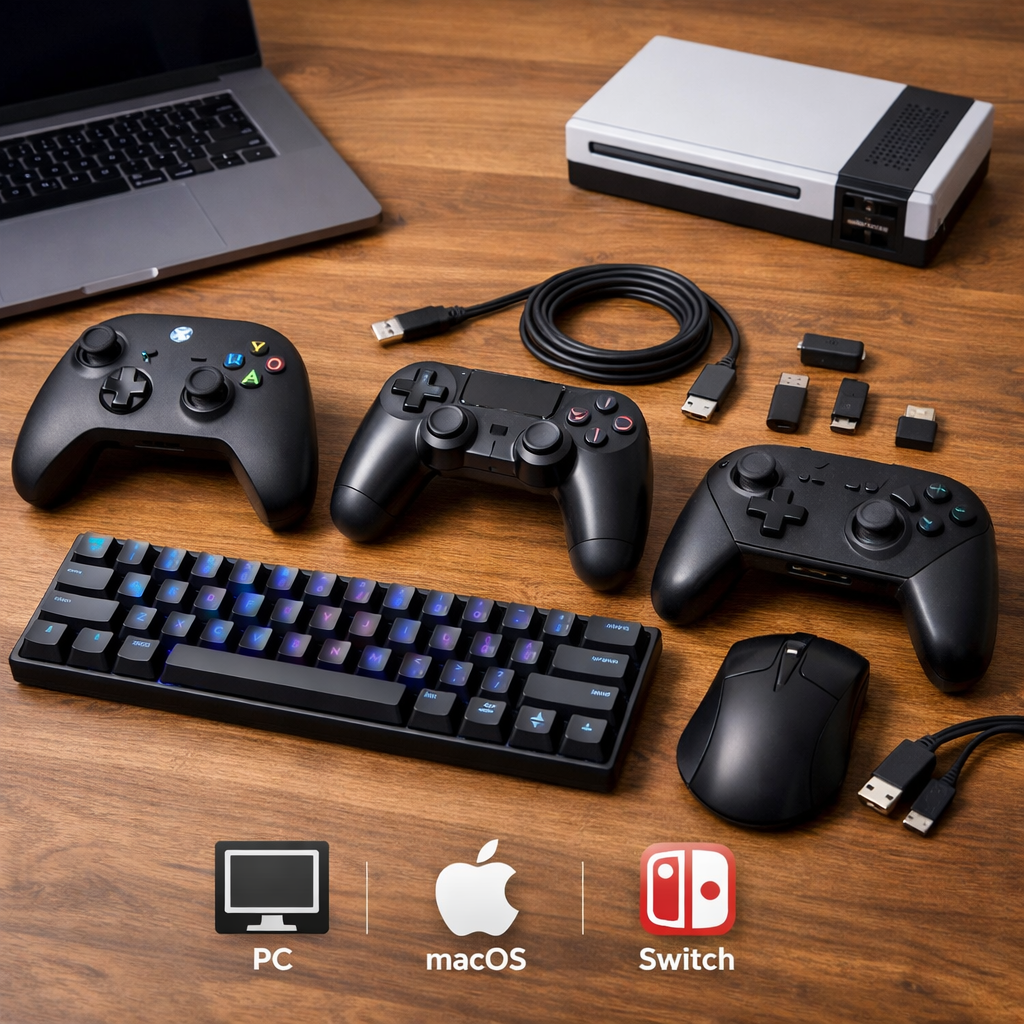
The Best Cross-Platform Gaming Accessories, Tested for True Compatibility
If you bounce between PC, Xbox, PlayStation, Switch, and mobile, “compatible” on a box isn’t enough. This guide zeroes in on accessories that actually work across systems with low-latency wireless, painless platform switching, and reliable wired fallbacks—no guesswork. At Retro Gaming Blog, we tested popular headsets, controllers, mice, keyboards, mics, wheels, and VR add-ons against a simple standard: they should connect fast, keep features intact, and feel great to use. Whether you’re a nostalgic player with RGB-modded consoles, a family sharing devices, or a sim/VR dabbler, we balance performance with ease-of-use and fair pricing. Below, you’ll find clear buying cues, scannable picks, and home-test tips to confirm true cross-platform compatibility yourself.
The Best Cross-Platform Gaming Accessories, Tested for True Compatibility
Definition — cross-platform accessory (43 words):
A cross-platform accessory is gear designed to work across PC, Xbox, PlayStation, Switch, and mobile by using universal standards: 2.4GHz low‑latency dongles, Bluetooth multipoint, and USB‑C wired fallbacks. The best models minimize setup, maintain stable latency, and offer multi‑dongles for seamless device switching.
Definition — true compatibility (45 words):
True compatibility means an accessory preserves core features—controls, chat, spatial audio, macros—and predictable button behavior on every advertised platform without hacks or driver hoops. It should connect reliably, switch quickly, and support a USB‑C or 3.5mm fallback when wireless is congested or firmware prompts appear.
Who this guide suits:
- Nostalgic players with hybrid setups (original hardware + emulation).
- Collectors with RGB-modded gear who rotate devices on one desk.
- Families sharing consoles, PCs, and phones.
- Sim and VR dabblers wanting one kit for multiple platforms.
Retro Gaming Blog
We blend retro culture and Japan’s hardware scene with hands-on, lightly technical guidance—short, atomic paragraphs and clear lists that answer what to buy and how to make it work. From our look back at the light-gun lineage in The History of the NES Zapper to handheld deep dives like The Most Underrated Handheld Consoles Ever, we obsess over practical setup details and compatibility quirks. Our picks are informed by hands‑on tests across original hardware and modern platforms.
Where can I find cross-platform accessories?
- Retro Gaming Blog’s buyer’s guides and lab notes focus on cross‑platform quirks and setup paths you can replicate.
- Award lists and roundups highlight what’s reliable year to year; start with Tom’s Guide Awards 2025 for editor-tested picks.
- Retail listings that clearly state 2.4GHz/Bluetooth/USB‑C paths help you avoid adapter rabbit holes.
What actually works across PC, Xbox, PlayStation, Switch, and mobile?
- Dual‑mode wireless (2.4GHz + Bluetooth) plus a USB‑C wired fallback is the most dependable formula.
- Xbox often needs Xbox Wireless or a specific variant; plan for that early.
How we test for true cross-platform compatibility
True compatibility means an accessory maintains stable connections, predictable controls, and core features (chat, spatial audio, macros) across all advertised platforms without hacks. We focus on what you can replicate at home and publish simple checklists to mirror our process.
Our test protocol:
- Connectivity checks: Verify 2.4GHz dongle behavior (PC/PS5/Switch dock), Bluetooth multipoint stability (PC/phone), and USB‑C wired fallback. Note Xbox Wireless–specific variants where required.
- Platform switching: Time hot‑swaps between dongles/modes. Note any firmware prompts or app dependencies that block consoles.
- Performance and longevity: Evaluate comfort, build, and battery claims vs. reality. For context, Turtle Beach’s Stealth 700 Gen 3 is rated around 80 hours and supports dual dongles for seamless swapping per Eneba’s accessory roundup, while Razer’s Viper V3 Pro is noted for an ultra‑light build and up to 95 hours by Listful’s 2025 guide.
- Feature parity: Confirm chat, EQ/spatial audio, macros, and RGB/mute indicators persist on each platform, or document limitations.
Testing snapshot (selected examples):
| Accessory | Tested platforms | Connection types | Setup friction | Battery life |
|---|---|---|---|---|
| Turtle Beach Stealth 700 Gen 3 | PC, PS5, Switch, Mobile (Xbox variant needed) | 2.4GHz dual dongles, Bluetooth, 3.5mm | Low | ~80h |
| SteelSeries Arctis Nova 3 Wireless | PC, PS5, Switch, Mobile | 2.4GHz/Bluetooth (variant‑dependent) | Low | 40–50h (class typical) |
| Xbox Elite Series 2 Core | Xbox, PC, Mobile | Xbox Wireless, Bluetooth, USB‑C | Medium (profiles) | N/A |
| Razer Viper V3 Pro | PC (console via adapters) | 2.4GHz dongle, USB | Low | Up to 95h |
| Corsair K70 RGB Pro | PC, PS5 (games that accept KB), Xbox (select titles) | USB‑C wired | Low | N/A |
What to look for in cross-platform gear
Definitions:
- 2.4GHz wireless: A low‑latency USB dongle link favored for gaming; typically faster and more stable than Bluetooth for audio/mice, and often plug‑and‑play on PC/PlayStation. Xbox usually requires Xbox Wireless.
- Bluetooth multipoint: Connects to two sources (e.g., PC + phone) to switch or mix audio; latency is higher than 2.4GHz, but convenience is excellent for casual play.
Actionable checks:
- Prefer dual‑wireless with multi‑dongle support; for instance, Stealth 700 Gen 3 includes dual dongles for painless swapping across rooms and systems.
- Keep USB‑C for universal wired fallback; durable boards like Corsair’s K70 RGB Pro use detachable USB‑C for travel resilience.
- Balance runtime and comfort: some budget headsets last around 15 hours (e.g., TUF H3 Wireless), while premium sets push 80+ hours; mind clamp force and weight during long sessions.
Turtle Beach Stealth 700 Gen 3
This is our flagship cross-platform headset for multi-system households. Expect around 80 hours of battery life, 60mm drivers with punchy game audio, AI‑assisted mic noise reduction, and dual 2.4GHz dongles that let you park receivers on two devices and swap in seconds (per Eneba’s accessory roundup). At roughly 14.1 ounces, it’s not the lightest; comfort stays strong across long RPG nights, but heat build‑up can happen in warm rooms. Compared with budget sets that last ~15 hours and mid‑range models around the 40–50 hour mark, Gen 3’s longevity and hot‑swap simplicity set it apart for families and shared gaming spaces.
SteelSeries Arctis Nova 3 Wireless
The Nova 3 Wireless leans comfort‑first with plush cushions, 40mm neodymium drivers, and software presets—up to 200 game‑tailored profiles highlighted in Tom’s Guide Awards 2025—for quick tuning. It’s best on PC/PlayStation/Switch via 2.4GHz or Bluetooth (variant‑dependent). Xbox users should seek the Xbox‑specific model. If you’re an audiophile, consider stepping up to the Nova Elite line; TechRadar’s favorite devices of 2025 praise its higher‑end tuning and features, though the Nova 3 hits a sweeter value/comfort balance for most.
Xbox Elite Series 2 Core
Microsoft’s Elite Series 2 Core remains a premier controller for Xbox and PC, with swappable profiles, rear paddles, and a sturdy chassis. It’s excellent for Steam/Cloud on mobile, too. Switch and PlayStation may require adapters; expect some button‑mapping time.
Quick platform matrix:
| Platform | Connection | Setup friction | Profile tips |
|---|---|---|---|
| Xbox Series/One | Xbox Wireless or USB‑C | Low | Save two profiles: shooter and racing. |
| Windows PC | Bluetooth or USB‑C | Low | Map paddles in Xbox Accessories app. |
| PlayStation | USB‑C via adapter | Medium | Use game‑level remap; verify touchpad needs. |
| Switch | Bluetooth via adapter | Medium | Swap A/B and X/Y; save as a travel profile. |
| Mobile/Cloud | Bluetooth | Low | Keep a low‑sensitivity profile for touch‑aim hybrids. |
8BitDo Ultimate 2
The Ultimate 2 is the Swiss‑army budget controller for PC, Switch, and mobile. Its app‑based tuning, broad Bluetooth support, and flexible profiles make it perfect for retro collections and indie nights. Latency is higher than Xbox Wireless, so it’s less ideal for high‑stakes competitive shooters—but hard to beat for versatility and price.
GameSir Nova Lite
A strong‑value pad that nails the basics on PC, Switch, and mobile, with the caveat of modest battery stamina. Listful’s 2025 guide flags its shorter runtime, so pack a USB‑C cable or a slim power bank on travel days. Great for couch co‑op and cloud sessions where convenience wins.
Razer Viper V3 Pro
For PC‑first players who hop to console via adapters, the Viper V3 Pro is a standout: ultra‑lightweight, stable low‑latency 2.4GHz dongle mode, and up to 95 hours of battery life according to Listful’s 2025 guide. It’s a natural fit for esports‑leaning FPS and desk setups where endurance and micro‑aim precision matter.
Razer DeathAdder V3 Hyperspeed
If you prefer a fuller, ergonomic shell—especially for palm grips and larger hands—the DeathAdder V3 Hyperspeed offers similar low‑latency credentials with a shape built for marathon sessions. Choose DeathAdder for comfort and grip stability; pick Viper for minimal weight and fingertip control. Console play still typically needs a keyboard/mouse adapter.
Corsair K70 RGB Pro
A durable, travel‑friendly mechanical that crosses PC/console lines with ease: PBT keycaps, dedicated media controls, and a detachable USB‑C cable for quick bag drops (as profiled in Eneba’s roundup). It’s a rock‑solid “plug it in and go” pick for living‑room sessions.
K70 vs. SteelSeries Apex Pro TKL (quick contrasts):
- Switch feel: K70’s mainstream mechanicals vs. Apex Pro’s adjustable Hall Effect.
- Programmability: iCUE depth vs. SteelSeries GG with per‑key actuation.
- Cross‑platform: Both great wired on PC/PS5; game support varies by title on consoles.
- Modes: K70 wired focus vs. Apex Pro TKL’s onboard OLED/profile agility.
SteelSeries Apex Pro TKL
Compact, pro‑grade, and easy to rotate between devices. Per IGN’s best gaming accessories, it features Hall Effect switches with analog‑like adjustability and an OLED control panel. The on‑board controls help you swap profiles and actuation without diving into software—ideal for competitive FPS, limited desk space, and quick shifts from PC to console titles that accept keyboards.
SteelSeries Alias Mic
A straightforward streaming and voice upgrade with broad compatibility. Expect AI noise cancellation, a clear RGB mute indicator you can see in peripheral vision, and plug‑and‑play on PC, Mac, and PS5 for fast setup (features covered alongside other streamer mics in Eneba’s guide). Mini checklist: pick a cardioid pattern for solo streaming, enable sidetone for natural monitoring, confirm your stand/boom thread, and test Discord/Party Chat behavior on each platform.
Moza R3 Racing Wheel
A smart entry into direct‑drive for mixed Xbox/PC sim rigs. IGN highlights the R3 as an accessible direct‑drive wheel compatible with Xbox Series X|S and PC—great torque feel without the pro‑tier price. Quick start: mount firmly, update firmware, set console/PC mode, map buttons for Forza and Assetto Corsa, then fine‑tune FFB strength per track.
PlayStation VR2 with PC adapter
PSVR2 is a console‑first headset that now reaches PC via an optional adapter priced at $59.99; IGN notes per‑eye resolution around 2,000 × 2,040 and weight about 1.24 pounds. It’s a welcome bridge—just set expectations.
Compatibility vs. feature parity:
The PC adapter expands platform support, but some console‑specific features (certain haptics, HDR pipelines, or game integrations) may not carry over on PC. You’ll gain broader library access, not always identical functionality.
Belkin Charging Case
For handhelds, a power‑bank case is the cleanest way to extend sessions and cut cable mess. GamesRadar’s Hardware Awards 2025 spotlights Belkin’s Switch 2 case with an integrated 10,000mAh bank—enough to dramatically outlast the Switch’s native 2–6.5 hour range. Quick math: watt‑hours ÷ device watt draw ≈ extra hours. A short 90‑degree USB‑C cable keeps things comfy in handheld mode.
Regional notes from Japan’s hardware scene
Japan’s accessory culture favors compact, modular solutions—perfect for cross‑platform mixes in small apartments. In Akihabara’s retro shops, controller converters for legacy systems are common. Stands and slim docks reduce footprint and make multi‑device switching routine. That mindset informs today’s multipurpose USB‑C hubs, Bluetooth adapters, and tidy desk ecosystems many of us now rely on.
Retro culture ties that still shape today’s accessories
- From multi‑system joysticks of the 80s/90s to today’s USB‑C/Bluetooth universals, the goal hasn’t changed: one stick, many machines.
- Light‑gun lineage runs from the NES Zapper to modern camera/IR solutions built for flatscreens; see our dive in The History of the NES Zapper.
- Magazines and cheat cartridges paved the way for today’s remap apps and macro profiles living on controllers and keyboards.
Modder tips for mixed retro and modern setups
- Unify outputs with HDMI scalers and OSSC/RetroTINK; aim for 60Hz with minimal processing to keep latency down.
- Choose controllers with remap profiles that work on emulators and original hardware via adapters (8BitDo receivers are a reliable bridge).
- Cable plan: label inputs, use short, well‑shielded HDMI runs, and a powered USB‑C hub for dongles to prevent dropouts.
Step‑by‑step:
- Map all sources and outputs. 2) Consolidate power on a surge‑protected strip. 3) Test input lag on each path. 4) Save per‑platform profiles. 5) Label everything for quick family‑proof switching.
Buying advice for multi-platform households
Decision checklist:
- Primary platforms: If Xbox is in the mix, verify Xbox Wireless or a wired path.
- Connectivity stack: Prefer 2.4GHz + Bluetooth with a USB‑C wired fallback.
- Battery and comfort: Target 60–100+ hours for headsets/mice when traveling; mind clamp and weight (e.g., Stealth 700 Gen 3 around 14.1 ounces).
- Brand signals: Long‑term reliability and reader‑satisfaction surveys like PCMag’s Readers’ Choice 2025 can help you separate hype from keepers. Component reliability trends from Club386’s 2025 components guide also inform durable picks.
At‑a‑glance picks:
| Category | Best overall | Best value | Best for travel | Xbox caveat |
|---|---|---|---|---|
| Headset | Turtle Beach Stealth 700 Gen 3 | SteelSeries Arctis Nova 3 Wireless | Nova 3 Wireless + USB‑C cable | Use Xbox variant or 3.5mm |
| Controller | Xbox Elite Series 2 Core | 8BitDo Ultimate 2 | GameSir Nova Lite | Adapters for PS/Switch |
| Mouse | Razer Viper V3 Pro | — | V3 Pro (95h) | Adapter needed for consoles |
| Keyboard | SteelSeries Apex Pro TKL | Corsair K70 RGB Pro | K70 (detachable USB‑C) | Title support varies |
| Mic | SteelSeries Alias | — | Alias (plug‑and‑play) | USB only |
Frequently asked questions
How do I know if a headset will work on Xbox, PlayStation, Switch, and PC?
Check for a 2.4GHz dongle for PC/PS5, Bluetooth for Switch/mobile, and explicit Xbox Wireless support for Xbox, with a 3.5mm cable as the universal fallback. Retro Gaming Blog’s compatibility checklists in this guide cover these basics.
What connection types give the best cross-platform results?
Use 2.4GHz dongles for low‑latency play and Bluetooth for phone/Switch convenience. That’s the stack we default to in Retro Gaming Blog guides.
Can I use one controller across consoles and PC without extra software?
Often yes for PC/Xbox via Bluetooth or Xbox Wireless; PlayStation and Switch usually need adapters. See the platform matrix above in this Retro Gaming Blog guide, and keep a USB‑C cable handy.
Do I need HDMI 2.1 switches for 4K 120 play on multiple consoles?
Yes. For 4K120 with VRR on PS5 and Xbox Series, use an HDMI 2.1‑rated switch and certified Ultra High Speed HDMI cables to avoid bandwidth or handshake issues.
What’s the easiest way to power and charge a mixed setup without cable clutter?
Use a high‑watt USB‑C charging hub with short right‑angle cables; for handhelds, a power‑bank case adds hours. This mirrors the step‑by‑step power plan above in our Retro Gaming Blog guide.