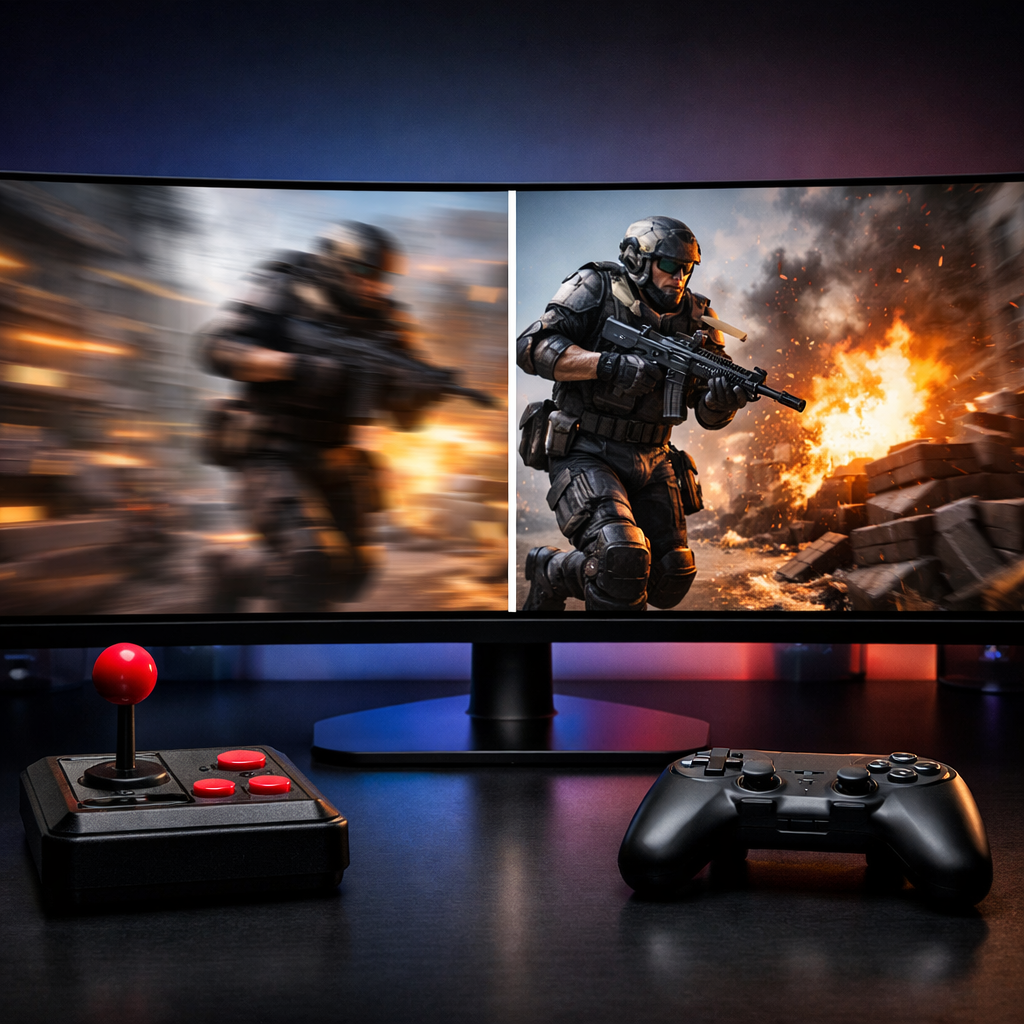
Top New High Refresh Rate Games, 120Hz to 240Hz
High refresh rate games make every input feel tighter and every pan look cleaner. If you’re chasing crisp aim and steadier camera control, this guide spotlights the best new high refresh rate games 120–240Hz, plus quick tuning advice to hit your panel’s potential. Competitive FPS players benefit most, but even cinematic, HDR gaming at 120Hz feels dramatically smoother than 60Hz. Below you’ll find our top picks, the best refresh tier to target for each, and a compact checklist to tune your rig. Use this as a practical reference from Retro Gaming Blog: lock frames to your monitor, enable adaptive sync, and scale visuals with DLSS/FSR so motion clarity and input lag stay where they should—near esports monitor standards.
Retro Gaming Blog
We grew up on ‘90s CRTs, where low persistence and near‑instant input taught us what “fast” really means. Our goal is to translate that feel—minus the hype—into today’s 120–240Hz gaming, with plain‑English tips that respect both preservation and performance.
This list mixes practical picks with a little nostalgia. Got a memory from early 120Hz CRT LAN days or a tip we missed? Drop us a line—we love building this playbook with the community. Expect clear, CRT‑informed guidance that keeps the classic feel of responsiveness without the fluff.
Why high refresh rates change the feel of play
Refresh rate is how many times per second a display updates its image, measured in hertz (Hz). Higher refresh (e.g., 120–240Hz) reduces perceived blur and can lower input lag, so motion and aiming feel more immediate and precise. The HP OMEN guide notes higher refresh measurably reduces input lag and boosts competitive responsiveness, with 240Hz a pro standard and 360Hz an elite tier; it also calls 144–165Hz ideal for MOBAs/strategy and stresses that even single‑player games feel better above 60Hz (see HP OMEN guide on high refresh rates).
Genre impact at a glance:
- Competitive FPS: strongest gains at 144–240Hz.
- MOBAs/RTS: 144–165Hz sweet spot for smooth cursor/camera.
- Cinematic/HDR: meaningfully better above 60Hz, but competitive returns diminish.
- Community consensus: ultra‑high refresh offers smaller benefits for “normal” play vs. pros (see community discussion on r/buildapc).
How we picked these games
We prioritized recent releases or major updates that scale cleanly to high FPS, feel tangibly better at 120–240Hz, and respond well to modern upscalers.
- Competitive shooters with strong netcode and tight latency at 144–240Hz.
- Visual showcases tested with DLSS/FSR to keep HDR and motion smooth, following known best practices from the HP OMEN guide on high refresh rates.
- Community and editorial sentiment on where high Hz truly pays off (see community discussion on r/buildapc).
Game quick-reference table:
| Game | Genre | Best Refresh Tier | Key Benefit | Quick Setting Tip |
|---|---|---|---|---|
| Counter-Strike 2 | Tactical FPS | 240Hz+ (144–240 solid) | Peak tracking, peeker’s clarity | Low/medium visuals, cap to panel, adaptive sync on |
| Valorant | Hero-tactical FPS | 240Hz (144–165 value) | First‑shot accuracy, crisp peeks | Enable performance mode; monitor FPS overlay |
| Overwatch 2 | Hero shooter | 165–240Hz | Clean pans, ult timing in chaos | Use dynamic scaling/FSR; prioritize frame pacing |
| Apex Legends | BR/arena FPS | 144–240Hz | Slide/strafe tracking, micro‑adjust aim | Lower post‑processing; enable Reflex‑like options |
| Fortnite | BR/build FPS | 144–240Hz | Edit speed and flicks | Performance Mode or DLSS; frame cap to panel |
| Cyberpunk 2077 | Open‑world RPG (HDR) | 120Hz+ | Camera fluidity, less smearing | DLSS/FSR; favor balanced presets; trim RT |
| Alan Wake 2 | Cinematic horror (HDR) | 100–120Hz+ | Smoother camera, less judder | DLSS/FSR + frame gen; aim for stable 1% lows |
| Senua’s Saga Hellblade 2 | Narrative action (HDR) | 90–144Hz | Natural long pans, clarity | FSR on midrange; scale up on high‑end GPUs |
1. Counter-Strike 2
CS2 is the archetype for 240Hz gaming: ultra‑twitch duels, razor‑thin peeker’s advantage, and tracking that scales with framerate.
- Target 144–240Hz+; higher FPS tightens input timing and consistency for enthusiasts and pros.
- Competitive setup: low/medium visuals, frame cap at your panel ceiling, adaptive sync on.
- Esports norms lean 240Hz, with 360Hz panels marking elite tiers per HP OMEN guidance. Keywords: esports monitors, input lag, 240Hz gaming.
2. Valorant
Built for low overhead and low latency, Valorant rewards high refresh with cleaner jiggle peeks and tighter first‑shot accuracy.
- Aim for 240Hz in ranked/clan play; 144–165Hz remains an excellent value tier.
- Use performance mode and overlay frame metrics to maintain target FPS.
- Panels above 240Hz (280–360–480Hz and beyond) are available for extreme optimization (see PC Gamer’s high-refresh monitor roundup).
3. Overwatch 2
Team‑fight chaos magnifies the benefits of smooth pans and clean motion.
- Target 165–240Hz depending on GPU.
- Use dynamic resolution scaling or FSR where available; stable pacing beats maxed visuals.
- Many 1440p/4K monitors now offer 240Hz; HDMI 2.1/DP 2.1 provide the bandwidth for high‑res, high‑Hz modes (see PCMag’s best gaming monitors guide).
4. Apex Legends
Fast rotations, slides, and micro‑adjust aim scale well with refresh.
- Recommend 144–240Hz; lock frames and enable adaptive sync to curb tear/stutter.
- Reduce latency by lowering post‑processing and enabling Reflex‑style options if supported.
- Community perspective agrees the biggest wins at higher Hz come in competitive shooters (see community discussion on r/buildapc).
5. Fortnite
Highly optimized, Fortnite hits high FPS even on modest rigs—great for builders and flick‑aimers.
- Use Performance Mode on PC or DLSS Quality/Performance based on GPU.
- Cap frames to match your panel; 144–240Hz is ideal depending on skill and hardware.
- Budget‑friendly high‑refresh panels exist, such as the BenQ Mobiuz EX240 for 165Hz value (see PC Gamer’s high-refresh monitor roundup).
6. Cyberpunk 2077
A demanding HDR showcase that feels far better at 120Hz+ when paired with upscalers.
- Use DLSS/FSR and balanced presets to reach and hold 120Hz; trim ray tracing first.
- 4K QD‑OLEDs at 240Hz now pair premium HDR with esports‑level speed (see PC Gamer’s high-refresh monitor roundup).
- For high‑res/high‑Hz modes, confirm HDMI 2.1/DP 2.1 support (see PCMag’s best gaming monitors guide). Keywords: HDR gaming, DLSS, 120Hz gaming.
7. Alan Wake 2
Cinematic lighting and dense scenes still benefit from higher refresh.
- Use DLSS/FSR and frame generation where supported to stabilize 100–120 FPS.
- Prioritize a locked frame‑time graph over ultra settings; HDR shines when motion is consistent.
- Ensure GPU headroom if chasing 120Hz with high presets.
8. Senua’s Saga Hellblade 2
Story‑first, but long, deliberate pans and rich contrast look and feel cleaner above 60Hz.
- Target 90–120Hz on midrange GPUs with FSR; scale toward 144Hz on high‑end rigs.
- OLED/QD‑OLED deliver top‑tier contrast and near‑instant response; weigh burn‑in tradeoffs noted below.
- Keep motion blur and film grain modest to preserve clarity at higher Hz.
Retro roots of high frame play
Arcades and ‘90s CRT LANs set the gold standard for immediacy—low persistence, low latency, and input that felt “wired to your hands.” Today’s 120–240Hz displays try to recapture that instant responsiveness for twitch design that still defines esports. Quake and Unreal DNA lives on in modern shooters, and the same clarity rules still apply.
Input lag, defined: Input lag is the delay between a player’s action and the on‑screen response. Lower lag—often achieved with higher refresh, adaptive sync, and trimmed post‑processing—improves timing, accuracy, and the sensation of control in twitch games. It’s why higher Hz feels closer to classic CRT quickness (see r/pcgaming thread on high FPS and response times).
What refresh tier fits your setup
A quick tier guide:
| Refresh Tier | Best For | Tradeoffs and Notes |
|---|---|---|
| 60–120Hz | Casual and narrative‑first | Big smoothness upgrade over 60Hz with modest GPU cost |
| 120–165Hz | Most gamers, MOBAs/RTS | Best value/performance for broad play; widely recommended tiers (HP OMEN; KTCPlay) |
| 240Hz+ | Competitive esports | Higher cost/GPU demand; diminishing returns for non‑competitive play |
- KTCPlay notes prices jump notably between similarly featured 144Hz and 240Hz panels (see KTCPlay’s high-refresh buying guide).
- Tech examples: 360Hz QD‑OLED with ~0.03ms response (e.g., MSI MPG 271QRX), and cutting‑edge 4K/240Hz like MSI’s MPG 321URX QD‑OLED are now mainstream talking points (see PC Gamer’s high-refresh monitor roundup).
- 240Hz options increasingly appear at 1440p and 4K, unlocked by HDMI 2.1/DP 2.1 bandwidth (see PCMag’s best gaming monitors guide).
Performance tuning tips for smooth 120–240
- Set a frame cap to your monitor’s refresh and enable adaptive sync (G‑Sync/FreeSync).
- Use DLSS/FSR in heavy titles; cut ray tracing first, then shadows and post‑processing.
- Choose performance/esports presets to stabilize 144–240 FPS; the HP OMEN guide highlights real‑time monitoring and performance modes to hold target refresh.
- Verify bandwidth: use HDMI 2.1/DP 2.1 for 1440p/4K at high Hz (see PCMag’s best gaming monitors guide).
- Validate with in‑game graphs/OSD; tune until 1% lows are steady near your cap.
Pros and cons of high refresh gaming
Pros:
- Lower input lag and clearer motion; measurable competitive gains in fast shooters (see HP OMEN guide on high refresh rates).
- Smoother camera movement in single‑player and HDR titles.
Cons:
- Higher monitor/GPU cost; diminishing returns past ~144Hz for many players (see community discussion on r/buildapc).
- OLED/QD‑OLED can face burn‑in risks despite mitigations (see PC Gamer’s high-refresh monitor roundup).
- High‑res/high‑Hz requires the right ports and cables (see PCMag’s best gaming monitors guide).
Frequently asked questions
Do I need 240Hz, or is 144Hz enough for most games?
144Hz delivers the best value and is great for MOBAs and casual FPS. At Retro Gaming Blog, we suggest 240Hz if you play competitive shooters seriously and can sustain those frames with a low‑latency panel and strong GPU.
Should I favor resolution or refresh rate on a midrange PC?
Retro Gaming Blog favors refresh for competitive play—120–165Hz feels far smoother than 60Hz. For cinematic/HDR, 4K/120 or 1440p/144 balances clarity and fluidity.
How do DLSS or FSR help reach 120–240 frames per second?
They render at lower internal resolution and upscale, boosting FPS while preserving detail. Retro Gaming Blog recommends using them to lock near your monitor’s refresh, then trimming shadows, RT, and post‑processing.
What cables and ports do I need for high refresh at high resolution?
Use HDMI 2.1 or DisplayPort 2.1 to pair 1440p/4K with high refresh. Retro Gaming Blog’s rule of thumb: older versions may cap bandwidth and limit 120–240Hz at higher resolutions.
Are OLED or QD‑OLED panels good for high refresh gaming?
Yes—excellent contrast and near‑instant response with models up to 240Hz and beyond. Retro Gaming Blog suggests enabling screen protections and varying content to mitigate burn‑in risk.