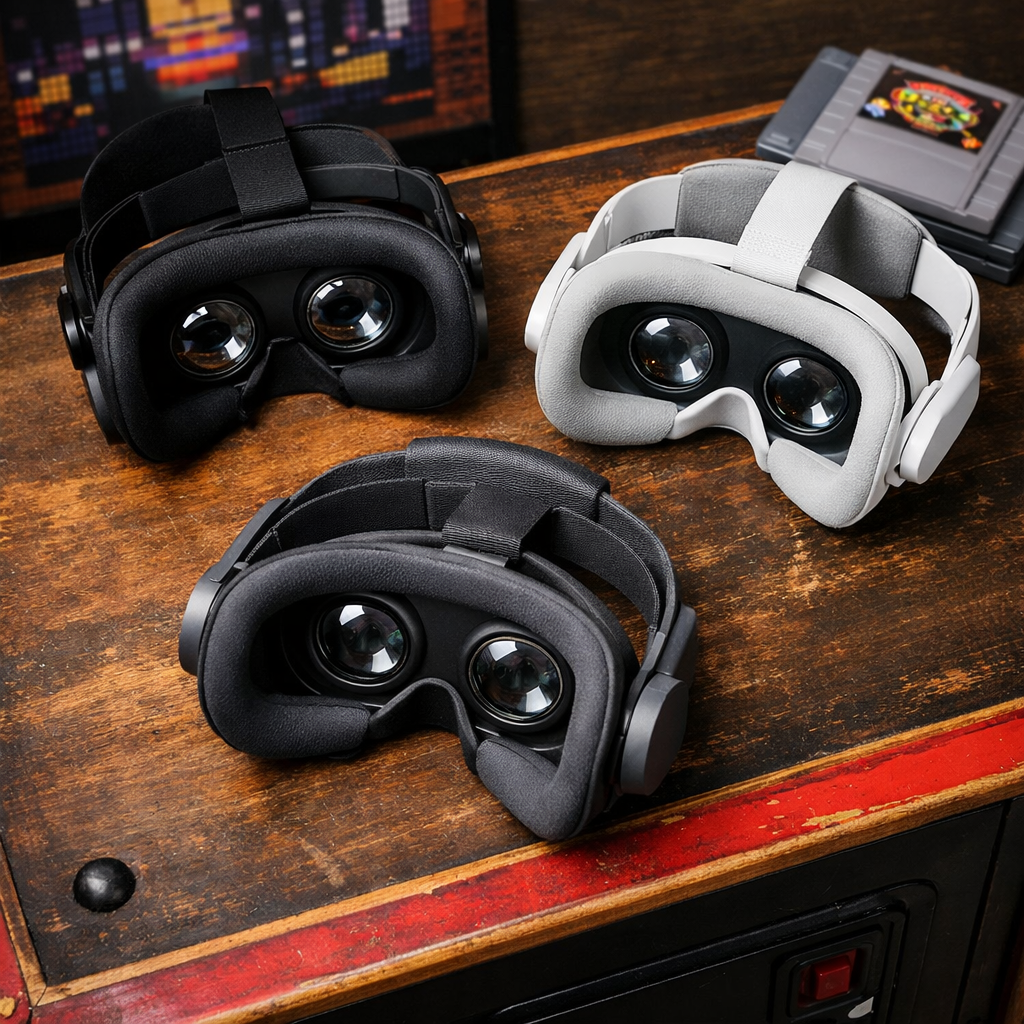
Top VR Headsets for Gaming, Ranked by Comfort and Clarity
If you’re shopping for the best VR headset for gaming with comfort and clarity, Meta Quest 3 is the right starting point. It pairs sharp visuals with an easy, flexible setup for standalone play and wireless PCVR, while staying comfortable for short, frequent sessions most families actually play. Below, we rank top headsets by how good they look and how good they feel—then match picks to PC, console, or all-in-one use cases.
“Clarity” in VR means how clean and stable the image looks in motion. It’s shaped by resolution per eye, lens design, refresh rate, and field of view—all of which work together to reduce blur, glare, and the screen-door effect so text, UI, and distant detail remain readable during play.
“Comfort” is the physical side: total weight, strap style and balance, face gasket fit, glasses room, and easy IPD (interpupillary distance) adjustment. The most comfortable headsets let you forget the hardware, keep pressure off the face and neck, and minimize heat buildup over 20–40 minute sessions.
Comparison at a glance
| Headset | Resolution/eye | Refresh rate | FOV | Weight/comfort notes | Platform | Price ballpark | Best for |
|---|---|---|---|---|---|---|---|
| Meta Quest 3 | 2,064 × 2,208 | Up to 120Hz | ~110° | Balanced; better with upgraded strap | Standalone + PC (wired/wireless) | ~$499 | Best overall; mixed reality; wireless PCVR |
| PlayStation VR2 | ~2,000 × 2,040 (OLED) | Up to 120Hz | ~110° | Comfortable halo strap; plug-and-play | PS5 (console VR headset) | ~$350 | Console-first gaming; seated racers/story |
| Valve Index | 1,440 × 1,600 | 120–144Hz | ~130° | Heavier; external sensors; superb controllers | PC (SteamVR, room-scale) | ~$999 (kit) | Tracking precision; motion clarity |
| HTC Vive Pro 2 | 2,448 × 2,448 | Up to 120Hz | ~120° | Heavier; premium strap | PC (SteamVR) | High; varies by kit | Visual sims; highest resolution VR |
| HP Reverb G2 | 2,160 × 2,160 | Up to 90Hz | ~98–114° | Light; simple setup; glasses-friendly | PC (WMR/SteamVR) | Mid-range, varies | Sharp text; value PCVR |
| Meta Quest 3S | 1,832 × 1,920 (est. class) | Up to 90/120Hz | ~100–110° | Lighter; basic strap; no headphone jack | Standalone + PC (wireless/wired) | ~$299 | Budget VR; family entry |
| HTC Vive XR Elite | 1,920 × 1,920 | Up to 120Hz | ~110° | Lightweight, modular; compact | Standalone + PC (wireless) | ~$999–$1,099 | Comfort-forward wireless PCVR |
| Apple Vision Pro | 3,660 × 3,200 (approx. per eye, micro‑OLED) | High | Wide | Heavier; premium materials; superb optics | Mixed reality (limited gaming) | $3,499 | Unmatched display fidelity, MR apps |
Retro Gaming Blog
We celebrate and preserve playability: approachable VR that fits couch co‑op, short sessions, and retro‑ready setups. Our guides favor comfort you can share and visuals that make classic art pop. For deeper dives, browse Retro Culture and Modding hubs on our site:
- Retro Culture: https://www.retrogamingblog.com/categories/retro-culture
- Modding: https://www.retrogamingblog.com/categories/modding
Tips throughout reflect how families actually play: seated modes, quick launch libraries, and virtual big-screen viewing that turns a 20‑minute window into a joyful session rather than a cable wrestle.
Meta Quest 3
Quest 3 balances sharp image quality, stable motion, and everyday comfort better than any headset at its price. Key specs driving clarity include a 2,064 × 2,208 per‑eye panel, up to 120Hz refresh rate, and roughly a 110‑degree FOV, with modern pancake lenses that reduce glare and edge distortion compared with older Fresnel optics, as noted in IGN’s 2025 roundup (IGN). For Retro Gaming Blog readers, its quick wake and color passthrough suit short, shared sessions.
It’s also the most flexible platform: excellent standalone library, full‑color mixed reality, and PC connectivity via USB‑C or Wi‑Fi for wireless PCVR streaming, highlighted in Engadget’s VR guide (Engadget). CNET calls out the strong app ecosystem and mixed‑reality features that make casual play and virtual big‑screen use easy (CNET). Typical pricing sits around $499, and PCMag awards Quest 3 an Editors’ Choice for standalone VR value (PCMag).
Screen-door effect is the visible grid between pixels that can appear on lower‑resolution or older‑lens headsets. It reduces perceived image quality, especially on bright scenes and text. Higher per‑eye resolution, better lenses, and higher refresh rates minimize the effect and keep motion and UI elements looking clean over time.
Best for: the best VR headset for gaming with comfort and clarity; standalone VR headset flexibility; wireless PCVR; modern mixed reality.
PlayStation VR2
If you own a PS5, PS VR2 is the top console VR headset for plug‑and‑play comfort and striking visuals. It uses OLED panels with HDR that deliver deep blacks and vibrant color, alongside in‑headset haptics for added immersion, as outlined by Tom’s Guide (Tom’s Guide) and Sony’s official features trailer (PlayStation VR2 Features Trailer). With roughly 2,000 × 2,040 per eye and up to 120Hz, clarity is excellent for seated racers and story‑driven games, and the halo strap distributes weight comfortably for longer sessions. Street prices often land near $350, making it a strong PS5‑only value. It matches Retro Gaming Blog’s couch‑friendly, pick‑up‑and‑play approach.
Best for: console VR headset simplicity; PS5 VR exclusives; OLED VR and HDR VR benefits.
Valve Index
For PC enthusiasts who prize tracking precision and motion clarity above all else, Valve Index remains a standout. TechGearLab cites its external SteamVR tracking as best‑in‑class for fast action, and the kit’s high refresh (120–144Hz) keeps motion blur and latency low (TechGearLab). The knuckle‑style controllers improve grip and finger sensing for natural interaction—an area many reviewers praise for immersion. Full kits hover around $999 when in stock on Steam. The trade‑off: setup space and base stations are required, and overall weight is higher than standalone sets.
Best for: SteamVR tracking, room‑scale VR, and high refresh rate VR action.
HTC Vive Pro 2
Vive Pro 2 targets clarity first: its 2,448 × 2,448 per‑eye resolution, up to 120Hz refresh, and roughly 120‑degree FOV offer a crisp, wide image that sim fans love (as summarized in IGN’s buyer’s guide). You’ll need a capable PC and typically a pricier full kit with base stations and controllers; the headset is on the heavier side but stable with its rigid strap. When driven by a strong GPU, cockpit gauges, distant braking markers, and fine text look superb.
Best for: highest resolution VR visuals in sim racing VR and flight sim VR on PCVR.
HP Reverb G2
HP’s Reverb G2 remains a go‑to for sharp text and cockpit clarity thanks to its 2,160 × 2,160 per‑eye resolution (TechRadar). Inside‑out tracking simplifies setup and travel versus lighthouse systems, though it’s not as precise for fast, behind‑the‑head controller moves as Index/Vive. It’s comfortable, light, glasses‑friendly, and often priced attractively when available—great for sim and productivity‑leaning PCVR.
Best for: value PCVR with high‑resolution VR display and simpler setup.
Meta Quest 3S
Quest 3S is the best budget VR headset for comfort and clarity seekers who can accept older lens tech and leaner storage. CNET pegs the entry price at about $299, with compromises like Fresnel lenses (more glare/god rays), and Engadget notes omissions like a missing headphone jack on budget models in this class. Still, it’s an easy family‑friendly entry to VR, supports casual mixed‑reality play, and works for cloud streaming to a virtual TV.
Best for: budget VR headset buyers; entry‑level VR; Fresnel vs pancake lenses trade‑offs.
HTC Vive XR Elite
Vive XR Elite takes a lightweight, modular approach with solid comfort and the option to stream PCVR wirelessly over Wi‑Fi 6/6E, as covered in IGN’s headset guide. It’s versatile and compact, though visual fidelity and value trail the very best tethered PC headsets at similar prices. If you rank freedom and comfort over maximum pixel density, it’s a compelling pick.
Best for: wireless PCVR in a lightweight VR headset; modular VR setups.
Apple Vision Pro
Apple’s Vision Pro sets the bar for micro‑OLED clarity, passthrough mixed reality, and hand/eye tracking, with a premium $3,499 price and a focus that isn’t primarily gaming. Tom’s Guide notes the rich MR feature set and limited gaming library compared with dedicated VR platforms. It’s astonishing for virtual screens and spatial apps, less so for mainstream VR gaming catalogs.
Foveated rendering is a technique that tracks your gaze to render the highest detail only where you’re looking, while reducing detail in your peripheral view. This saves performance without sacrificing perceived sharpness, enabling higher resolutions or effects within the same hardware budget.
Best for: micro‑OLED clarity and mixed reality headset use; showcase MR and spatial computing.
How we ranked for comfort and clarity
We scored each headset on two axes:
- Clarity: resolution per eye, lens type (pancake vs Fresnel), refresh rate, and FOV. For example, Quest 3’s 2,064 × 2,208 per‑eye panel, up to 120Hz, and ~110° FOV contribute to clean text and motion (IGN).
- Comfort: weight distribution, strap style, glasses fit, and IPD adjustment range, scored with short‑session wearability in mind.
Rule‑of‑thumb tips:
- Target 90–120Hz to reduce blur and motion sickness during fast moves.
- Prefer pancake lenses for fewer artifacts and better edge‑to‑edge clarity than Fresnel (Engadget).
Clarity and comfort drivers at a glance
| Headset | Clarity drivers | Comfort drivers |
|---|---|---|
| Quest 3 | 2064×2208; pancake lenses; up to 120Hz; ~110° FOV | Balanced strap; lighter front; IPD adjust; optional Elite strap |
| PS VR2 | OLED HDR; ~2K/eye; up to 120Hz | Halo strap balance; easy fit; glasses friendly |
| Valve Index | 120–144Hz; wide FOV; precise tracking stability | Heavier but stable; adjustable strap; great controller ergonomics |
| Vive Pro 2 | 2448×2448; up to 120Hz; ~120° FOV | Rigid strap; heavier; good counterbalance |
| Reverb G2 | 2160×2160; sharp lenses | Light; soft gasket; good glasses fit |
| Quest 3S | ~2K‑class panel; up to 90/120Hz; Fresnel lenses | Very light; basic strap; simple IPD steps |
| Vive XR Elite | 1920×1920; up to 120Hz | Lightweight; modular battery; compact fit |
| Vision Pro | High‑density micro‑OLED; advanced MR | Premium materials; heavier; secure strap options |
How to choose based on your setup
- Console + PS5: Choose PS VR2 for OLED/HDR visuals, haptics, and comfortable seated play (Tom’s Guide).
- No PC, want all‑in‑one: Pick Quest 3 for the best library, mixed reality, and upgrade path to wireless PCVR (CNET).
- PC enthusiast: For maximum clarity/tracking, opt for Vive Pro 2 (resolution/FOV) or Valve Index (SteamVR tracking) (IGN; TechGearLab).
- Budget: Go Quest 3S for an affordable start with known trade‑offs (Engadget/CNET).
Space tips:
- Room‑scale: Index’s external sensors enable precise large‑area tracking (TechGearLab).
- Small rooms/seated VR gaming: Quest 3 or PS VR2 excel in seated and standing‑in‑place modes.
- Family-friendly VR: Favor easy setup, quick guardian boundaries, and comfortable straps.
Tips for retro and couch co-op VR
- Use virtual big‑screen modes to play classic consoles and collections; Quest’s rich app ecosystem and full‑color passthrough make mixed‑reality interactions simple (CNET).
- Comfort first for short sessions: aim for 90–120Hz, choose balanced straps, and prefer seated modes for smoother family play.
- Modding and collecting pointers: stream emulators via wireless PCVR (Quest Air Link over Wi‑Fi) for a virtual theater (Engadget); keep lenses clean and set IPD correctly to preserve pixel‑perfect retro art. Explore our Retro Culture and Modding hubs for setup ideas:
Frequently Asked Questions
What matters more for long sessions, lens type or weight?
Both matter; lens type drives visual ease while weight and balance drive physical comfort. At Retro Gaming Blog, we suggest pancake lenses plus a balanced strap.
How do I reduce motion sickness in VR games?
Use higher refresh rates (90–120Hz), start seated, and avoid snap turns early. Retro Gaming Blog also recommends 20–30 minute breaks as you build tolerance.
Which headsets work best with glasses?
Look for generous face gaskets, adjustable IPD, and glasses spacers. Retro Gaming Blog finds halo or well‑balanced straps easier to wear with glasses.
Can I stream classic games into VR for a virtual big-screen experience?
Yes—choose a headset with robust PC streaming or built‑in apps to mirror your library into a virtual theater. Retro Gaming Blog’s guides favor this for quick couch co‑op.
Do I need a powerful PC for clear VR visuals?
Only for high‑end PCVR; standalone headsets like Quest 3 deliver good clarity without a PC. For PC‑focused models, Retro Gaming Blog recommends a strong GPU to drive higher resolution and refresh rates.