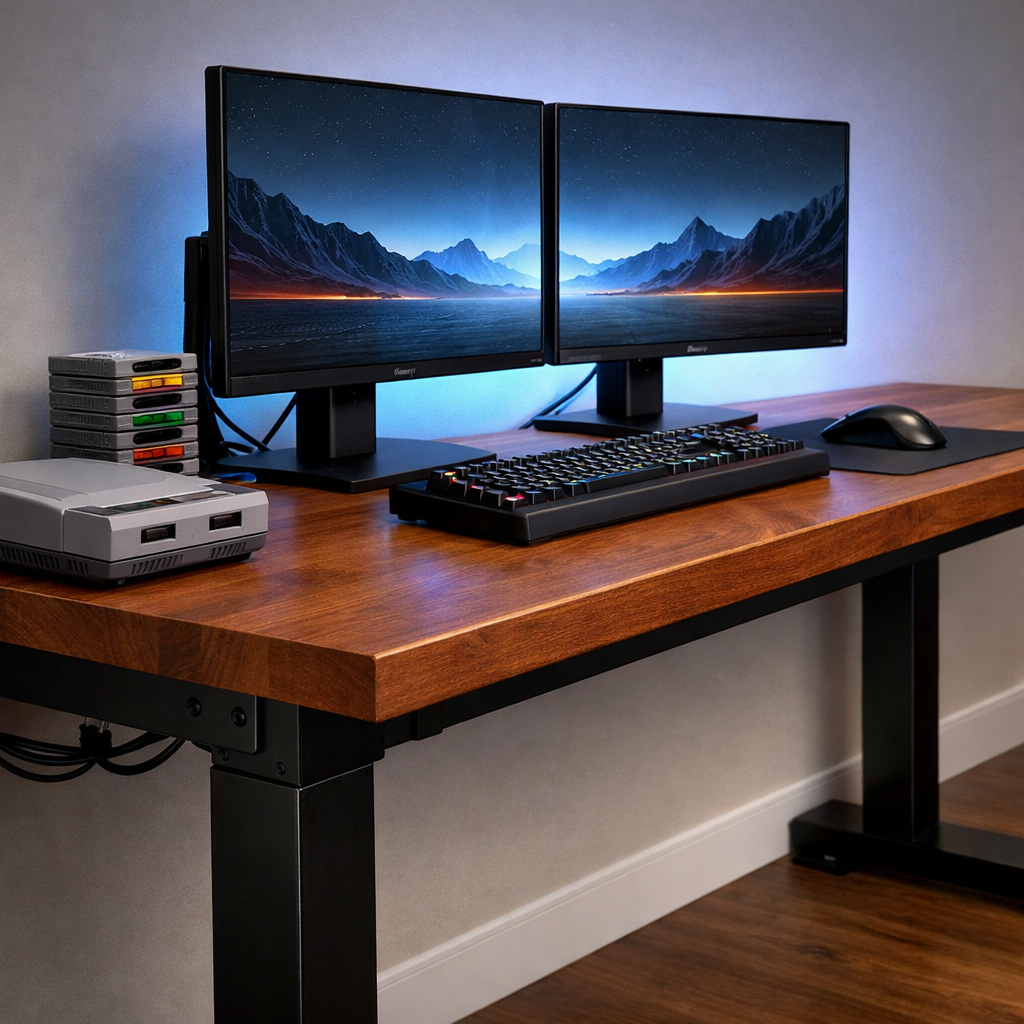
Where to Buy Sturdy Gaming Desks for Dual Monitor Setups
A sturdy desk is the backbone of any dual monitor desk, especially if you juggle consoles, capture cards, and a retro battlestation alongside your PC. The best places to buy are a mix of mainstream marketplaces (for fast shipping and broad selection), direct-to-consumer brands (for dialed‑in specs and support), furniture retailers (for honest frame details), and local used markets (for heavy-duty value). Below, Retro Gaming Blog shows you how to choose the right size and frame, what specs actually matter, and where to shop with confidence—plus preservation‑minded tips if you run CRTs or vintage gear.
How to choose a dual monitor gaming desk
Start with this quick checklist so you buy once, set up once:
- Measure your room and confirm minimum desk width and depth.
- Match surface size to screens: 48–50 inches for dual 24-inch, ~55 inches or more for dual 27-inch; depth of 28–30 inches supports proper viewing distance.
- Tally total weight (monitors, monitor arms, speakers, towers, capture gear) to match desk weight capacity and frame stiffness.
- Pick a frame type: fixed for maximum rigidity or a standing desk for gaming if you want posture flexibility.
- Verify return window, who pays return freight, and warranty coverage (frame/motors/electronics).
“Cable management” is the use of built‑in trays, grommets, and routing to hide and secure wires, improving airflow, cleaning, and safety in tight gaming spaces, and a clean surface can boost focus and creativity, too, as noted in Urbanica’s dual‑monitor desk guide.
Key specs for stability and ergonomics
- Size targets: 48–50 inches works for dual 24-inch displays; ~55 inches and up suits dual 27-inch. Depth of 28–30 inches helps keep screens an arm’s length away, with room for monitor arms and a large mouse mat, per PopSci’s dual‑monitor desks roundup.
- Frame and load: Look for a wobble‑resistant frame with steel legs and cross‑bracing, and a stated desk weight capacity of 150 lb or more if you’ll clamp dual monitor arms or park heavy peripherals. Large tops (100×60 cm to 180×80 cm) are common, but very wide surfaces can flex without proper reinforcement, a point echoed in Empire’s gaming desk guide.
- Ergonomics: Place screens an arm’s length away; keep the top third of each display at eye level. Center your primary monitor and angle the secondary slightly to reduce neck strain—guidance aligned with Urbanica and PopSci.
Quick spec snapshots:
| Setup type | Width target | Depth target | Frame material | Stated load (min) | Cable features to seek |
|---|---|---|---|---|---|
| Dual 24-inch | 48–50 in | 28–30 in | Steel, crossbar | 150 lb+ | Rear tray + grommets |
| Dual 27-inch | 55–63 in | 28–30 in | Steel, crossbar/gusset | 150–200 lb | Under‑desk tray + cutouts |
| L-shaped gaming desk | 55–71 in per side | 24–30 in | Steel corner frame | 100–200 lb | Corner routing + two grommets |
Best places to buy new desks online
- Marketplaces (Amazon, Wayfair, Newegg): Verify full dimensions (width/depth/height), frame type (steel, crossbar), load rating, cable tools (tray/grommets), and return shipping costs before you buy. A shopper on r/GirlGamers reported a Wayfair pick felt “so sturdy” after a month—proof that value exists when you vet specs carefully.
- Retro Gaming Blog’s and other specialist roundups and retailer bios help confirm what matters (capacity, materials, and ergonomics), as in Tom’s Guide’s best gaming desks. Plan your delivery: some frames and tops exceed 100 lb assembled, so line up help and clear the room path before building.
Direct-to-consumer gaming desk brands to consider
- ApexDesk Elite: A sit‑stand staple with a wide surface and built‑in cable organizer that keeps dual‑monitor routing tidy—called out in Tom’s Guide’s best gaming desks. Great for streamers if you confirm total load with your dual arms.
- FlexiSpot E7: Popular, sturdy lifting columns, but many trims ship without integrated cable trays; budget for add‑ons and manage cable slack during height changes, as noted in GamesRadar’s desk roundup.
- FlexiSpot Comhar Electric: Compact standing option (~47.3×23.7 inches) with a 28.9–46.5 inch height range and a bamboo top, rated around 110 lb—fine for lighter dual displays if your arms’ per‑arm loads fit, per IGN’s best gaming desk list.
Furniture retailers with reliable desk frames
- Walker Edison L‑shapes: Corner desks frequently include universal CPU stands and keyboard trays—handy for retro towers or capture boxes—featured in Tom’s Guide’s coverage.
- Living Spaces Sync L‑shaped desk: Lists a 90 lb desktop limit and a 50 lb elevated shelf; helpful for staging monitor risers or small speakers, but always add up combined loads (shelf + arms + accessories), per Living Spaces’ gaming desk overview.
- Always confirm: steel reinforcement under the top, grommets or trays for routing, and clear shelf/leg‑panel capacities—not just the desktop rating.
Where to find quality used or refurbished desks
- Look on eBay, Facebook Marketplace, and office liquidators. Inspect: straight, wobble‑resistant frame; intact welds; flat top with no bowing; complete hardware; undamaged grommets/trays. If shipping, ask about returns and who pays freight.
- Prefer steel frames and thicker laminate or solid wood tops. Avoid glass if you plan to clamp heavy monitor arms due to point‑load flex risks—a caution consistent with PC Gamer’s gaming desk guide.
- Negotiation tip: price in the cost of missing trays, grommet covers, or replacement bolts—and the time to reassemble.
Standing desks versus fixed frames for dual setups
A standing desk is a height‑adjustable desk—manual or electric—that lets you alternate between sitting and standing to reduce fatigue over long sessions, a benefit underlined in Urbanica’s ergonomics advice. Pros: posture variety and back‑strain relief. Caveats: cheaper two‑leg systems can flex with large tops; check rated dynamic load and stabilization. Some controllers only offer two presets—annoying in multi‑user homes—so confirm control options and crossbar design, a nuance raised in PC Gamer’s guide. For strictly competitive play, fixed or very heavy frames feel rock‑solid.
L-shaped versus rectangular layouts for retro battlestations
L-shaped gaming desks add surface area and natural zones—one side for streaming/work, the other for gaming—while rectangular desks save space and simplify cable runs. Example: the Mr. Ironstone L‑shaped desk is rated up to 100 lb, enough for two monitors and peripherals if your arm mounts fit; still confirm clamp/grommet compatibility and corner stability, as PopSci notes. Consider:
- Pros (L‑shape): room for consoles and capture gear; corner monitors can reduce neck swivel; easier peripheral zoning.
- Cons (L‑shape): larger footprint; trickier cable routing around the corner; corner flex if poorly braced.
- Pros (rectangular): simpler cable management; easier to center arms; fits small rooms.
- Cons (rectangular): less surface separation for work/stream gear.
Accessories that improve dual monitor stability
- Monitor arms: Free desk depth and fine‑tune ergonomics. Dual‑arm kits can be pricey (some reach the ~$249 tier); check per‑arm load and VESA patterns, per PC Gamer’s desk guide.
- Cable tools: If your desk lacks trays, plan for add‑ons; trays, magnetic ties, and raceways often add $25–$49, a common tradeoff in GamesRadar’s coverage.
- Other helpful extras: full‑surface desk mats, under‑desk trays/grommets, headphone hooks, power strips with surge protection, and CPU stands to keep towers off carpet.
Return policies, warranties, and what to check before purchase
- Confirm the return window, whether you pay bulky return shipping, any restocking fee, and if assembled items still qualify for returns.
- Warranty: frames, motors, and electronics often have different terms; verify accessories (arms, trays) coverage.
- Pro tip: document unboxing and assembly. Heavy desktops and frames are hard to repack, and photos help smooth any claim—a practicality echoed by Tom’s Guide.
Retro Gaming Blog picks for dual monitor desks
- Arozzi Arena (63"): Generous width for a gaming desk for two monitors, with an all‑surface mat and integrated cable routing; pair with a dual monitor arm to reclaim depth. It routinely lands on “best of” lists like Tom’s Guide.
- ApexDesk Elite: A reliable sit‑stand for streamers who need room for consoles and capture cards; built‑in cable organizer helps keep HDMI and USB runs tidy—confirm load with your arm mounts.
- Value L‑shape: Mr. Ironstone’s 100 lb rating suits mainstream dual LCDs and peripherals if you use light arms; verify clamp spacing near the corner (PopSci’s pick).
- Furniture‑store option: Living Spaces Sync lists 90 lb (top) and 50 lb (shelf); mix in small risers for retro consoles and stash a capture hub under the shelf to declutter.
Collecting and preserving retro gear with the right desk
- Depth matters: deeper desks keep LCDs at a safe distance and leave side space for a PVM/CRT. For especially heavy CRTs, use a separate, dedicated stand; many desk guides even suggest keeping full PC towers on the floor for stability and airflow, as Empire notes.
- Materials with a conscience: bamboo or reclaimed wood tops on recyclable metal frames align with preservation‑minded setups and resist warping under clamp pressure, as encouraged by Urbanica.
- Protect rare ports: route and label analog/digital cables through trays and grommets to relieve strain on SCART/BNC/mini‑DIN connectors, and keep carts and controllers away from heat or power bricks.
Frequently asked questions
What desk width and depth work best for dual 24 to 27 inch monitors
Aim for 48–50 inches for dual 24-inch screens and about 55 inches or more for dual 27-inch. Depth of 28–30 inches supports proper viewing distance and leaves room for monitor arms and large mousepads—exactly what we target at Retro Gaming Blog.
How much weight capacity should I look for with monitor arms and heavy peripherals
Target desks with 150+ lb total capacity and a rigid steel frame so dual arms and heavier peripherals don’t introduce wobble—a baseline we recommend at Retro Gaming Blog. Confirm per‑arm load ratings and whether the desktop material can handle clamp or grommet mounts.
Are standing desks stable enough for dual monitors and CRT side setups
Quality sit‑stand models can be stable for dual LCDs, but cheaper two‑leg frames may flex on large tops. Retro Gaming Blog recommends placing very heavy CRTs on a separate stand and verifying the desk’s dynamic load rating and crossbar stabilization.
What materials and frame types reduce wobble the most
Laminate or solid wood tops on reinforced steel frames (Z‑/A‑/X‑frame or crossbar) minimize flex—the approach we favor at Retro Gaming Blog. Avoid glass for heavy arm clamps and prioritize thicker tops and rigid metal understructures for long‑term stability.
What should I verify in a seller’s return and warranty terms before buying
Check the return window length, who pays return shipping on bulky items, restocking fees, and whether assembled desks qualify. Review warranty coverage by component—frame, motors, and electronics often have different terms—advice we echo at Retro Gaming Blog.
About Retro Gaming Blog’s mission and coverage
Retro Gaming Blog celebrates the games, consoles, and culture that defined generations. We share preservation‑minded, approachable guidance across Consoles, Games, Modding, Collecting, and Retro Culture—with hands‑on how‑tos that help you wire cleaner, play longer, and protect rare hardware. Explore our related guides on cable management for retro setups, safe CRT handling, and desk‑friendly storage for carts, controllers, and arcade sticks.