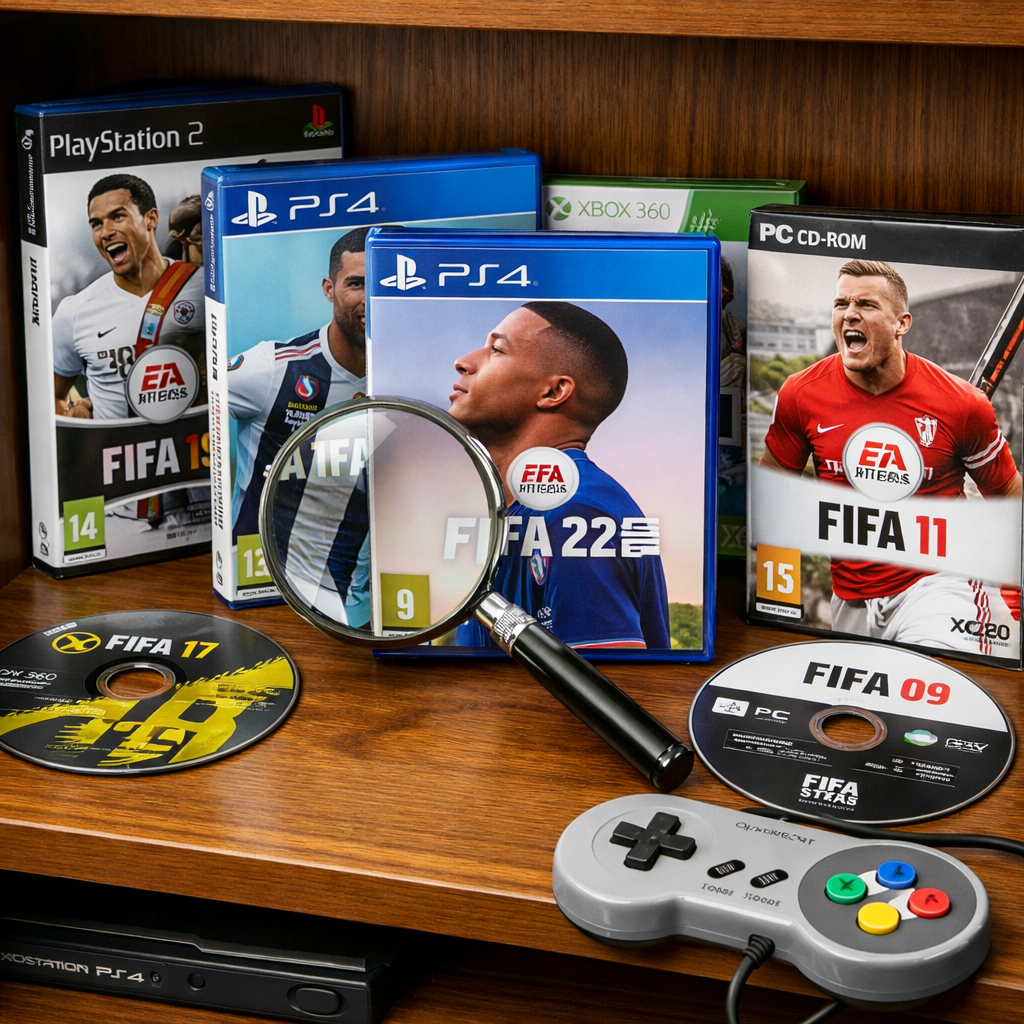
2026 Guide: Where To Find FIFA Games After EA Sports FC Rebrand
The short answer: new “FIFA‑like” games are sold as EA Sports FC on console, PC, and mobile, while older FIFA titles live on via digital storefronts where still listed and, reliably, as second‑hand discs and cartridges. Start with EA Sports FC 24/25/26 for modern play, then hunt legacy FIFA years on PlayStation, Xbox, Switch, and PC stores—or go physical if delisted. Below, we explain the rebrand, the best places to buy, how backward compatibility works, and safe‑buying tips for collectors and families. If you want a quick browse of purchase strategies, see our buying‑guides hub at Retro Gaming Blog.
What changed and what stayed the same
“EA Sports FC rebrand” definition (40–50 words): EA ended its naming license with FIFA in 2023 and continued the annual football series under the EA Sports FC name; EA’s FIFA‑branded entries stopped after FIFA 23, and FC began the same year, carrying forward modes and tech with a new title (see the FIFA series overview).
- FIFA 23 was the last EA‑made FIFA, and the series continued as EA Sports FC starting in 2023, per the historical record on the FIFA video game series overview.
- Ultimate Team and licensed authenticity continue in FC, with EA stating the post‑split game still represents 19,000+ footballers, 700+ teams, and 30+ leagues, and that many older FIFA entries remain playable where supported, as reported in the BBC’s rename coverage.
- EA’s broader licensed ecosystem stretches across 300+ partners, 700+ teams, 100 stadiums, and 30+ leagues, according to early trademark and partner guidance tracked by VGC.
Snippet‑ready: EA Sports FC vs FIFA is a name change, not a reset. Core features like Ultimate Team, Career, licensed leagues, and yearly gameplay updates continue under the FC banner with tens of thousands of players and hundreds of clubs retained.
Step 1: Decide if you want classic FIFA or a current equivalent
Use this quick matrix to decide where to shop first:
- Nostalgia/collecting: Choose legacy FIFA years (e.g., FIFA 12–FIFA 23) for era‑specific squads, commentary, and menus. Expect some digital delistings as licenses lapse; physical discs/carts fill the gaps.
- Couch co‑op: Both legacy FIFA and EA Sports FC support local multiplayer. For families, Switch or older gen consoles are hassle‑free picks.
- Online play: Go EA Sports FC 24/25/26 for active seasonal content and servers. Older FIFA online features may be limited or sunset.
- Budget: Legacy FIFA discs/carts are often $5–$30 used; current FC editions are full price unless on sale or in subscription vaults.
- Platform availability: “Current equivalent” means EA Sports FC on PS5/PS4, Xbox Series X|S/Xbox One, PC, and Switch. Expect fresh gameplay systems and balance changes each year (see the FC 26 Pitch Notes gameplay deep dive).
Step 2: Find legacy FIFA games on modern storefronts
First, search digital storefronts: PlayStation Store, Microsoft Store/Xbox Store, Nintendo eShop, EA App, and Steam. Use filters like year (“FIFA 20,” “FIFA 23”), platform (“PS4”), and terms such as “Legacy Edition” on Switch. If a title is delisted, pivot to second‑hand discs/carts from reputable sellers. Always check each platform’s backward‑compatibility notes and whether online servers are still active. Retro Gaming Blog buying‑guides often flag recent delistings to save time.
Typical availability snapshot (subject to change by region/store):
| Platform | Digital availability (2026) | Backward compatibility | Typical price band (USD, used physical) | Notes on online features |
|---|---|---|---|---|
| PlayStation (PS5/PS4) | Some FIFA years remain; others delisted | Many PS4 FIFAs run on PS5 via disc or digital entitlement | $5–$30 (PS3/PS4), higher for sealed/CIB | Older years may have servers closed; offline modes remain |
| Xbox (Series X | S/One/360) | Select FIFA years listed; 360 titles vary | Strong BC on One/Series for Xbox One discs/digital; 360 support varies | $5–$25 (One/360), premium for rare editions |
| Nintendo (Switch) | Legacy Editions by year; some removed | Native Switch carts; no BC for prior Nintendo gens | $10–$35 (cart), more for CIB | Feature sets differ vs other platforms |
| PC (EA App/Steam) | Entitlements honored; some FIFAs no longer purchasable | Not applicable; ensure OS compatibility | Keys vary; older PC boxes uncommon | Anti‑cheat and controller support differ by year |
PlayStation and Xbox backward compatibility
Check each console’s backward‑compatibility page and store library filters to confirm specific FIFA SKUs you own (digital entitlements) or plan to buy on disc. Many PS4/Xbox One entries run on PS5/Series X|S; insert the disc or re‑download where supported.
Backward compatibility (40–50 words): It’s the ability of newer consoles to play software created for earlier generations. Support can vary by title and region, and may include performance or controller differences. Even when a game runs, online servers or live modes in older FIFAs might be limited or shut down.
Tips: Search “FIFA PS4 on PS5” and “FIFA Xbox One on Series X|S” in your console help app, then verify server status and DLC carryover per title. Our guides also link to the official pages for quick checks.
Nintendo platforms and cartridge options
Switch “Legacy Edition” releases focus on roster updates and presentation tweaks rather than full gameplay overhauls. Search Nintendo eShop by year and look for second‑hand cartridges when digital pages are gone. Practical checks: cartridge contacts and label integrity, region code, photos of the case/manual, and a seller return window. For family couch co‑op, Switch supports quick local matches with split Joy‑Cons.
PC options via EA App and Steam
Search the EA App first, then Steam; regional entitlements vary. Older FIFA entries may not be available to purchase new but remain downloadable if previously owned. Before buying, confirm controller profiles, anti‑cheat requirements, and OS support. Handy search terms: “FIFA 23,” “EA Sports FC 24,” “EA Sports FC 25,” “EA Sports FC 26.”
Step 3: Use subscriptions to sample without buying
Cost‑savvy path:
- Open the game’s store page.
- Look for “trial,” “EA Play,” or “included with” badges.
- Confirm your tier (EA Play/EA App, PlayStation Plus, Xbox Game Pass/Core).
- Download, then note time limits and feature access. Some Showcase/demo features and Clubs access may require active console online services, as seen in the FC 26 Showcase trial overview.
Keywords to watch: EA Play trial, PS Plus, Xbox Game Pass, free demo.
Step 4: Get the current FIFA‑like experience in EA Sports FC
Annual EA Sports FC releases are the clearest continuation of the series ethos: modern football gameplay with officially licensed teams/leagues, seasonal modes, online features, and Ultimate Team‑style progression—delivering the “FIFA‑like experience” most players expect.
Platforms and editions to target
Supported platforms: PS5/PS4, Xbox Series X|S/Xbox One, PC, and Switch. For the smoothest play, pick current‑gen consoles or a capable PC for higher frame rates, better input latency, and cross‑play where supported.
Edition basics:
| Edition | Typical extras |
|---|---|
| Standard | Base game, seasonal updates, standard live events |
| Deluxe | Early access window, Ultimate Team cosmetic packs/loan items, occasional XP or objectives boosts |
Note: Feature parity on Switch can differ; review each year’s feature list before purchase.
Modes and licenses to expect
Licenses are still broad: 19,000+ footballers, 700 teams, and 30 leagues carried through the rebrand per the BBC report; EA also touts 300+ partners, 700+ teams, 100 stadiums, and 30+ leagues in its wider ecosystem, per VGC’s partner roundup.
FC26 gameplay highlights from the official notes include revamped Be‑A‑Goalkeeper controls, eight new set‑piece assignments, Roles and PlayStyles, simplified skill inputs, Passing Lanes for semi‑assisted through balls, Low Driven shot tuning, Competitive vs. Authentic gameplay presets, and High‑Contrast accessibility (see the FC 26 Pitch Notes deep dive).
Early community insights point to slower left‑stick dribbling, heavier emphasis on first touch, more rewarding crossing, practical fake‑shot/drag‑back usage, and the rise of manual defending—summarized in Red Bull’s FC 26 tips and tricks.
Step 5: Watch for new FIFA‑branded projects outside EA
After the split, FIFA publicly signaled plans to work with other partners on future football games and events; keep an eye on official FIFA channels for any verified releases or esports tie‑ins (see the FIFA series background). Creators also speculate about FC26 World Cup‑style updates and cosmetics; treat these as rumors until official announcements (example roundup: World Cup mode rumor video).
Step 6: Safe buying tips for physical discs and retro carts
- Verify region codes and platform logos on disc/case or cart label.
- Inspect disc underside and cartridge pins; request close‑up photos and serials.
- Confirm return/refund policies and test the game promptly within the window.
- Price‑check across local shops, reputable marketplaces, and retro stores.
- For gifts and families, prefer complete‑in‑box for durability and presentation.
For more collecting fundamentals, browse our curated Retro Gaming Blog buying‑guides.
Step 7: Community hubs for updates, patches, and legit downloads
Use Retro Gaming Blog’s guides, official game subreddits, established fan forums, YouTube trainers, and PC modding communities for tactics and patch notes—stick to legal downloads only. Showcase/trial modes and Skill Games are great for practice; the FC26 Showcase includes a practice arena that mirrors the full game’s fundamentals (as shown in the FC 26 Showcase video referenced above).
Mobile and cloud options for on‑the‑go play
FIFA Mobile transitioned to EA Sports FC Mobile; search “EA Sports FC Mobile” on iOS and Android. For handheld flexibility, consider console remote play or cloud services compatible with your platform. On the go, check controller support, data usage, and touch control customization—especially for commuters and family devices.
Regional licenses and content differences to check before purchase
Leagues, players, and likenesses can vary by region and over time. Some leagues (such as Brazil in prior years) have been unavailable due to image‑rights issues, and high‑profile likenesses like Diego Maradona have been removed posthumously during rights disputes; see this concise authenticity and likeness‑rights explainer. Always read storefront pages for your region to confirm teams, leagues, and stadiums you care about.
Preservation notes for collectors and families
- Back up saves and, where possible, retain day‑one patches or title updates.
- Document which modes require online services so you know what remains playable later.
- Store discs and carts in climate‑controlled sleeves; avoid direct sun and humidity.
- For households, lean on offline‑friendly modes like Career, Kick Off, and local co‑op to ensure longevity.
Frequently asked questions
Is FIFA Mobile still available or is it EA Sports FC Mobile now
FIFA Mobile was rebranded to EA Sports FC Mobile. For quick links and notes, see Retro Gaming Blog’s mobile roundup.
Can I still play FIFA 23 online in 2026
It depends on platform and server support. Retro Gaming Blog’s buying‑guides explain how to check status and point you to current FC releases.
What should I search to find the newest EA football game
Search “EA Sports FC 26” on console/PC stores and “EA Sports FC Mobile” on iOS/Android. Retro Gaming Blog’s buying‑guides also list current SKUs by platform.
Are older FIFA games delisted from digital stores
Some are, depending on licensing and platform; if a title is delisted, try physical discs/carts or check if previous purchases remain downloadable. Retro Gaming Blog highlights common delistings and alternatives.
Do World Cup events still appear in EA Sports FC
Seasonal events vary by year, and World Cup‑style content may arrive via title updates or promos. Follow official channels, and check Retro Gaming Blog for concise recaps.