Avoid Scams: How To Safely Buy a Gaming Console Anywhere
Buying a console should be fun, not stressful. The safest places to buy are reputable retailers and official stores, certified refurbished programs with warranties, protected online marketplaces, and well‑lit local meetups where you can test before paying. This Retro Gaming Blog guide shows you how to choose the right system, verify listings and sellers, test hardware in minutes, pay with buyer protection, and lock down your console on day one—whether you’re grabbing a new PS5 bundle, a used Switch, or a ’90s classic.
Start with your needs and the real market price
Start by deciding what you actually need so you can spot deals—and scams—instantly. Backward compatibility means a newer console can play certain older games; if you own a library already, that can raise the value of specific models. Compare prices across models and trims, and note how a disc drive, storage size, subscriptions, or extra controllers change the total cost of ownership. Parent‑focused guides highlight how family features, controller counts, and online access impact value over time (see the concise parent console buying guide for context on disc vs. digital and family setup) parent console buying guide.
Disc vs. digital (quick comparison):
- Digital‑only models: lower upfront price; all games are downloads; you avoid scratched or missing discs; resale and used‑disc deals aren’t an option.
- Disc‑equipped models: play used discs and physical collections, borrow or trade; potentially higher upfront cost; physical media management required.
If you’re buying for a family, check ESRB ratings (E, T, M) and plan to enable parental controls and content filters from the start; both ESRB and child‑safety groups recommend setting age filters and purchase limits on day one ESRB console‑shopping tips.
Choose safe places to buy
Prioritize platforms known for buyer protection and clear return policies. Official stores and big‑box retailers are low‑risk. Manufacturer certified refurbished programs often include warranty coverage and official accessories—a smart middle ground between new and used (see Sony’s overview of certified options and warranty terms) PlayStation buying guide.
Protected marketplaces are safer when they use extra anti‑fraud layers. 3D Secure is an additional card‑holder authentication step that helps prevent payment fraud at checkout; it’s a standard part of modern anti‑fraud stacks used by gaming payment platforms anti‑fraud overview. When buying locally, meet in public, camera‑monitored places with power outlets and Wi‑Fi. Keep all communication and payments on‑platform so you retain dispute protections.
Where to buy (at a glance):
| Where to buy | Protection level | Return/Warranty | Ideal for |
|---|---|---|---|
| Official manufacturer stores | Highest | Standard manufacturer warranty | New consoles, bundles |
| Big‑box retailers | High | 14–30 day returns; manufacturer warranty | New consoles, in‑stock promos |
| Certified refurbished (manufacturer/authorized) | High | Limited warranty included | Like‑new units with savings |
| Protected online marketplaces | Medium–High | Platform dispute window; seller policies | Deals, rare trims, used/certified |
| Local classifieds with on‑platform payment | Medium | Varies; platform dispute options | In‑person tests, quick pickup |
| In‑person swaps off‑platform | Low | None | Only if you can fully test and trust the seller |
Verify the listing and the seller
Before any meetup or payment, authenticate the listing:
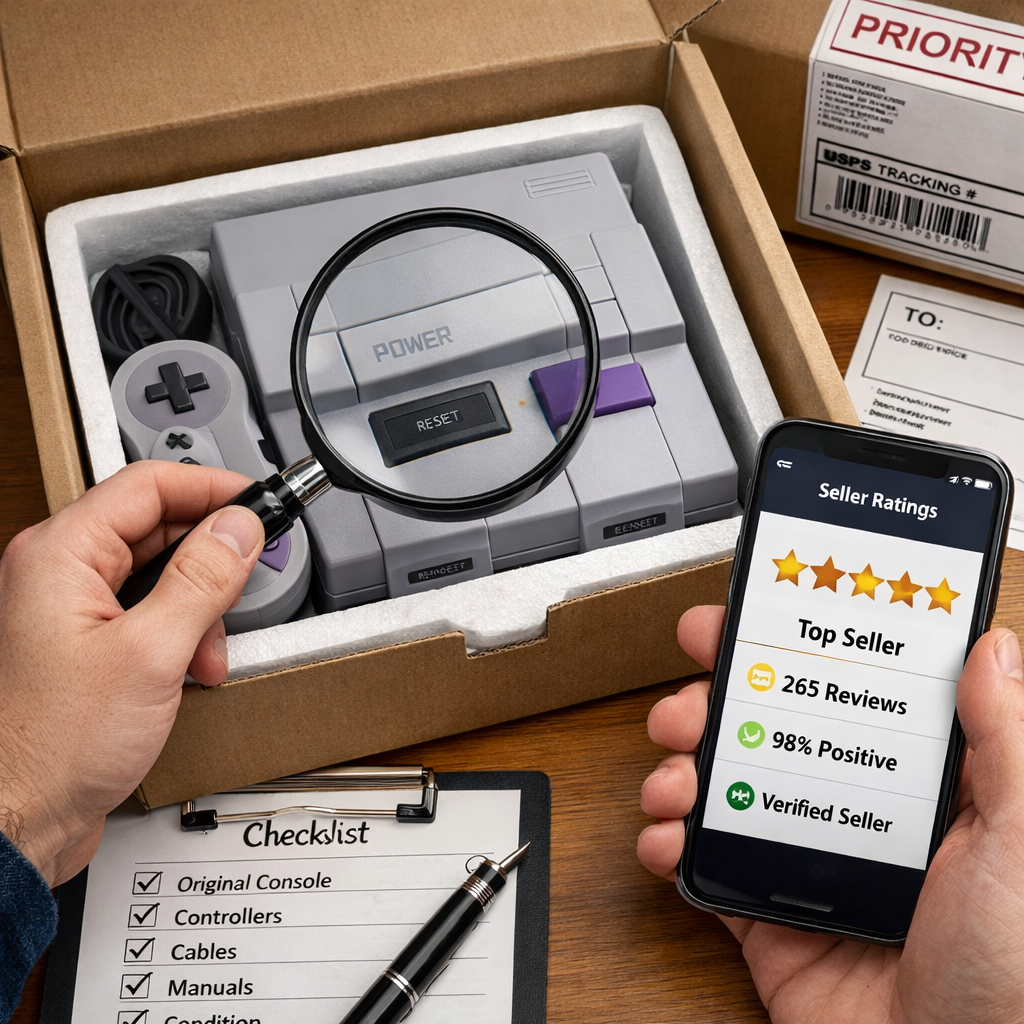
- Scrutinize photos for damage, missing cables, or mismatched serial labels. Ask for a powered‑on photo and a shot of the system info screen showing serial and firmware.
- Check seller ratings, sale history, and ID. Be wary of prices far below market or pressure to move off‑platform—classic fraud flags.
- Request a 20–30 second video of the console booting and launching a game, with controller inputs shown.
- Payment fraud means using stolen cards or fake payment info to launder goods; scammers often push you off secure platforms to avoid detection online gaming fraud guidance.
Inspect and test the console before you pay
At the meetup, run a fast, practical test:
- Power on to the home/dashboard, load a game, and listen for abnormal fan noise.
- Confirm all cables, controllers, and accessories are present and undamaged.
- Photograph the exterior and serial number; scan for tamper stickers, stripped screws, water intrusion, or swollen batteries (handhelds).
- Bring a known‑good game, an HDMI cable, and a USB drive (if supported) so you control the test media. Community checklists echo these steps—boot, test with a game, and listen for fan noise to reveal hidden issues used console test tips.
Power, noise, and storage checks
- Boot to the dashboard, open the storage menu to verify capacity, and run a demanding game for 5–10 minutes.
- Listen for excessive fan noise, buzzing drives, or thermal throttling symptoms.
- Device fingerprinting is a technique that tracks device attributes (like browser, hardware, or behavior) to spot anomalies; reputable marketplaces use it against bots and fraud, indirectly protecting buyers by reducing scam listings gaming fraud prevention practices.
Storage red flags:
- Repeated crashes or sudden restarts under load
- Reported capacity doesn’t match the stated model
- Health/SMART errors where exposed (some systems display drive health)
Controllers, ports, and disc drive
Test failure‑prone parts in minutes, including known issues like Nintendo Joy‑Con drift:
- Check sticks for drift, buttons for responsiveness, triggers for even travel.
- Test every USB/HDMI port, Wi‑Fi/Ethernet, and the disc drive for smooth reads and reliable ejects.
Mini test table:
| Component | How to test | Pass cues | Fail cues |
|---|---|---|---|
| Controller sticks | Hold stick, release; observe cursor; rotate slowly | Recenters; no wandering | Drift, dead zones, sticky input |
| Face/shoulder buttons | Rapid tap in a game menu/test app | Consistent clicks | Missed presses, double‑inputs |
| USB/HDMI ports | Wiggle gently with cable; display/power steady | Solid connection | Loose fit, signal dropouts |
| Wi‑Fi/Ethernet | Connect, run a quick download/ping | Stable speeds | Drops, failure to authenticate |
| Disc drive | Insert known‑good disc; read/eject twice | Quick read; quiet | Grinding, failed reads, stuck tray |
| Cables/accessories | Visual check; plug in each | No frays; works | Cuts, bent pins, third‑party risks |
Accounts, factory reset, and serial numbers
Avoid account locks and bans:
- Ask the seller to perform a full factory reset in front of you; confirm no previous accounts remain and parental/PIN locks are cleared.
- Photograph the serial number and match it to system info.
- Account takeover (ATO) occurs when attackers gain control of login credentials; always secure and reset any device post‑purchase to prevent surprises gaming fraud prevention practices.
- Check warranty eligibility later; certified refurbished units frequently include limited warranty coverage PlayStation buying guide.
Pay with buyer protection and document the sale
Use payment methods that allow disputes and refunds:
- Prefer credit/debit with 3D Secure, PayPal Goods & Services, or platform escrow. 3D Secure adds an extra card‑holder authentication step that reduces fraud risk anti‑fraud overview.
- On online checkouts, look for CVV and AVS checks; these reduce stolen‑card abuse and signal a safer marketplace online gaming fraud guidance.
- Save a receipt, seller contact, and the serial number. Avoid cash unless you know and trust the seller.
- Platforms that advertise AI‑based detection, real‑time monitoring, and velocity checks generally provide stronger buyer protection gaming fraud prevention practices.
Register, update, and lock down your console
Once home, do quick hygiene that protects your family and your wallet:
- Register the console with the manufacturer and complete OS updates immediately.
- Set privacy defaults, content filters, and purchase limits before anyone else uses the system—child‑safety orgs recommend this as day‑one setup console safety setup guide.
- Keep digital and paper copies of receipts, serial photos, and shipping labels for warranty and disputes.
OS updates and parental controls
- Connect to Wi‑Fi and install system updates before first use for security and performance console safety setup guide.
- Create a parent/guardian account first, then add child accounts; enable content filters, chat limits, and purchase approvals (Switch Parental Controls app, Xbox Family Settings). ESRB guidance explains ratings and family controls in plain language ESRB console‑shopping tips.
Quick‑start checklist:
- PlayStation: System update > Privacy defaults > Family Management > Restrict purchases and age ratings
- Xbox: System update > Privacy & Online Safety > Family Settings app > Ask‑to‑buy and content filters
- Nintendo Switch: System update > Link Parental Controls app > Set play‑time, spending, and content limits
Account security and two factor
- Enable two‑factor authentication, use unique passwords, and review recent sign‑ins on your account portal.
- Real‑time transaction monitoring refers to systems that flag risky purchases instantly; prefer marketplaces that advertise these controls to reduce fraud exposure gaming fraud prevention practices.
- Set a purchase PIN, disable auto‑save of payment methods on shared consoles, and remove old cards.
Warranty registration and receipts
- Register warranty coverage where available—especially for certified refurbished units that include limited warranties PlayStation buying guide.
- Store receipt PDFs, serial photos, and unboxing videos in cloud storage with clear file names.
- After registering, verify the warranty start date in your account.
Retro buyer notes and mods to consider
Retro Gaming Blog focuses on practical, no‑nonsense retro hardware checks and beginner‑friendly mod guides. For ’90s consoles and earlier, add authenticity checks and mod considerations:
- Confirm original hardware vs. clones, region codes, and correct power supplies. Our step‑by‑step tells help you avoid counterfeits Retro Gaming Blog fake retro console spotting guide.
- RGB video mods can dramatically improve image quality and compatibility with modern TVs; loose AV ports and aging capacitors are common issues on older units (we show a simple SNES AV‑port fix) Retro Gaming Blog SNES AV‑port repair tips.
- Price trends and seasonal spikes vary; consult recent market snapshots before you negotiate Retro Gaming Blog retro market trends.
’90s console red flags and authenticity
- Inspect serial label fonts, screw types (tri‑wing, security Torx), and board photos for region swaps or reproduction parts.
- Test cartridge slot tension (no wobbly carts) and disc lasers (quick reads, no grinding).
- Common failures to watch:
- PS1/PS2: laser wear, noisy drives
- SNES: yellowed shells, loose AV ports
- N64: worn joystick modules, finicky expansion paks
- Bring a known‑good cart/disc to the meetup. For deeper tells, see our counterfeit checklist Retro Gaming Blog counterfeit checklist.
RGB video mods and compatibility
RGB video mods retrofit classic consoles with higher‑quality analog or digital outputs, producing sharper color separation and lower noise than composite. Paired with scalers, they reduce input lag and preserve native 240p/480i art on HDTVs, making retro games look and feel right on modern displays. Ask for mod photos, installer details, and test screenshots on the target TV/scaler; start with our beginner’s explainer Retro Gaming Blog beginner’s RGB guide.
Family couch co‑op picks to test at meetup
Great for stress‑testing controller ports and latency:
- Bomberman, Mario Kart 64, Streets of Rage 2 (2–4 players)
- A modern check: a Rocket League‑style local match to verify split‑screen and input lag
- Most new consoles support up to four local players—budget for extra controllers for family nights parent console buying guide
What to bring to test couch co‑op:
- Two to four controllers, a known‑good cart/disc or digital demo, and an HDMI cable
Mobile and cloud accessory checks
If you play on the move or via cloud:
- Test handheld docks, Bluetooth controllers, and capture cards for input lag and button mapping.
- Verify USB‑C cables, controller firmware, and reliable Wi‑Fi 5/6 for cloud streaming; we share latency and setup tips here Retro Gaming Blog cloud‑gaming accessories guide.
- For cross‑platform nights, ensure cross‑save/cross‑play are enabled on your accounts Retro Gaming Blog cross‑play setup tips.
Meetups and shipping safety
- Local meetups: choose public, camera‑monitored spots with power and Wi‑Fi. Keep messages and payment on‑platform for dispute coverage.
- Shipping: require tracked and insured shipping, signature on delivery, and clear pre‑ship condition photos (including the serial and packing steps).
Public meetup play test checklist
- Boot to dashboard
- Open storage menu to confirm capacity
- Play a demanding game for 5 minutes
- Listen for abnormal fan noise or grinding
- Test controllers and every port
- Insert/eject a disc twice (if applicable)
- Perform a factory reset; verify no accounts remain
- Photograph the serial and exterior
- Pay with a protected method (card/PayPal) and get a receipt before leaving
Shipping, packaging, and unboxing photos
- Sellers: use a rigid box, anti‑static/bubble wrap, and immobilize the console and accessories.
- Buyers: request photos of the serial and each packing stage; film the unboxing and photograph condition on arrival. Keep the box and label until the return window closes.
Red flags and how to respond
Watch for: prices far below market, urgency to move off‑platform, refusal to provide serial or boot video, mismatched or stock photos, and cash‑only demands. If you see these, stop and report the listing. Chargeback fraud is when a buyer disputes a legitimate charge to claw back funds; bonus abuse is creating fake accounts to exploit promos—both are warning signs of shady environments to avoid online gaming fraud guidance.
If something goes wrong:
- Document everything (screenshots, messages, photos/video).
- Contact the platform and payment provider to open a dispute.
- If stolen goods are suspected, file a police report and share the serial.
Frequently asked questions
How can I tell if a console seller is legit?
Check ratings, sale history, and require a current photo or video showing the console booted to system info with serial. Retro Gaming Blog’s quick pre‑buy checklist covers these steps while keeping messaging and payment on‑platform.
What are the biggest red flags of a console scam?
Prices far below market, pressure to move off‑platform, refusal to share serials or boot videos, and cash‑only demands. Retro Gaming Blog’s rule: stop, report, and stick to a protected marketplace.
Is it safe to buy a used console on marketplace sites?
Yes—if you verify the seller, test in person, and pay with buyer protection; Retro Gaming Blog’s meetup checklist covers the steps.
How do I check if a console is stolen or still linked to an account?
Ask the seller to factory reset the device in front of you and show it boots to setup with no previous accounts. Record the serial and register it after purchase; if they refuse, Retro Gaming Blog treats it as a walk‑away.
What payment method is safest when buying a console?
Use a card with 3D Secure or PayPal Goods & Services—Retro Gaming Blog’s default—for dispute rights and fraud checks. Avoid cash or friends‑and‑family payments unless you personally trust the seller.